


AutoMultiplicationSymbol
Details
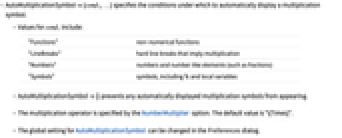
- AutoMultiplicationSymbol{cond1,…} specifies the conditions under which to automatically display a multiplication symbol.
- Values for condi include:
-
"Functions" non-numerical functions "LineBreaks" hard line breaks that imply multiplication "Numbers" numbers and number‐like elements (such as fractions) "Symbols" symbols, including % and local variables - AutoMultiplicationSymbol{} prevents any automatically displayed multiplication symbols from appearing.
- The multiplication operator is specified by the NumberMultiplier option. The default value is "∖[Times]".
- The global setting for AutoMultiplicationSymbol can be changed in the Preferences dialog.
Examples
open allclose allBasic Examples (1)
Scope (5)
Multiplication symbols are not inserted where explicit * or × operators are present:
Automatic multiplication symbols between non-numeric functions:
Functions representing numeric operations will not have automatic multiplication symbols:
Automatic multiplication symbols at hard line breaks:
Automatic multiplication symbols between numbers:
Text
Wolfram Research (2007), AutoMultiplicationSymbol, Wolfram Language function, https://reference.wolfram.com/language/ref/AutoMultiplicationSymbol.html (updated 2021).
CMS
Wolfram Language. 2007. "AutoMultiplicationSymbol." Wolfram Language & System Documentation Center. Wolfram Research. Last Modified 2021. https://reference.wolfram.com/language/ref/AutoMultiplicationSymbol.html.
APA
Wolfram Language. (2007). AutoMultiplicationSymbol. Wolfram Language & System Documentation Center. Retrieved from https://reference.wolfram.com/language/ref/AutoMultiplicationSymbol.html