


CellAutoOverwrite
is an option for Cell which specifies whether an output cell should be overwritten by new output when the preceding input cell is evaluated.
Details
- Any sequence of cells with GeneratedCell->True is assumed to correspond to output.
- An output cell is deleted only when new output is ready to be inserted in its place.
- With CellAutoOverwrite->False, new output is placed directly after the preceding input, pushing down pre-existing output.
- CellAutoOverwrite is typically set for cells in "Output" style.
Examples
Basic Examples (1)
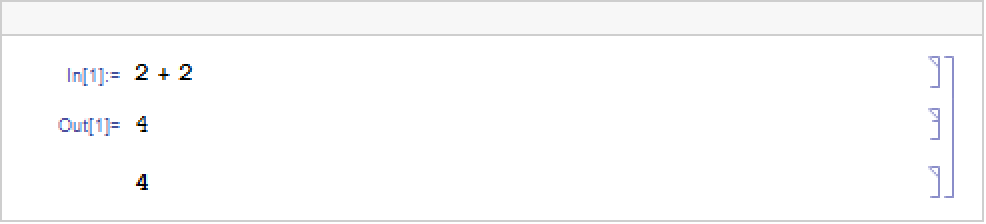
Create an input cell with an output cell that has the setting CellAutoOverwrite->False:

When the input is evaluated, it creates a new output cell without overwriting the old one:
Text
Wolfram Research (1996), CellAutoOverwrite, Wolfram Language function, https://reference.wolfram.com/language/ref/CellAutoOverwrite.html.
CMS
Wolfram Language. 1996. "CellAutoOverwrite." Wolfram Language & System Documentation Center. Wolfram Research. https://reference.wolfram.com/language/ref/CellAutoOverwrite.html.
APA
Wolfram Language. (1996). CellAutoOverwrite. Wolfram Language & System Documentation Center. Retrieved from https://reference.wolfram.com/language/ref/CellAutoOverwrite.html