


CellMargins
is an option for Cell that specifies the absolute margins in printer's points to leave around a cell.
Details
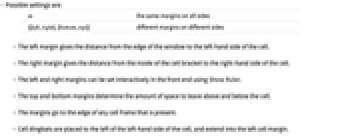
- Possible settings are:
-
m the same margins on all sides {{left,right},{bottom,top}} different margins on different sides - The left margin gives the distance from the edge of the window to the left‐hand side of the cell.
- The right margin gives the distance from the inside of the cell bracket to the right‐hand side of the cell.
- The left and right margins can be set interactively in the front end using Show Ruler.
- The top and bottom margins determine the amount of space to leave above and below the cell.
- The margins go to the edge of any cell frame that is present.
- Cell dingbats are placed to the left of the left‐hand side of the cell, and extend into the left cell margin.
Examples
open allclose allBasic Examples (1)
Scope (3)
Put a large margin on the left:
abcde abcde abcde abcde abcde abcde abcde abcde abcde abcde abcde abcde abcde abcde abcde abcde abcde abcde abcde abcdePut a large margin on the right:
abcde abcde abcde abcde abcde abcde abcde abcde abcde abcde abcde abcde abcde abcde abcde abcde abcde abcde abcde abcde abcde abcde abcde abcde abcde abcde abcde abcde abcde abcde abcde abcde abcde abcde abcde abcde abcde abcde abcde abcde abcde abcde abcde abcde abcde abcde abcde abcde abcde abcde abcde abcde abcde abcde abcde abcde abcde abcde abcde abcdeProperties & Relations (4)
The space between consecutive cells c1 and c2 is bottom1+top2:
abcde abcde abcde abcde abcde abcde abcde abcde abcde abcde abcde abcde abcde abcde abcde abcde abcde abcde abcde abcdeUse CellFrame to frame the cell content area:
abcde abcde abcde abcde abcde abcde abcde abcde abcde abcde abcde abcde abcde abcde abcde abcde abcde abcde abcde abcdeUse Background to style the cell content area:
abcde abcde abcde abcde abcde abcde abcde abcde abcde abcde abcde abcde abcde abcde abcde abcde abcde abcde abcde abcdeA CellDingbat will be placed immediately to the left of the cell content area:
abcde abcde abcde abcde abcde abcde abcde abcde abcde abcde abcde abcde abcde abcde abcde abcde abcde abcde abcde abcdeText
Wolfram Research (1996), CellMargins, Wolfram Language function, https://reference.wolfram.com/language/ref/CellMargins.html.
CMS
Wolfram Language. 1996. "CellMargins." Wolfram Language & System Documentation Center. Wolfram Research. https://reference.wolfram.com/language/ref/CellMargins.html.
APA
Wolfram Language. (1996). CellMargins. Wolfram Language & System Documentation Center. Retrieved from https://reference.wolfram.com/language/ref/CellMargins.html