

Deinitialization
is an option for Dynamic, DynamicModule, Manipulate, and related constructs that specifies an expression to be evaluated when the construct can no longer be displayed or used.
Details
- The typical usage is Deinitialization:>expr.
- Deinitialization is typically done when the cell containing a construct is deleted, or when the notebook containing it is closed.
- Deinitialization will never be performed unless initialization has previously been performed.
- Deinitialization may be delayed if, for example, a construct appears in an invisible location such as the clipboard.
- An object that has been deinitialized can be initialized again if it is restored as a result of using Undo. It may be deinitialized again through the use of Redo or any other action that deletes the object.
Examples
open all close allBasic Examples (3)
Choose a color and create the colored disk when the window is closed:
CreateDialog[DynamicModule[{c}, ColorSlider[Dynamic[c]], Initialization :> (c = Pink), Deinitialization :> (CreateDialog[Graphics[{c, Disk[]}]])]];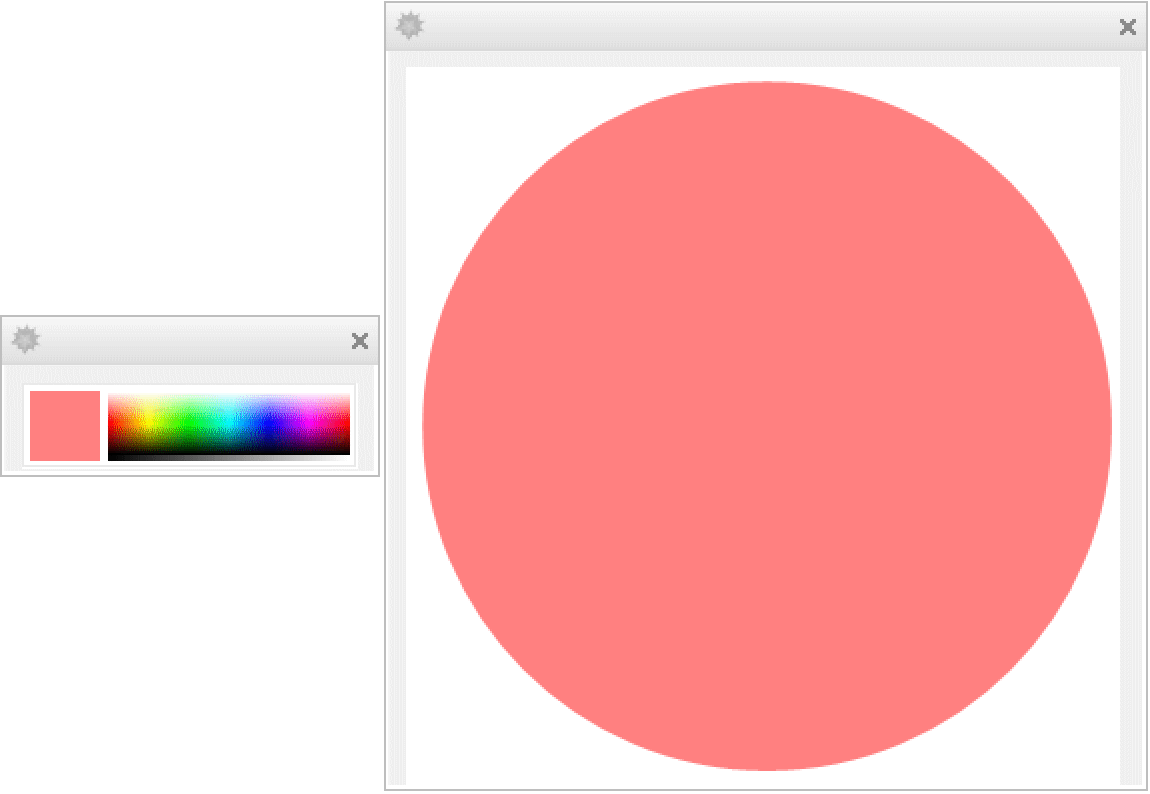
Temporarily change the background of a notebook:
With[{nb = CreateWindow[]}, CreateDialog[Manipulate[SetOptions[nb, Background -> c, WindowOpacity -> o];Column@{c, o}, {c, Green}, {{o, 0.5}, 0, 1}, Deinitialization :> (SetOptions[nb, Background -> Inherited, WindowOpacity -> Inherited])]]];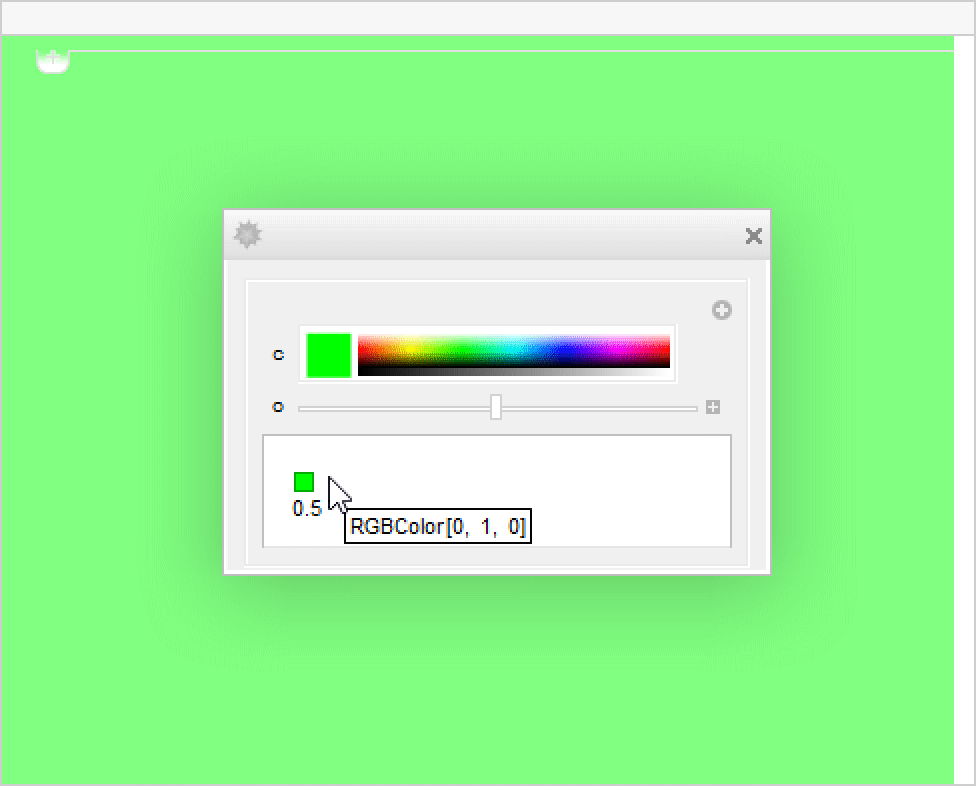
Track and display how long a window was viewed:
CreateDialog[DynamicModule[{t}, ProgressIndicator[Dynamic[Clock[Infinity]], Indeterminate], Initialization :> (t = AbsoluteTime[]), Deinitialization :> (CreateDialog[ToString@StringForm["Viewed for `1` seconds", AbsoluteTime[] - t]])]];
Scope (2)
Track the mouse position while the window is open and display a plot when it is closed:
CreateDialog[DynamicModule[{pos}, Dynamic[AppendTo[pos, {1, -1}MousePosition[]];MousePosition[]], Initialization :> (pos = {}), Deinitialization :> (CreateDialog[ListPlot[Union@pos, Axes -> False]])]];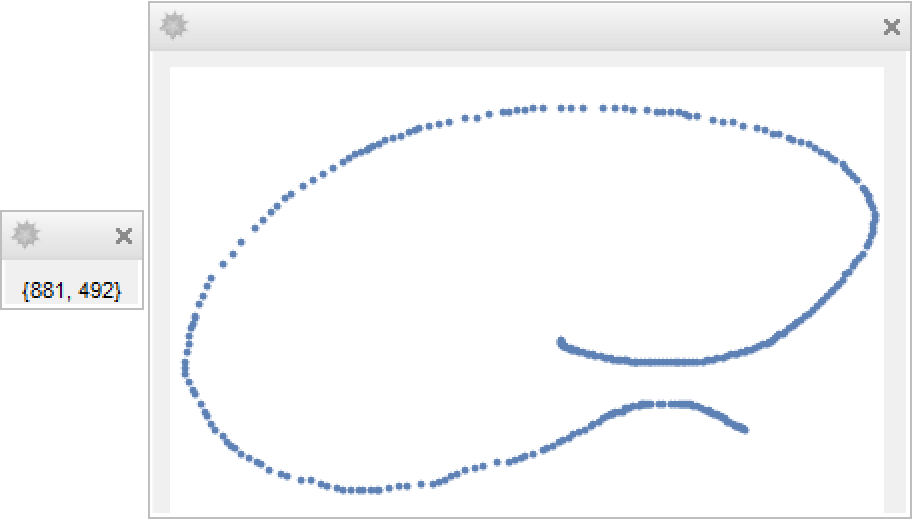
Temporarily change the notebook font size setting:
With[{nb = EvaluationNotebook[]}, CreateDialog[{Slider[Dynamic[CurrentValue[nb, FontSize]], {5, 15}], Dynamic[CurrentValue[nb, FontSize], Deinitialization :> (CurrentValue[nb, FontSize] = Inherited)]}]];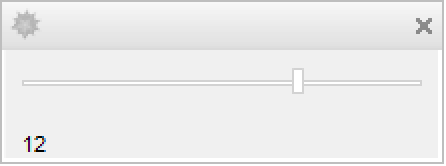
Properties & Relations (1)
Each time a Dynamic destroys a deinitializing construct, the deinitialization will run again:
DynamicModule[{inner = RandomColor[]}, Dynamic[{Row[{"outer: ", RandomColor[]}], Dynamic[Row[{"inner: ", inner}], Deinitialization :> (inner = RandomColor[])]}, UpdateInterval -> 1]]Neat Examples (1)
Display the current time and create a graphical representation when the window is closed:
clock[{h_, m_, s_}] := Graphics[{Table[Text[t, 0.9{Sin[t Pi / 6], Cos[t Pi / 6]}], {t, 1, 12}], Circle[], Green, Rotate[Line[{{0, 0}, {0, 0.9}}], (-2Pi)s / 60, {0, 0}], Blue, Rotate[Line[{{0, 0}, {0, 0.8}}], (-2Pi)(m + s / 60) / 60, {0, 0}], Rotate[Line[{{0, 0}, {0, 0.4}}], (-2Pi)Mod[h + m / 60, 12] / 12, {0, 0}]}]CreateDialog[Dynamic[DateString[], UpdateInterval -> 1, Deinitialization :> CreateDialog[clock@Take[DateList[], -3]]]];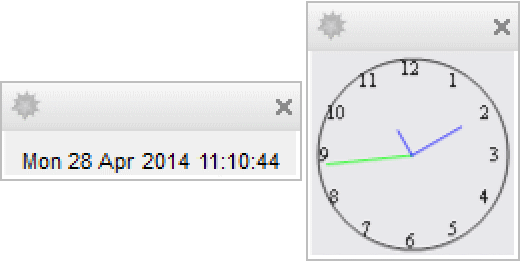
Text
Wolfram Research (2007), Deinitialization, Wolfram Language function, https://reference.wolfram.com/language/ref/Deinitialization.html.
CMS
Wolfram Language. 2007. "Deinitialization." Wolfram Language & System Documentation Center. Wolfram Research. https://reference.wolfram.com/language/ref/Deinitialization.html.
APA
Wolfram Language. (2007). Deinitialization. Wolfram Language & System Documentation Center. Retrieved from https://reference.wolfram.com/language/ref/Deinitialization.html