


LetterQ
Details
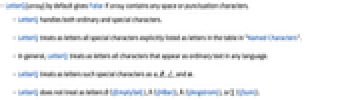
- LetterQ[string] by default gives False if string contains any space or punctuation characters.
- LetterQ handles both ordinary and special characters.
- LetterQ treats as letters all special characters explicitly listed as letters in the table in "Named Characters".
- In general, LetterQ treats as letters all characters that appear as ordinary text in any language.
- LetterQ treats as letters such special characters as α, , ℒ, and æ.
- LetterQ does not treat as letters ∅ (\[EmptySet]), ℏ (\[HBar]), Å (\[Angstrom]), or ∑ (\[Sum]).
Examples
open allclose allScope (6)
Generalizations & Extensions (1)
Possible Issues (1)
Wolfram Research (1991), LetterQ, Wolfram Language function, https://reference.wolfram.com/language/ref/LetterQ.html (updated 1996).
Text
Wolfram Research (1991), LetterQ, Wolfram Language function, https://reference.wolfram.com/language/ref/LetterQ.html (updated 1996).
CMS
Wolfram Language. 1991. "LetterQ." Wolfram Language & System Documentation Center. Wolfram Research. Last Modified 1996. https://reference.wolfram.com/language/ref/LetterQ.html.
APA
Wolfram Language. (1991). LetterQ. Wolfram Language & System Documentation Center. Retrieved from https://reference.wolfram.com/language/ref/LetterQ.html