


MessageDialog
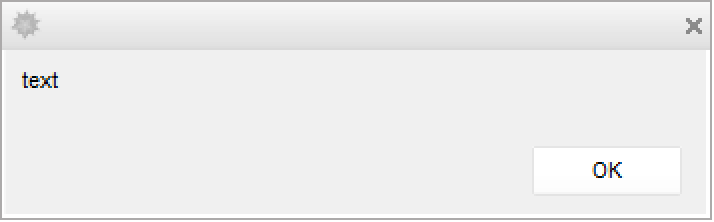
MessageDialog[expr]
puts up a standard message dialog that displays expr together with an OK button.
MessageDialog[expr,{lbl1:>act1,lbl2:>act2,…}]
includes buttons with labels lbli that evaluate the corresponding acti if clicked.
Details and Options
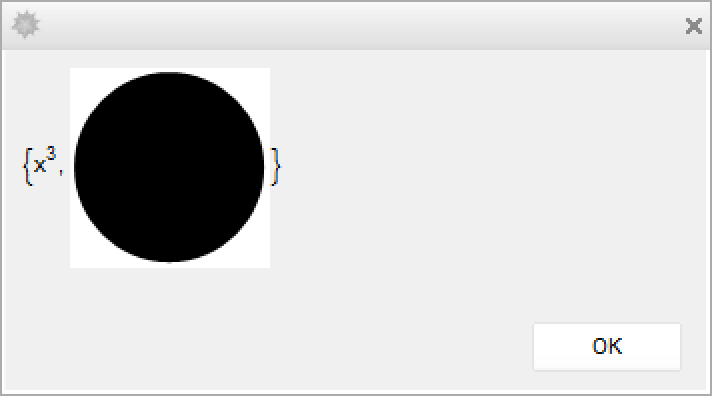
- The contents expr can be text, graphics, or any other expression.
- MessageDialog returns immediately, but the dialog it generates remains up until one of its buttons is pressed, or the dialog window is closed.
- MessageDialog[expr] generates a dialog that includes an OK button. Pressing
![TemplateBox[{return}, Key0, BaseStyle -> {Notes, FontWeight -> Plain, FontFamily -> Source Sans Pro}]](Files/MessageDialog.en/1.png "TemplateBox[{return}, Key0, BaseStyle -> {Notes, FontWeight -> Plain, FontFamily -> Source Sans Pro}]") or
or  is taken to be equivalent to pressing the OK button.
 - MessageDialog places buttons automatically, outside the area used to display expr.
- MessageDialog allows the sequence of buttons to linewrap by default if needed, and supports the same Appearance option settings as SetterBar to specify other button configurations.
- MessageDialog by default puts up a notebook with a typical message dialog appearance. The option settings include WindowFloating->False, WindowSize->All, and WindowTitle->None.
- MessageDialog by default puts up a dialog in the middle of the main display screen. Explicit settings for WindowMargins override this.
- MessageDialog returns a NotebookObject corresponding to the notebook it creates.
- If the Wolfram System is run without a notebook front end, MessageDialog[expr,…] prints expr in textual form, without any buttons or other controls.
Examples
Wolfram Research (2007), MessageDialog, Wolfram Language function, https://reference.wolfram.com/language/ref/MessageDialog.html (updated 2020).
Text
Wolfram Research (2007), MessageDialog, Wolfram Language function, https://reference.wolfram.com/language/ref/MessageDialog.html (updated 2020).
CMS
Wolfram Language. 2007. "MessageDialog." Wolfram Language & System Documentation Center. Wolfram Research. Last Modified 2020. https://reference.wolfram.com/language/ref/MessageDialog.html.
APA
Wolfram Language. (2007). MessageDialog. Wolfram Language & System Documentation Center. Retrieved from https://reference.wolfram.com/language/ref/MessageDialog.html