


OverscriptBox
OverscriptBox[x,y]
is the low‐level box representation for  in notebook expressions.
Details and Options
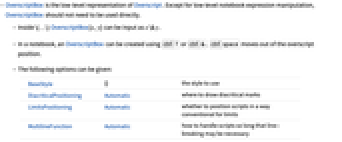
- OverscriptBox is the low-level representation of Overscript. Except for low-level notebook expression manipulation, OverscriptBox should not need to be used directly.
- Inside \(…\) OverscriptBox[x,y] can be input as x\&y.
- In a notebook, an OverscriptBox can be created using
 or
or  .
.  moves out of the overscript position.
 - The following options can be given:
-
BaseStyle {} the style to use DiacriticalPositioning Automatic where to draw diacritical marks LimitsPositioning Automatic whether to position scripts in a way conventional for limits MultilineFunction Automatic how to handle scripts so long that line-breaking may be necessary - In StandardForm, OverscriptBox[x,y] is interpreted on input as Overscript[x,y].
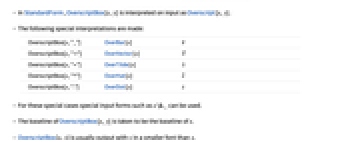
- The following special interpretations are made:
-
OverscriptBox[x,"_"] OverBar[x] 
OverscriptBox[x,"⇀"] OverVector[x] 
OverscriptBox[x,"~"] OverTilde[x] 
OverscriptBox[x,"^"] OverHat[x] 
OverscriptBox[x,"."] OverDot[x] 
- For these special cases special input forms such as x\&_ can be used.
- The baseline of OverscriptBox[x,y] is taken to be the baseline of x.
- OverscriptBox[x,y] is usually output with y in a smaller font than x.
- With the option setting LimitsPositioning->True, y is placed in an overscript position when the whole OverscriptBox is displayed large, and in a superscript position when it is displayed smaller.
- In StandardForm, explicit OverscriptBox objects are output literally. You can use DisplayForm to see the display form of such objects.
Examples
Basic Examples (3)
Display a letter with an overscript:
An OverscriptBox form is typically interpreted as an Overscript expression:
The standard formatting for Overscript uses OverscriptBox:
Text
Wolfram Research (1996), OverscriptBox, Wolfram Language function, https://reference.wolfram.com/language/ref/OverscriptBox.html (updated 2007).
CMS
Wolfram Language. 1996. "OverscriptBox." Wolfram Language & System Documentation Center. Wolfram Research. Last Modified 2007. https://reference.wolfram.com/language/ref/OverscriptBox.html.
APA
Wolfram Language. (1996). OverscriptBox. Wolfram Language & System Documentation Center. Retrieved from https://reference.wolfram.com/language/ref/OverscriptBox.html