


ParametricPlot3D
ParametricPlot3D[{fx,fy,fz},{u,umin,umax}]
produces a three-dimensional space curve parametrized by a variable u which runs from umin to umax.
ParametricPlot3D[{fx,fy,fz},{u,umin,umax},{v,vmin,vmax}]
produces a three-dimensional surface parametrized by u and v.
ParametricPlot3D[{{fx,fy,fz},{gx,gy,gz},…},…]
plots several objects together.
ParametricPlot3D[…,{u,v}∈reg]
takes parameters {u,v} to be in the geometric region reg.
Details and Options
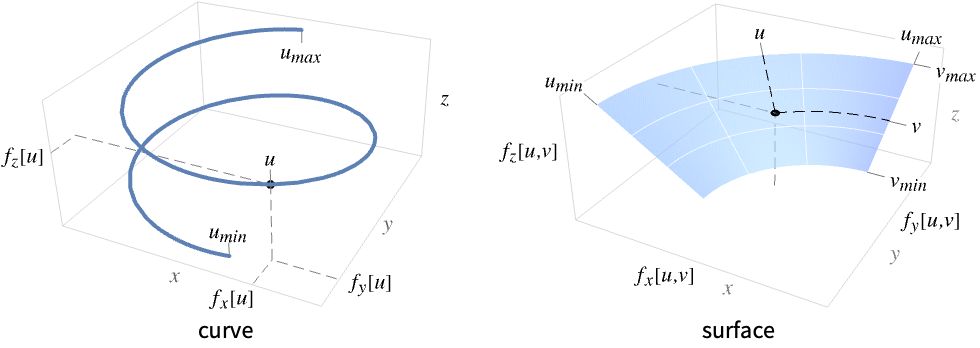
- ParametricPlot3D is known as a parametric curve when plotting over a 1D domain, and as a parametric surface when plotting over a 2D domain. If the surface is created from sweeping a straight line along a path, it is called a ruled surface.
- For one parameter u, {fx,fy,fz} is evaluated for different values of u to create a curve of the form {fx[u],fy[u],fz[u]}. It visualizes the curve
 .
. - For two parameters u and v, {fx,fy,fz} is evaluated for different values of u and v to create a surface of the points {fx[u,v],fy[u,v],fz[u,v]}. It visualizes the surface
 .
. - The curves and surfaces may intersect or overlap themselves.
- Gaps are left at any point where the fi evaluate to anything other than real numbers.
- The limits umin, umax, vmin and vmax can be real numbers or Quantity expressions.
- The region reg can be any RegionQ object in 1D or 2D.
- ParametricPlot3D treats the variables u and v as local, effectively using Block.
- ParametricPlot3D has attribute HoldAll, and evaluates the
 ,
,  , … only after assigning specific numerical values to variables.
 - In some cases it may be more efficient to use Evaluate to evaluate the
 ,
,  , … symbolically before specific numerical values are assigned to variables.
 - The following wrappers w can be used for {fx,fy,fz}:
-
Annotation[{fx,fy,fz},label] provide an annotation for {fx,fy,fz} Button[{fx,fy,fz},action] evaluate action when the surface for {fx,fy,fz} is clicked Callout[{fx,fy,fz},label] label the function with a callout Callout[{fx,fy,fz},label,pos] place the callout at relative position pos EventHandler[{fx,fy,fz},events] define a general event handler for {fx,fy,fz} Hyperlink[{fx,fy,fz},uri] make the function a hyperlink Labeled[{fx,fy,fz},label] label the function Labeled[{fx,fy,fz},label,pos] place the label at relative position pos Legended[{fx,fy,fz},label] identify the function in a legend PopupWindow[{fx,fy,fz},cont] attach a popup window to the function StatusArea[{fx,fy,fz},label] display in the status area on mouseover Style[{fx,fy,fz},styles] show the function using the specified styles Tooltip[{fx,fy,fz},label] attach a tooltip to the function Tooltip[{fx,fy,fz}] use functions as tooltips - Wrappers w can be applied at multiple levels:
-
w[{fx,fy,fz}] wrap {fx,fy,fz} w[{{fx,fy,fz},{gx,gy,gz},…}] wrap a collection of curves w1[w2[…]] use nested wrappers - Callout, Labeled and Placed can use the following positions pos:
-
Automatic automatically placed labels Above, Below, Before, After positions around the surface u near the surface at parameter u {x,y,z} position near {x,y,z} Scaled[s] scaled position s along the surface {s,Above},{s,Below},… relative position at position s along the curve {pos,epos} epos in label placed at relative position pos of the curve - ParametricPlot3D has the same options as Graphics3D, with the following additions and changes: [List of all options]
-
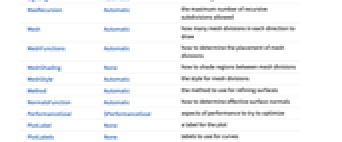
Axes True whether to draw axes BoundaryStyle None how to draw boundary lines for surfaces ColorFunction Automatic how to determine the color of curves and surfaces ColorFunctionScaling True whether to scale arguments to ColorFunction EvaluationMonitor None expression to evaluate at every function evaluation Exclusions Automatic u points or u,v curves to exclude ExclusionsStyle None what to draw at excluded points or curves LabelingSize Automatic maximum size of callouts and labels MaxRecursion Automatic the maximum number of recursive subdivisions allowed Mesh Automatic how many mesh divisions in each direction to draw MeshFunctions Automatic how to determine the placement of mesh divisions MeshShading None how to shade regions between mesh divisions MeshStyle Automatic the style for mesh divisions Method Automatic the method to use for refining surfaces NormalsFunction Automatic how to determine effective surface normals PerformanceGoal $PerformanceGoal aspects of performance to try to optimize PlotLabels None labels to use for curves PlotLegends None legends for surfaces PlotPoints Automatic the initial number of sample points in each parameter PlotRange Automatic range of values to include PlotStyle Automatic graphics directives for the style for each object PlotTheme $PlotTheme overall theme for the plot RegionFunction (True&) how to determine whether a point should be included ScalingFunctions None how to scale individual coordinates TextureCoordinateFunction Automatic how to determine texture coordinates TextureCoordinateScaling True whether to scale arguments to TextureCoordinateFunction WorkingPrecision MachinePrecision the precision used in internal computations - Typical settings for PlotLegends include:
-
None no legend Automatic automatically determine the legend "Expressions" use f1, f2, … as the legend labels {lbl1,lbl2,…} use lbl1, lbl2, … as the legend labels Placed[lspec,…] specify placement for the legend - All the functions
 etc. should give real numbers for all values of parameters at which they are evaluated. There will be holes in the final surface anywhere at which
  etc. do not yield real number values.
 - The default setting PlotPoints->Automatic corresponds to PlotPoints->75 for curves and PlotPoints->{15,15} for surfaces.
- ParametricPlot3D initially evaluates each function at a number of equally spaced sample points specified by PlotPoints. Then it uses an adaptive algorithm to choose additional sample points, subdividing in each parameter at most MaxRecursion times.
- You should realize that with the finite number of sample points used, it is possible for ParametricPlot3D to miss features in your functions. To check your results, you should try increasing the settings for PlotPoints and MaxRecursion.
- On[ParametricPlot3D::accbend] makes ParametricPlot3D print a message if it is unable to reach a certain smoothness of curve.
- The default setting Mesh->Automatic corresponds to None for curves, and 15 for surfaces.
- The default setting MeshFunctions->Automatic corresponds to {#4&} for curves, and {#4&,#5&} for surfaces.
- The arguments supplied to functions in MeshFunctions and RegionFunction are x, y, z, u, and v. Functions in ColorFunction and TextureCoordinateFunction are by default supplied with scaled versions of these arguments.
- The functions are evaluated all along each curve, or all over each surface.
- Possible settings for ScalingFunctions include:
-
{sx,sy,sz} scale x, y and z axes {sx,sy,sz,su} scale the u parameter space {sx,sy,sz,su,sv} scale the u and v parameter spaces - Possible settings for ScalingFunctions include:
-
{sx,sy,sz} scale x, y and z axes - Common built-in scaling functions s include:
-
"Log" 
log scale with automatic tick labeling "Log10" 
base-10 log scale with powers of 10 for ticks "SignedLog" 
log-like scale that includes 0 and negative numbers "Reverse" 
reverse the coordinate direction - Scaling the u or v parameter spaces affects how the plot is sampled, but not the overall visual appearance of the plot.
- ParametricPlot3D returns Graphics3D[GraphicsComplex[data]].
- Themes that affect 3D surfaces include:
-
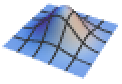
"DarkMesh" dark mesh lines 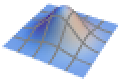
"GrayMesh" gray mesh lines 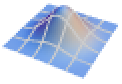
"LightMesh" light mesh lines 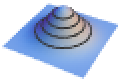
"ZMesh" vertically distributed mesh lines 
"ThickSurface" add thickness to surfaces -
AlignmentPoint Center the default point in the graphic to align with AspectRatio Automatic ratio of height to width Axes True whether to draw axes AxesEdge Automatic on which edges to put axes AxesLabel None axes labels AxesOrigin Automatic where axes should cross AxesStyle {} graphics directives to specify the style for axes Background None background color for the plot BaselinePosition Automatic how to align with a surrounding text baseline BaseStyle {} base style specifications for the graphic BoundaryStyle None how to draw boundary lines for surfaces Boxed True whether to draw the bounding box BoxRatios Automatic bounding 3D box ratios BoxStyle {} style specifications for the box ClipPlanes None clipping planes ClipPlanesStyle Automatic style specifications for clipping planes ColorFunction Automatic how to determine the color of curves and surfaces ColorFunctionScaling True whether to scale arguments to ColorFunction ContentSelectable Automatic whether to allow contents to be selected ControllerLinking False when to link to external rotation controllers ControllerPath Automatic what external controllers to try to use Epilog {} 2D graphics primitives to be rendered after the main plot EvaluationMonitor None expression to evaluate at every function evaluation Exclusions Automatic u points or u,v curves to exclude ExclusionsStyle None what to draw at excluded points or curves FaceGrids None grid lines to draw on the bounding box FaceGridsStyle {} style specifications for face grids FormatType TraditionalForm default format type for text ImageMargins 0. the margins to leave around the graphic ImagePadding All what extra padding to allow for labels, etc. ImageSize Automatic absolute size at which to render the graphic LabelingSize Automatic maximum size of callouts and labels LabelStyle {} style specifications for labels Lighting Automatic simulated light sources to use MaxRecursion Automatic the maximum number of recursive subdivisions allowed Mesh Automatic how many mesh divisions in each direction to draw MeshFunctions Automatic how to determine the placement of mesh divisions MeshShading None how to shade regions between mesh divisions MeshStyle Automatic the style for mesh divisions Method Automatic the method to use for refining surfaces NormalsFunction Automatic how to determine effective surface normals PerformanceGoal $PerformanceGoal aspects of performance to try to optimize PlotLabel None a label for the plot PlotLabels None labels to use for curves PlotLegends None legends for surfaces PlotPoints Automatic the initial number of sample points in each parameter PlotRange Automatic range of values to include PlotRangePadding Automatic how much to pad the range of values PlotRegion Automatic final display region to be filled PlotStyle Automatic graphics directives for the style for each object PlotTheme $PlotTheme overall theme for the plot PreserveImageOptions Automatic whether to preserve image options when displaying new versions of the same graphic Prolog {} 2D graphics primitives to be rendered before the main plot RegionFunction (True&) how to determine whether a point should be included RotationAction "Fit" how to render after interactive rotation ScalingFunctions None how to scale individual coordinates SphericalRegion Automatic whether to make the circumscribing sphere fit in the final display area TextureCoordinateFunction Automatic how to determine texture coordinates TextureCoordinateScaling True whether to scale arguments to TextureCoordinateFunction Ticks Automatic specification for ticks TicksStyle {} style specification for ticks TouchscreenAutoZoom False - whether to zoom to fullscreen when activated on a touchscreen
ViewAngle Automatic angle of the field of view ViewCenter Automatic point to display at the center ViewMatrix Automatic explicit transformation matrix ViewPoint {1.3,-2.4,2.} viewing position ViewProjection Automatic projection method for rendering objects distant from the viewer ViewRange All range of viewing distances to include ViewVector Automatic position and direction of a simulated camera ViewVertical {0,0,1} direction to make vertical WorkingPrecision MachinePrecision the precision used in internal computations
List of all options
Examples
open allclose allBasic Examples (5)
Scope (33)
Sampling (9)
More points are sampled when the function changes quickly:
The plot range is selected automatically:
Ranges where the function becomes nonreal are excluded:
The surface is split when there are discontinuities in the function:
Use PlotPoints and MaxRecursion to control adaptive sampling:
Use PlotRange to focus in on areas of interest:
Use Exclusions to split the resulting surface:
The domain of the parameters may be specified by a region:
The domain of the parameters may be specified by a MeshRegion:
Labeling and Legending (10)
Use Callout to add the expressions as a label:
Use PlotLabels to label the surface:
Place the label along the curve:
Place the label at a scaled position:
Place the labels relative to the surface:
Label the curve with PlotLabels:
Specify the label at the {x,y,z} position:
Include legends for each curve:
Include legends for each surface:
Use Legended to provide a legend for a specific curve:
Use Placed to change the legend location:
Presentation (14)
Multiple curves are automatically colored to be distinct:
Provide explicit styling to different curves and regions:
Add legends to identify curves and regions:
Use a theme with detailed ticks, grid lines, and legends:
Increase the thickness of the surface:
Use Opacity to show internal structure and Specularity for additional depth cuing:
Provide an interactive Tooltip for each curve or region:
Style the areas between mesh levels:
Remove portions of a curve or surface:
Use ScalingFunctions to scale reverse the z axis:
Options (87)
BoundaryStyle (4)
No boundary is drawn by default:
Boundaries are drawn where the surface is clipped by RegionFunction:
Boundaries are not drawn where the surface is clipped by Exclusions:
BoxRatios (2)
ColorFunction (5)
Color the curve by scaled  ,
,  ,
,  , or
, or  value:
Color the surface by scaled  ,
,  ,
,  ,
,  , or
, or  value:
ColorFunction has higher priority than PlotStyle:


EvaluationMonitor (3)
Show where in parameter space ParametricPlot3D samples:
Show where ParametricPlot3D samples in  space:
Exclusions (6)
ExclusionsStyle (3)
LabelingSize (2)
MaxRecursion (2)
Mesh (5)


MeshFunctions (3)


MeshShading (9)
Map a cellular automaton array onto a sphere:
Alternate red and blue arcs in the  direction:
Use None to remove segments:
MeshShading can be used with PlotStyle:
MeshShading has higher priority than PlotStyle for styling:
Use the PlotStyle for some segments by setting MeshShading to Automatic:
MeshShading can be used with ColorFunction:
Fill between regions defined by multiple mesh functions:
Use FaceForm to use different styles for different sides of a surface:
MeshStyle (3)


NormalsFunction (3)
Normals are automatically calculated:
Use None to get flat shading for all the polygons:
PerformanceGoal (2)
PlotLabels (6)
Specify text to label a curve:
Use Placed to place the label above the curve:
Use Callout to draw a leader line:
Place the labels differently for each curve:
PlotLabels->"Expressions" uses functions as curve labels:
PlotLegends (3)
Use placeholders to identify plot styles:
Use the respective expressions:
Use Placed to control legend position:
Use SwatchLegend to change the appearance:
PlotStyle (4)
PlotTheme (3)
RegionFunction (3)


ScalingFunctions (6)
By default, plots have linear scales in all directions:
Apply a log scale to the z direction:
Use a shifted log scale to show a function with negative positions:
Use ScalingFunctions to reverse the coordinate direction in  :
:
Use a scale defined by a function and its inverse:
TextureCoordinateFunction (4)


Applications (7)
Simple parametric surfaces, including a plane:
Well-known surfaces, including the Möbius strip:
Implement a model of mollusc shell growth [more info]:
Highlighting a space curve by providing a supporting (ruled) surface:
The Lorenz equations [more info]:
Compute a parametric curve from curvature and torsion [more info]:
Properties & Relations (6)
Plot3D is a special case of ParametricPlot3D for surfaces:
Use RevolutionPlot3D and SphericalPlot3D for cylindrical and spherical coordinates:
Use ParametricPlot for curves and regions in two dimensions:
Use ContourPlot3D and RegionPlot3D for implicitly defined surfaces and regions:
Use ListPlot3D and ListSurfacePlot3D for data:
Use ListLinePlot3D to plot curves through lists of points:
Possible Issues (3)
Surfaces that have multiple coverings may exhibit unusual behavior:
Use BoundaryStyle and MeshStyle together for closed surfaces:
Automatic PlotRange depends on parametrization:
Text
Wolfram Research (1991), ParametricPlot3D, Wolfram Language function, https://reference.wolfram.com/language/ref/ParametricPlot3D.html (updated 2022).
CMS
Wolfram Language. 1991. "ParametricPlot3D." Wolfram Language & System Documentation Center. Wolfram Research. Last Modified 2022. https://reference.wolfram.com/language/ref/ParametricPlot3D.html.
APA
Wolfram Language. (1991). ParametricPlot3D. Wolfram Language & System Documentation Center. Retrieved from https://reference.wolfram.com/language/ref/ParametricPlot3D.html