


StringReplacePart
StringReplacePart["string","snew",{m,n}]
replaces the characters at positions m through n in "string" by "snew".
StringReplacePart["string","snew",{{m1,n1},{m2,n2},…}]
inserts copies of "snew" at several positions.
StringReplacePart["string",{"snew1","snew2",…},{{m1,n1},{m2,n2},…}]
replaces characters at positions mi through ni in "string" by "snewi".
StringReplacePart["snew",{m,n}]
represents an operator form of StringReplacePart that can be applied to an expression.
Details
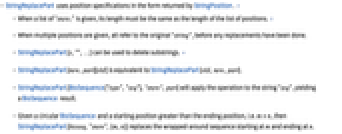
- StringReplacePart uses position specifications in the form returned by StringPosition. »
- When a list of "snewi" is given, its length must be the same as the length of the list of positions. »
- When multiple positions are given, all refer to the original "string", before any replacements have been done.
- StringReplacePart[s,"",…] can be used to delete substrings. »
- StringReplacePart[new,part][old] is equivalent to StringReplacePart[old,new,part].
- StringReplacePart[BioSequence["type","seq"],"snew",part] will apply the operation to the string "seq", yielding a BioSequence result.
- Given a circular BioSequence and a starting position greater than the ending position, i.e. m>n, then StringReplacePart[bioseq,"snew",{m,n}] replaces the wrapped-around sequence starting at m and ending at n.
Examples
open allclose allBasic Examples (3)
Replace characters 2 through 5 with a new string:
Replace several sequences of characters with a new string:
Use the operator form of StringReplacePart:
Scope (5)
Applications (1)
Simulating a multiway system [more info]:
Properties & Relations (3)
StringReplacePart can use the output from StringPosition:
This is equivalent to StringReplace:
Replacing with an empty string is equivalent to StringDrop:
StringReplacePart can drop several sequences of characters at a time:
Use position {n,n-1} to insert at position n, without overwriting anything:
StringInsert can do the same:

Text
Wolfram Research (1996), StringReplacePart, Wolfram Language function, https://reference.wolfram.com/language/ref/StringReplacePart.html (updated 2020).
CMS
Wolfram Language. 1996. "StringReplacePart." Wolfram Language & System Documentation Center. Wolfram Research. Last Modified 2020. https://reference.wolfram.com/language/ref/StringReplacePart.html.
APA
Wolfram Language. (1996). StringReplacePart. Wolfram Language & System Documentation Center. Retrieved from https://reference.wolfram.com/language/ref/StringReplacePart.html