


WindowFrame
is a notebook option that specifies the type of frame to draw around the window in which the notebook is displayed on the screen.
Details
- Typical possible settings are:
-
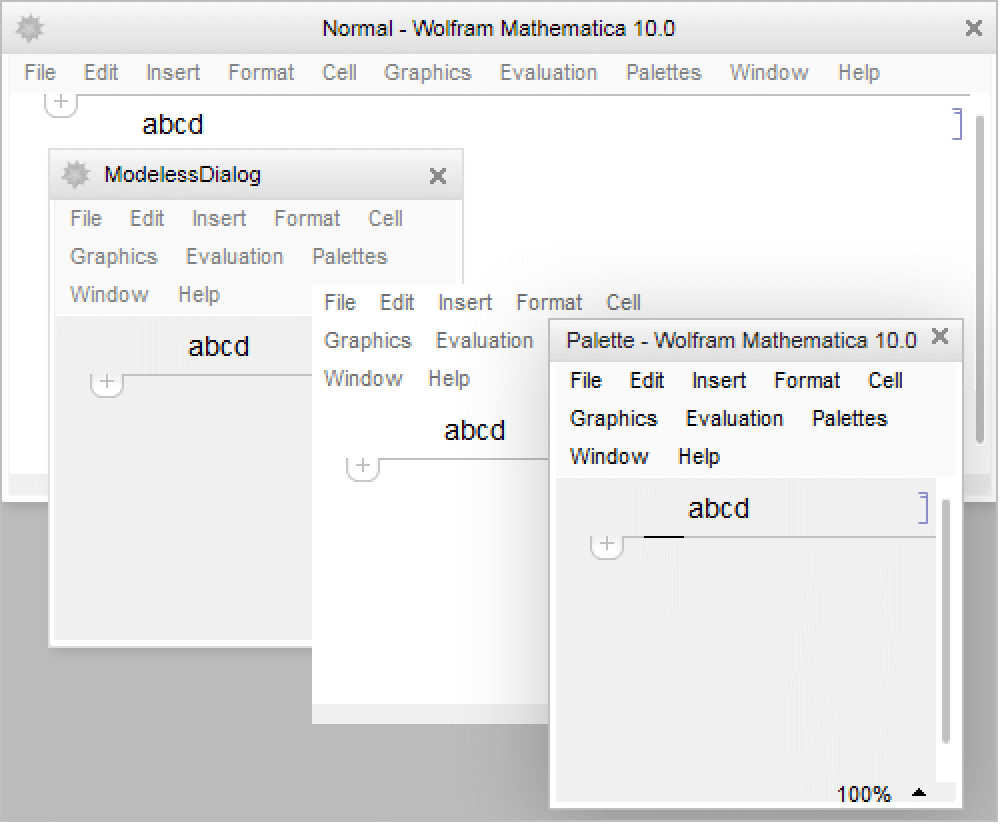
"Frameless" an ordinary window with no frame "Generic" a window with a generic border "ModalDialog" a modal dialog box window "ModelessDialog" a modeless dialog box window "MovableModalDialog" a movable modal dialog box window "Normal" an ordinary window "Palette" a palette window "ThinFrame" an ordinary window with a thin frame - The details of how particular types of frames are rendered may differ from one computer system to another.
- Settings for WindowFrame affect only the appearance of a window, and not any of its other characteristics.
Examples
Wolfram Research (1996), WindowFrame, Wolfram Language function, https://reference.wolfram.com/language/ref/WindowFrame.html.
Text
Wolfram Research (1996), WindowFrame, Wolfram Language function, https://reference.wolfram.com/language/ref/WindowFrame.html.
CMS
Wolfram Language. 1996. "WindowFrame." Wolfram Language & System Documentation Center. Wolfram Research. https://reference.wolfram.com/language/ref/WindowFrame.html.
APA
Wolfram Language. (1996). WindowFrame. Wolfram Language & System Documentation Center. Retrieved from https://reference.wolfram.com/language/ref/WindowFrame.html