


RIB (.rib)
- Import and Export support Version 1.1 of the RIB entity file format.
- Import reads planar convex polygon data from RIB entity files, ignoring possible directives for geometric transformations.
Background & Context
-
- RenderMan RIB user entity file.
- 3D geometry format.
- Used for photorealistic modeling and rendering.
- Stores 3D object definitions and scene descriptions.
- Native format of the RenderMan application.
- RIB is an acronym for RenderMan Interface Bytestream.
- Developed by Pixar in 1990.
Import & Export
- Import["file.rib"] imports a RIB file Graphics3D object.
- Export["file.rib",expr] exports a Graphics3D expression to a RIB file.
- Import["file.rib"] returns an expression of the form Graphics3D[ GraphicsComplex[vertices,primitives,opts]].
- Import["file.rib",elem] imports the specified element from a RIB entity file.
- Import["file.rib",{elem,suba,subb,…}] imports a subelement.
- Import["file.rib",{{elem1,elem2,…}}] imports multiple elements.
- The import format can be specified with Import["file","RIB"] or Import["file",{"RIB",elem,…}].
- Export["file.rib",expr,elem] creates a RIB entity file by treating expr as specifying element elem.
- Export["file.rib",{expr1,expr2,…},{{elem1,elem2,…}}] treats each expri as specifying the corresponding elemi.
- Export["file.rib",expr,opt1->val1,…] exports expr with the specified option elements taken to have the specified values.
- Export["file.rib",{elem1->expr1,elem2->expr2,…},"Rules"] uses rules to specify the elements to be exported.
- See the following reference pages for full general information:
-
Import, Export import from or export to a file CloudImport, CloudExport import from or export to a cloud object ImportString, ExportString import from or export to a string ImportByteArray, ExportByteArray import from or export to a byte array
Import Elements
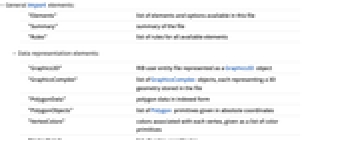
- General Import elements:
-
"Elements" list of elements and options available in this file "Summary" summary of the file "Rules" list of rules for all available elements - Data representation elements:
-
"Graphics3D" RIB user entity file represented as a Graphics3D object "GraphicsComplex" list of GraphicsComplex objects, each representing a 3D geometry stored in the file "PolygonData" polygon data in indexed form "PolygonObjects" list of Polygon primitives given in absolute coordinates "VertexColors" colors associated with each vertex, given as a list of color primitives "VertexData" list of vertex coordinates "VertexNormals" normal vectors corresponding to the vertices given by "VertexData" - Import and Export use the "Graphics3D" element by default for RIB files.
- The "VertexData" element corresponds to the first argument of GraphicsComplex.
- When rendering a RIB color model, Import automatically uses the setting Lighting->"Neutral".
Options
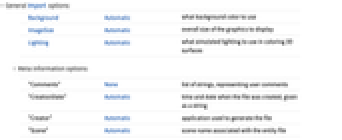
- General Import options:
-
Background Automatic what background color to use ImageSize Automatic overall size of the graphics to display Lighting Automatic what simulated lighting to use in coloring 3D surfaces - Meta-information options:
-
"Comments" None list of strings, representing user comments "CreationDate" Automatic time and date when the file was created, given as a string "Creator" Automatic application used to generate the file "Scene" Automatic scene name associated with the entity file
Examples
Basic Examples (3)
This imports a RIB example file, rendering it as Graphics3D:
Create a simple 3D model using RegionPlot3D: