


 [Right-click] ▶ Get Indices
Get Indices
displays the approximate coordinate values of the mouse position.
Details
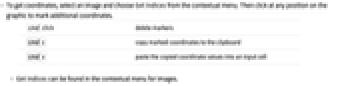
- To get coordinates, select an image and choose Get Indices from the contextual menu. Then click at any position on the graphic to mark additional coordinates.
-
![TemplateBox[{cmd}, Key0, BaseStyle -> {2ColumnTableMod, FontWeight -> Plain, FontFamily -> Source Sans Pro}]click](Files/GetIndices.en/2.png "TemplateBox[{cmd}, Key0, BaseStyle -> {2ColumnTableMod, FontWeight -> Plain, FontFamily -> Source Sans Pro}]click")
delete markers ![TemplateBox[{cmd, c}, Key1, BaseStyle -> {2ColumnTableMod, FontWeight -> Plain, FontFamily -> Source Sans Pro}]](Files/GetIndices.en/3.png "TemplateBox[{cmd, c}, Key1, BaseStyle -> {2ColumnTableMod, FontWeight -> Plain, FontFamily -> Source Sans Pro}]")
copy marked coordinates to the clipboard ![TemplateBox[{cmd, v}, Key1, BaseStyle -> {2ColumnTableMod, FontWeight -> Plain, FontFamily -> Source Sans Pro}]](Files/GetIndices.en/4.png "TemplateBox[{cmd, v}, Key1, BaseStyle -> {2ColumnTableMod, FontWeight -> Plain, FontFamily -> Source Sans Pro}]")
paste the copied coordinate values into an input cell - Get Indices can be found in the contextual menu for images.