

Magnification
Details
- Magnification is often set for styles of cells or whole notebooks instead of individual cells or objects.
- Magnification magnifies everything, including fonts and margins.
- Magnification affects spaces between cells as well as individual cells.
- Magnification can be set with CloudPublish and CloudDeploy to control the magnification of the deployed notebook.
Examples
open all close allBasic Examples (1)
Specify the level of magnification:
Table[Style[Sqrt[2], Magnification -> m], {m, {1 / 2, 1, 2, 3}}]Table[Style[Graphics[Circle[], ImageSize -> 30], Magnification -> m], {m, {1 / 2, 1, 2, 3}}]Table[Style[Graphics3D[Sphere[], ImageSize -> 30], Magnification -> m], {m, {1 / 2, 1, 2, 3}}]Scope (4)
Magnification affects everything including margins:
t = Grid[Partition[Range[9], 3], Frame -> All]Table[Style[t, Magnification -> m], {m, {1 / 2, 1, 2, 3}}]Magnification can be used for entire cells; magnification also affects CellMargins:
CellPrint[Table[TextCell["abcd", "Text", Magnification -> m], {m, {1 / 2, 1, 2, 3}}]]


Magnification can be used as a notebook option:
nb = CreateDocument[{TextCell["Abc", "Section"], TextCell["abc", "Text"]}, Magnification -> .5];
SetOptions[nb, Magnification -> 1];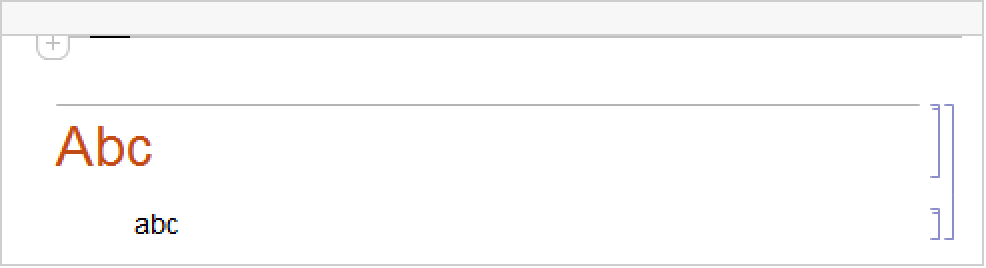
SetOptions[nb, Magnification -> 1.5];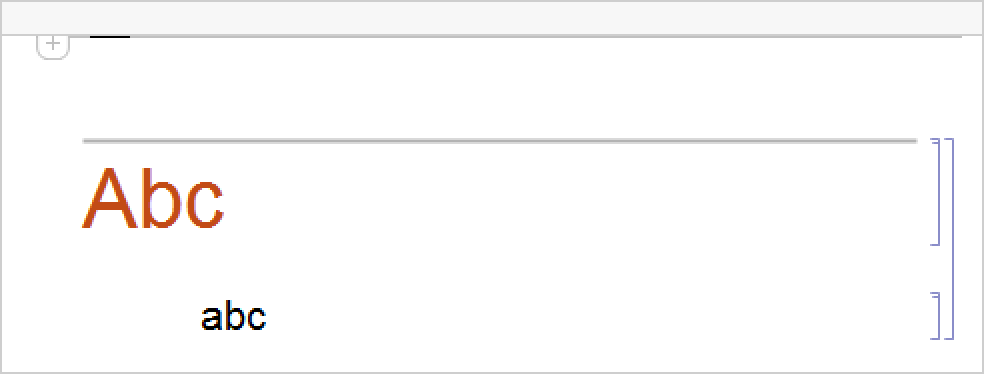
Magnification can be used to control the magnification of a deployed notebook object:
obj = CloudDeploy[Notebook[{Cell["head", "Section"], Cell["text", "Text"]}], Magnification -> 2]Options[CloudGet[obj], Magnification]Properties & Relations (1)
For 2D and 3D graphics, use Scale for fine control over scaling and magnification:
Graphics[Scale[Circle[], {2, 1}], Frame -> True]Graphics3D[Scale[Sphere[], {3, 2, 1}], Axes -> True]Text
Wolfram Research (1996), Magnification, Wolfram Language function, https://reference.wolfram.com/language/ref/Magnification.html (updated 2007).
CMS
Wolfram Language. 1996. "Magnification." Wolfram Language & System Documentation Center. Wolfram Research. Last Modified 2007. https://reference.wolfram.com/language/ref/Magnification.html.
APA
Wolfram Language. (1996). Magnification. Wolfram Language & System Documentation Center. Retrieved from https://reference.wolfram.com/language/ref/Magnification.html