

SyntaxForm
is an option for operator-like box objects that specifies the precedence level to use when the box is used as an operator.
Details
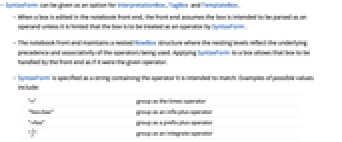
- SyntaxForm can be given as an option for InterpretationBox, TagBox and TemplateBox.
- When a box is edited in the notebook front end, the front end assumes the box is intended to be parsed as an operand unless it is hinted that the box is to be treated as an operator by SyntaxForm.
- The notebook front end maintains a nested RowBox structure where the nesting levels reflect the underlying precedence and associativity of the operators being used. Applying SyntaxForm to a box allows that box to be handled by the front end as if it were the given operator.
- SyntaxForm is specified as a string containing the operator it is intended to match. Examples of possible values include:
-
"*" group as the times operator "foo+baz" group as an infix plus operator "+foo" group as a prefix plus operator "∫" group as an integrate operator " " group as white space - With the default setting SyntaxForm->Automatic, the Wolfram Language automatically assigns a precedence determined by the contents of the InterpretationBox or TagBox.
Examples
Basic Examples (1)
Make a rule for a TagBox to make an expression using it act like multiplication:
Display a box expression using the multiplication-like tag:
Copying the preceding boxes and pasting after a multiplication breaks the box structure:
Display the box expression with a SyntaxForm matching the intended operator precedence:
Copying the preceding boxes and pasting after a division operator evaluates with the correct precedence:
Text
Wolfram Research (1996), SyntaxForm, Wolfram Language function, https://reference.wolfram.com/language/ref/SyntaxForm.html.
CMS
Wolfram Language. 1996. "SyntaxForm." Wolfram Language & System Documentation Center. Wolfram Research. https://reference.wolfram.com/language/ref/SyntaxForm.html.
APA
Wolfram Language. (1996). SyntaxForm. Wolfram Language & System Documentation Center. Retrieved from https://reference.wolfram.com/language/ref/SyntaxForm.html