


FCS (.fcs, .lmd)
- Import supports most popular variants of the FCS file format, including Versions 2.0, 3.0, and 3.1 with events stored as 8-, 16-, 24-, 32-, 64-, and 128-bit integers or 32- and 64-bit reals.
- Export generates FCS3.1 files.
Background & Context
-
- FCS molecular biology format.
- Standard format for storing and exchanging flow cytometry data.
- Mixed ASCII/binary format.
- Stores signal intensities for cell events as an array.
- Metainformation about the data acquisition is stored in the file.
Import & Export
- Import["file.fcs"] returns an array representing the cellular events stored in the file.
- Export["file.fcs",{paramnames,events}] exports a list of parameter names and an array of events to the FCS format.
- Export["file.fcs",{paramnames,paramreagents,events}] exports a list of parameter names, a list of parameter reagents, and an array of events to the FCS format.
- Import["file.fcs",elem] imports the specified element from an FCS file.
- Import["file.fcs",{{elem1,elem2,…}}] imports multiple elements.
- The import format can be specified with Import["file","FCS"] or Import["file",{"FCS",elem,…}].
- Export["file.fcs",{expr1,expr2,…},{{elem1,elem2,…}}] treats each expri as specifying the corresponding elemi.
- Export["file.fcs",expr,opt1->val1,…] exports expr with the specified option elements taken to have the specified values.
- Export["file.fcs",{elem1->expr1,elem2->expr2,…},"Rules"] uses rules to specify the elements to be exported.
- See the following reference pages for full general information:
-
Import, Export import from or export to a file CloudImport, CloudExport import from or export to a cloud object ImportString, ExportString import from or export to a string ImportByteArray, ExportByteArray import from or export to a byte array
Import Elements
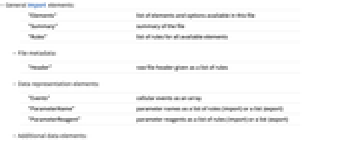
- General Import elements:
-
"Elements" list of elements and options available in this file "Summary" summary of the file "Rules" list of rules for all available elements - File metadata:
-
"Header" raw file header given as a list of rules - Data representation elements:
-
"Events" cellular events as an array "ParameterName" parameter names as a list of rules (import) or a list (export) "ParameterReagent" parameter reagents as a list of rules (import) or a list (export) - Additional data elements:
-
"Data" cellular events as an array "LabeledData" list of rules for data stored in the file - Import uses the "Events" element by default for the FCS format.
- Export requires at least a list of parameter names and an array of events.
- Export can optionally take a list of parameter reagents. All other optional keys must be specified via the "OptionalKeys" option.
Options
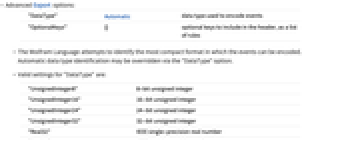
- Advanced Export options:
-
"DataType" Automatic data type used to encode events "OptionalKeys" {} optional keys to include in the header, as a list of rules - The Wolfram Language attempts to identify the most compact format in which the events can be encoded. Automatic data type identification may be overridden via the "DataType" option.
- Valid settings for "DataType" are:
-
"UnsignedInteger8" 8-bit unsigned integer "UnsignedInteger16" 16-bit unsigned integer "UnsignedInteger24" 24-bit unsigned integer "UnsignedInteger32" 32-bit unsigned integer "Real32" IEEE single-precision real number "Real64" IEEE double-precision real number - The Wolfram Language will automatically overwrite certain protected keys (such as "$BEGINDATA" and "$BYTEORD") that are specified in "OptionalKeys". Thus, if you are re-exporting an imported FCS file, you may directly set "OptionalKeys" to the value of the "Header" element from the imported FCS file. Parameter reagents ("$PnS" keys) will be removed from "OptionalKeys" only if parameter reagents are provided in the main Export expression.
Examples
open allclose allBasic Examples (7)
Read the file header from a sample FCS file:
Read the parameter names and reagents:
Read events and display the first several in a table:
Export an array of event values with parameter names:
Specify a data type to use when exporting:
Export an array of event values with parameter names and parameter reagents:
Export a version of a data file with the same header, but with a small subset of the events:
Scope (6)
Plot the untransformed events in a density histogram:
Plot the events with axes transformed by ArcSinh as a shaded contour plot:
Use FindClusters to automatically detect similar groups of cells:
Create a grid of 25 of the possible biaxial plots:
Perform polygon gating of cell populations:
The FCS standard does not support negative integers:

