-
関連項目
- 関数
- AllowReverseGroupClose
- CellGrouping
-
- メニューアイテム
- グループ化
-
-
関連項目
- 関数
- AllowReverseGroupClose
- CellGrouping
-
- メニューアイテム
- グループ化
-
関連項目
AllowGroupClose
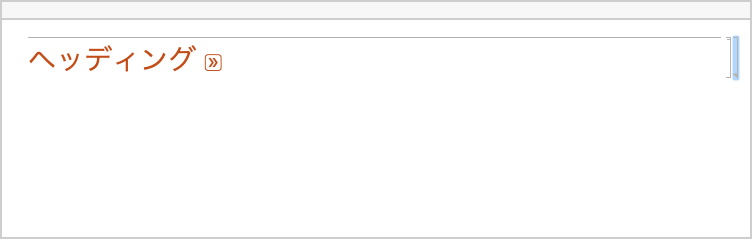
Cellのオプションで,セルグループが通常の方法で閉じられるかどうか指定する.
詳細

- セルグループを閉じると中のセルが折りたたまれて先頭のセルだけが可視になる.
- AllowGroupCloseはセルグループの先頭セルに設定する.
- デフォルト設定のAllowGroupClose->Automaticでは,任意のセルグループを通常の方法で閉じることができる.
例題
例 (2)
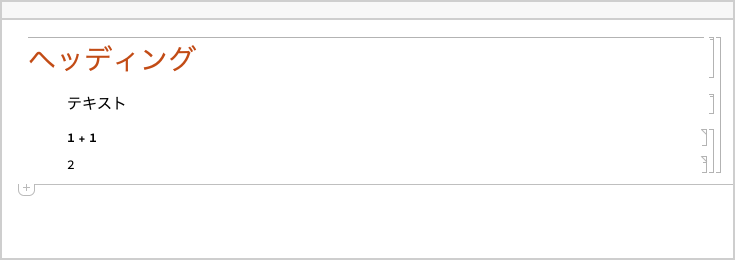
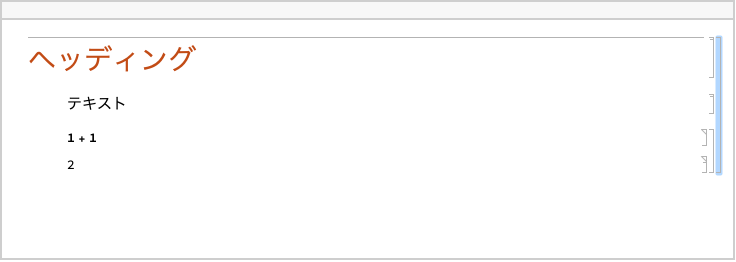
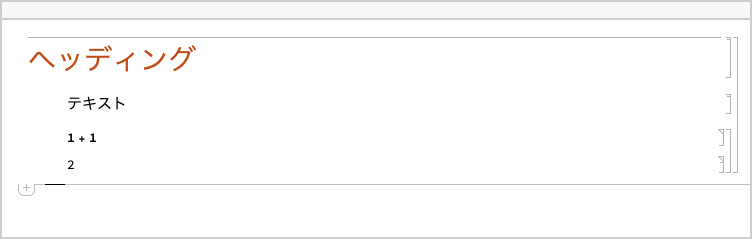
任意のセルグループを通常の方法で閉じることができるノートブックを作成する:
CreateDocument[{Cell["ヘッディング", "Section", AllowGroupClose -> Automatic], Cell["テキスト", "Text"], Cell[BoxData[RowBox[{"1", "+", "1"}]], "Input"], Cell[BoxData["2"], "Output"]}];CreateDocument[{Cell["ヘッディング", "Section", AllowGroupClose -> False], Cell["テキスト", "Text"], Cell[BoxData[RowBox[{"1", "+", "1"}]], "Input"], Cell[BoxData["2"], "Output"]}];テキスト
Wolfram Research (2010), AllowGroupClose, Wolfram言語関数, https://reference.wolfram.com/language/ref/AllowGroupClose.html.
CMS
Wolfram Language. 2010. "AllowGroupClose." Wolfram Language & System Documentation Center. Wolfram Research. https://reference.wolfram.com/language/ref/AllowGroupClose.html.
APA
Wolfram Language. (2010). AllowGroupClose. Wolfram Language & System Documentation Center. Retrieved from https://reference.wolfram.com/language/ref/AllowGroupClose.html
BibTeX
@misc{reference.wolfram_2026_allowgroupclose, author="Wolfram Research", title="{AllowGroupClose}", year="2010", howpublished="\url{https://reference.wolfram.com/language/ref/AllowGroupClose.html}", note=[Accessed: 17-August-2026]}
BibLaTeX
@online{reference.wolfram_2026_allowgroupclose, organization={Wolfram Research}, title={AllowGroupClose}, year={2010}, url={https://reference.wolfram.com/language/ref/AllowGroupClose.html}, note=[Accessed: 17-August-2026]}