



ImageEffect
ImageEffect[image,"effect"]
applies the specified image effect to image.
ImageEffect[image,{"effect",params}]
uses parameters params.
ImageEffect[video,…]
applies the image effect to frames of video.
Details and Options
- ImageEffect can be used to simulate image effects such as artistic effects, motion blur, low-light noise, color blindness and more.
- Color transforms:
-
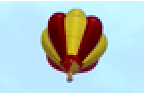
"ColorBoosting" constrast-boosting effect 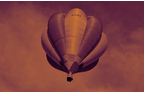
{"ColorTones",{col1,col2,…}} map chromacities from coli to increasing intensity values 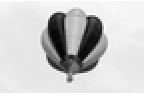
"Decolorization" contrast-preserving decolorization 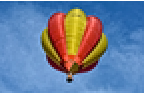
{"DetailEnhancing",σ,μ} detail enhancing using spatial spread σ and pixel value spread μ 
{"Posterization",n} posterization effect using n levels in each channel 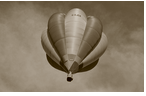
"Sepia" represent the image using sepia tones 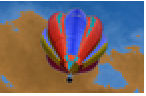
{"Solarization",t} solarization or Sabatier effect - Stylization effects:
-
{"Charcoal",x} charcoal sketch effect 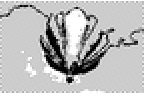
{"Comics",{t1,t2}} comics effect using the black and white thresholds t1 and t2 
"EdgeStylization" a stylized version of the image 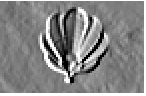
{"Embossing",x,α} embossing by an amount x at an angle α 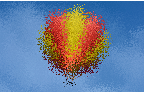
{"Jitter",r} jitter pixels in the range-r neighborhood 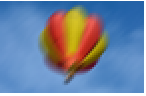
{"MotionBlur",d,α} motion blur of size d and angle α, given in radians 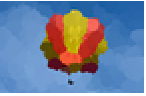
{"OilPainting",x} artistic oil painting effect 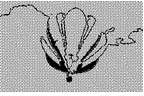
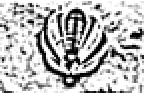
{"Stippling",n} stippling using n different density levels - Color vision deficiencies:
-
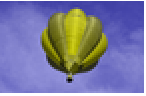
"Deuteranopia" insensitivity to green, confusing green and red 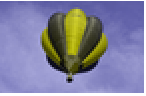
"Protanopia" insensitivity to red, confusing green and red 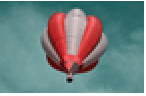
"Tritanopia" insensitivity to blue, confusing blue and yellow - Framing effects:
-
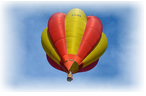
{"FadedFrame",depth,sides,method} add a faded frame 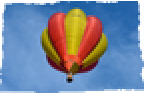
{"TornFrame",depth,sides,freq} add a torn paper effect 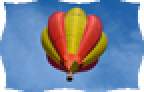
{"Frame",f,depth,sides} arbitrary specified frame shape f 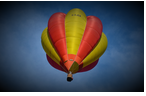
{"Vignette",r,color} decrease the brightness from the center - By default, sides is assumed to be All. A list of Left, Right, Bottom, Top can be given to modify only the specified sides.
- The parameter depth corresponds to the frame depth starting from outside and can be given as the number of pixels or as Scaled[s], where s×GeometricMean[ImageDimensions[image]] pixels are affected.
- In {"FadedFrame",depth,sides,method}, method can be any of the following: "Cosine", "Exp", "Linear", "Log", "Rounded", "SCurve".
- Pseudo-random noise effects add noise to the image:
-
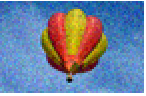
{"Noise",a} zero-mean uniform noise of amplitude a 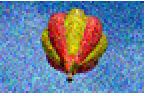
{"GaussianNoise",σ} zero-mean Gaussian noise with standard deviation σ 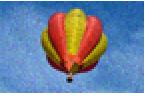
{"PoissonNoise",a} an amount a of Poisson noise 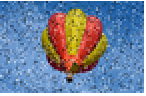
{"SaltPepperNoise",f} salt-and-pepper noise to a fraction f of the image - Use {"SaltPepperNoise",{fs,fp}} to specify different salt and pepper fractions.
- In each case, "effect" can be used instead of {"effect",…}, and uses default values for parameters.
- When using {"PoissonNoise",a}, the noise scale σ is defined as 100×(1-a)/a and each pixel value p is replaced with PoissonDistribution[p×σ]/σ.
- Composition effect:
-
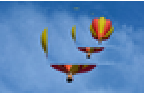
{"NestedComposition",n,scale,θ,pos,opos} recursively compose n scaled rotated copies of image - ImageEffect[] can be used to retrieve a list of all available image effects.
- ImageEffect returns a grayscale image for single-channel images. All other images are converted to RGB.
- ImageEffect takes a RandomSeeding option used to specify the seed for some methods. By default, RandomSeeding->Automatic is used, which automatically reseeds every time the function is called.
Examples
open all close allBasic Examples (2)
Scope (27)
Basic Uses (2)
Color Transforms (7)
Boost the color appearance by extending the contrast in the image lightness:
ImageEffect[[image], "ColorBoosting"]Apply the chromaticity of a list of colors to increasing intensity values:
ImageEffect[[image], {"ColorTones", {Black, Blue, Red, Green}}]Convert the image to grayscale while preserving the local contrast:
ImageEffect[i = [image], "Decolorization"]Compare with the standard "Grayscale" conversion:
ColorConvert[i, "Grayscale"]Enhance the level of detail in the image by specifying the spatial and color scale:
ImageEffect[[image], {"DetailEnhancing", 3, .2}]Create a posterization effect:
ImageEffect[[image], {"Posterization", 3}]ImageEffect[[image], {"Posterization", 4}]ImageEffect[[image], "Sepia"]Apply a digital solarization effect to a color image:
ImageEffect[i = [image], "Solarization"]Solarization effect with an explicit threshold:
ImageEffect[i, {"Solarization", 0.3}]Stylization Effects (8)
ImageEffect[[image], "Charcoal"]Transform the image as an old comic book picture:
ImageEffect[[image], {"Comics", {.2, .5}}]ImageEffect[[image], "Embossing"]Visualize the image with different densities of random dots:
ImageEffect[[image], {"Stippling", 5}]ImageEffect[i = [image], "Jitter"]Specify a small jitter radius:
ImageEffect[i, {"Jitter", 2}]Apply motion blur to an image, using the default angle of 45 degrees:
ImageEffect[[image], {"MotionBlur", 15}]Render a color image in the style of an oil painting:
ImageEffect[[image], {"OilPainting", 5}]Stylize the image by smoothing it and highlighting its edges:
ImageEffect[[image], "EdgeStylization"]Vision Deficiencies (1)
Framing Effects (4)
Frame the image by fading its edges:
ImageEffect[i = [image], "FadedFrame"]Fade only the bottom and right side starting at 1/3 from the image border:
ImageEffect[i, {"FadedFrame", Scaled[1 / 5], {Bottom, Right}}]Use a torn paper effect to frame the image:
ImageEffect[[image], {"TornFrame"}]Use an arbitrary function to specify the frame:
ImageEffect[[image], {"Frame", Cos[# / 10]&}]ImageEffect[[image], "Vignette"]Noise Effects (4)
Add uniform noise to an image:
ImageEffect[[image], {"Noise", 0.3}]Add Gaussian noise to an image:
ImageEffect[[image], {"GaussianNoise", 0.3}]Add Poisson noise to an image:
ImageEffect[[image], {"PoissonNoise", 0.8}]Add salt-and-pepper noise to an image:
ImageEffect[[image], {"SaltPepperNoise", 0.1}]Composition Effects (1)
Nest a composition consisting of an image and scaled versions of it:
ImageEffect[[image], "NestedComposition"]Compose 20 copies of the image, each scaled down by a factor of 0.9 and rotated by 5 degrees:
ImageEffect[[image], {"NestedComposition", 20, .9, 5Degree}]Applications (1)
Properties & Relations (1)
Interactive Examples (2)
Interactively change the parameters of the embossing effect:
Manipulate[ImageEffect[[image], {"Embossing", x, y}], {{x, 5}, 0, 10}, {{y, π / 2}, 0, π}]Interactive recursive repetitions of the image:
Manipulate[ImageEffect[[image], {"NestedComposition", 4, .9, 0, Scaled[pos], Scaled[pos]}], {{pos, {.7, .2}}, {0, 0}, {1, 1}}]Text
Wolfram Research (2008), ImageEffect, Wolfram Language function, https://reference.wolfram.com/language/ref/ImageEffect.html (updated 2021).
CMS
Wolfram Language. 2008. "ImageEffect." Wolfram Language & System Documentation Center. Wolfram Research. Last Modified 2021. https://reference.wolfram.com/language/ref/ImageEffect.html.
APA
Wolfram Language. (2008). ImageEffect. Wolfram Language & System Documentation Center. Retrieved from https://reference.wolfram.com/language/ref/ImageEffect.html