

ImagePad
ImagePad[image,m]
pads image on all sides with m background pixels.
ImagePad[image,m,padding]
pads image on all sides using the value or method specified by padding.
ImagePad[image,{{left,right},{bottom,top}},…]
pads image with the specified numbers of pixels on each side.
ImagePad[image,{{left,right},{front,back},{bottom,top}},…]
pads a 3D image with the specified numbers of pixels.
ImagePad[video,…]
pads frames of video.
Details
- ImagePad is typically used to add a frame around or extend beyond an image.
- The following forms of padding can be specified:
-
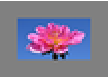
z an intensity value 
color a color (GrayLevel, RGBColor, etc.) 
{c1,c2,…} list of channel values 
Automatic automatic choice based on the boundary 
"Fixed" repetitions of the pixels on each boundary 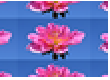
"Periodic" cyclic repetitions of the complete image 
"Reflected" reflections of the image in the boundary 
"Reversed" reversals of the complete image 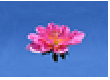
"TextureSynthesis" texture synthesis based on the complete image 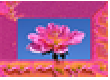
{"TextureSynthesis",mask} texture synthesis based on the specified mask - With {"TextureSynthesis",texturemask}, texturemask can be one of the following:
-
n use an n-pixel-wide border for padding Scaled[s] use fraction s of pixel dimension on each side maskimage a binary mask specifying the region to use for padding - The padding value "Fixed" indicates that the rectangles of pixels added at each corner should be copies of the pixels at the corners of the original image.
- "Reversed" indicates that the outermost layer of pixels in the image should be repeated as the innermost layer of pixels in the padding. "Reflected" specifies that these pixels should not be repeated.
- ImagePad[image,…] typically gives an image that has the same type as image. Padding a binary image with arbitrary intensity or color pixels typically returns an image of a real type.
- ImagePad[image,-m] removes m pixels from each side of image.
Examples
open all close allBasic Examples (2)
Scope (7)
Data (3)
Size (1)
Pad with a uniform border width of 10 pixels:
i = [image];ImagePad[i, 10]Specify different paddings on each side:
ImagePad[i, {{5, 10}, {20, 40}}]Crop an image by specifying negative padding size:
ImagePad[i, -10]Padding (3)
i = [image];ImagePad[i, 20, Red]ImagePad[i, 20, "Fixed"]ImagePad[i, 20, "Reflected"]ImagePad[i, 20, "Periodic"]If an image already has a fairly constant frame, the mean frame color is used for Automatic padding:
ImagePad[[image], 20, Automatic]Without a constant color frame, black padding is used:
ImagePad[[image], 20, Automatic]i = [image];ImagePad[i, 15, "TextureSynthesis"]Select padding texture elements from a 10-pixel-wide border:
ImagePad[i, 30, {"TextureSynthesis", 10}]Select padding texture elements from a specified fraction of pixel dimension on each side:
ImagePad[i, 30, {"TextureSynthesis", Scaled[0.25]}]Use the butterfly to synthesize a texture for the border pixels:
ImagePad[i, 30, {"TextureSynthesis", [image]}]Use the background to synthesize texture:
ImagePad[i, 30, {"TextureSynthesis", ColorNegate[Dilation[[image], 15]]}]By default, zero padding is used:
i = [image];ImagePad[i, 5]Specify different padding sizes for each side:
ImagePad[i, {{0, 0}, {0, 0}, {10, 10}}]ImagePad[i, 1, Red]ImagePad[i, 17, "Periodic"]Applications (4)
Add an image frame using different padding schemes:
ImagePad[[image], 15{{1, 1}, {1, 1}}, #]& /@ {0.5, Red, {.2, .8, .2}, "Fixed", "Periodic", "Reflected", "Reversed", "TextureSynthesis", {"TextureSynthesis", [image]}}Create a tiled image using periodic padding:
i = ImagePad[[image], 1, 1];
{w, h} = ImageDimensions[i];ImagePad[i, 2{{0, w}, {0, h}}, "Periodic"]Detect and remove almost uniform borders of an image:
i = [image];BorderDimensions[i, .1]ImagePad[i, -%]Synthesize texture using a pattern:
ImagePad[[image], 100, "TextureSynthesis"]Properties & Relations (3)
When padding a grayscale image with a color, a color image is returned:
ImagePad[[image], 5, Brown]ImageColorSpace[%]ImagePad only changes the border of an image:
i = [image];ImagePad[i, 5, "TextureSynthesis"]Use Inpaint to fill regions inside an image:
Inpaint[i, [image]]ImagePad adds or removes a number of pixels on the sides:
ImagePad[[image], {{20, 20}, {-20, -20}}, Padding -> Yellow]Use ImageCrop to specify the output dimensions:
ImageCrop[[image], {190, 62}, Padding -> Yellow]Possible Issues (1)
By default, texture synthesis may select any pixels of the image. This may introduce undesired parts:
i = [image];ImagePad[i, 40, "TextureSynthesis"]Specify the region from which padding texture elements are selected, using a mask:
ImagePad[i, 40, {"TextureSynthesis", [image]}]Text
Wolfram Research (2008), ImagePad, Wolfram Language function, https://reference.wolfram.com/language/ref/ImagePad.html (updated 2021).
CMS
Wolfram Language. 2008. "ImagePad." Wolfram Language & System Documentation Center. Wolfram Research. Last Modified 2021. https://reference.wolfram.com/language/ref/ImagePad.html.
APA
Wolfram Language. (2008). ImagePad. Wolfram Language & System Documentation Center. Retrieved from https://reference.wolfram.com/language/ref/ImagePad.html