

ParallelMap
ParallelMap[f,expr]
applies f in parallel to each element on the first level in expr.
ParallelMap[f,expr,levelspec]
applies f in parallel to parts of expr specified by levelspec.
Details and Options
- ParallelMap is a parallel version of Map that automatically distributes different applications of f among different kernels and processors.
- ParallelMap will give the same results as Map, except for side effects during the computation.
- ParallelMap uses the same level specifications as Map. Not all level specifications can be parallelized.
- Parallelize[Map[f,expr]] is equivalent to ParallelMap[f,expr].
- If an instance of ParallelMap cannot be parallelized, it is evaluated using Map.
- The following options can be given:
-
Method Automatic granularity of parallelization DistributedContexts $DistributedContexts contexts used to distribute symbols to parallel computations ProgressReporting $ProgressReporting whether to report the progress of the computation - The Method option specifies the parallelization method to use. Possible settings include:
-
"CoarsestGrained" break the computation into as many pieces as there are available kernels "FinestGrained" break the computation into the smallest possible subunits "EvaluationsPerKernel"->e break the computation into at most e pieces per kernel "ItemsPerEvaluation"->m break the computation into evaluations of at most m subunits each Automatic compromise between overhead and load balancing - Method->"CoarsestGrained" is suitable for computations involving many subunits, all of which take the same amount of time. It minimizes overhead, but does not provide any load balancing.
- Method->"FinestGrained" is suitable for computations involving few subunits whose evaluations take different amounts of time. It leads to higher overhead, but maximizes load balancing.
- The DistributedContexts option specifies which symbols appearing in expr have their definitions automatically distributed to all available kernels before the computation.
- The default value is DistributedContexts:>$DistributedContexts with $DistributedContexts:=$Context, which distributes definitions of all symbols in the current context, but does not distribute definitions of symbols from packages.
- The ProgressReporting option specifies whether to report the progress of the parallel computation.
- The default value is ProgressReporting:>$ProgressReporting.
Examples
open all close allBasic Examples (4)
ParallelMap works like Map, but in parallel:
Map[(Pause[1];f[#])&, {a, b, c, d}]//AbsoluteTimingParallelMap[(Pause[1];f[#])&, {a, b, c, d}]//AbsoluteTimingParallelMap can work with any function:
ParallelMap[Composition[Framed, FactorInteger], {1, 11, 111, 1111, 11111, 111111}]ParallelMap[N[#, 50]&, {E, Pi, Catalan}]Functions defined interactively can immediately be used in parallel:
f1[n_] := Length[FactorInteger[(10 ^ n - 1) / 9]]ParallelMap[f1, Range[50, 60]]Longer computations display information about their progress and estimated time to completion:
res = ParallelMap[PrimeQ[2 ^ # - 1]&, Range[9601, 12000]];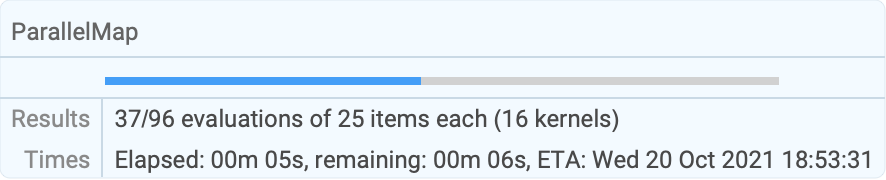
| |
Scope (6)
ParallelMap[f, {{a, b}, {c, d}}]ParallelMap[f, {{a, b}, {c, d}}, 2]ParallelMap[f, {{a, b}, {c, d}}, {2}]ParallelMap[f, {{{{{a}}}}}, 3]Map on all levels, starting at level 1:
ParallelMap[f, {{{{{a, b}}}}}, Infinity]ParallelMap[f, {{{{{a, b}}}}}, -1]ParallelMap[f, {{{{{a, b}}}}}, -2]ParallelMap[f, {{{{{a, b}}}}}, -3]Positive and negative levels can be mixed:
ParallelMap[f, {{{{{a}}}}}, {2, -3}]Different heads at each level:
ParallelMap[f, h0[h1[h2[h3[h4[a]]]]], {2, -3}]Not all levels can be parallelized:
ParallelMap[f, {{{{{a}}}}}, {0, 2}]
Generalizations & Extensions (2)
ParallelMap can be used on expressions with any head:
ParallelMap[f, a + b + c + d]ParallelMap[f, x ^ 2 + y ^ 2, 2]Functions with attribute Listable are mapped automatically:
Parallelize[Sqrt[{1, 2, 3, 4}]]ParallelMap[Sqrt, {1, 2, 3, 4}]Options (13)
DistributedContexts (5)
By default, definitions in the current context are distributed automatically:
remote[x_] := {$KernelID, x ^ 3}ParallelMap[remote, {1, 2, 3, 4}]Do not distribute any definitions of functions:
local[x_] := {$KernelID, x ^ 2}ParallelMap[local, {1, 2, 3, 4}, DistributedContexts -> None]Distribute definitions for all symbols in all contexts appearing in a parallel computation:
a`f[x_] := {$KernelID, x}ParallelMap[a`f, {1, 2, 3, 4}, DistributedContexts -> Automatic]Distribute only definitions in the given contexts:
b`g[x_] := {$KernelID, -x}ParallelMap[b`g, {1, 2, 3, 4}, DistributedContexts -> {"a`"}]Restore the value of the DistributedContexts option to its default:
SetOptions[ParallelMap, DistributedContexts :> $DistributedContexts]Method (6)
Break the computation into the smallest possible subunits:
ParallelMap[Labeled[Framed[#], $KernelID]&, Range[10], Method -> "FinestGrained"]Break the computation into as many pieces as there are available kernels:
ParallelMap[Labeled[Framed[#], $KernelID]&, Range[10], Method -> "CoarsestGrained"]Break the computation into at most 2 evaluations per kernel for the entire job:
ParallelMap[Labeled[Framed[#], $KernelID]&, Range[12], Method -> "EvaluationsPerKernel" -> 2]Break the computation into evaluations of at most 5 elements each:
ParallelMap[Labeled[Framed[#], $KernelID]&, Range[18], Method -> "ItemsPerEvaluation" -> 5]The default option setting balances evaluation size and number of evaluations:
ParallelMap[Labeled[Framed[#], $KernelID]&, Range[20], Method -> Automatic]Calculations with vastly differing runtimes should be parallelized as finely as possible:
ParallelMap[PrimeQ[2 ^ # - 1]&, Range[30000, 30031], Method -> "FinestGrained"]A large number of simple calculations should be distributed into as few batches as possible:
BinCounts[ParallelMap[Mod[Floor[# * Pi], 10]&, Range[10000], Method -> "CoarsestGrained"], {0, 10}]ProgressReporting (2)
Do not show a temporary progress report:
res = ParallelMap[PrimeQ[2 ^ # - 1]&, Range[9601, 12000], ProgressReporting -> False];Use Method"FinestGrained" for the most accurate progress report:
res = ParallelMap[{#, Total[FactorInteger[10 ^ 60 + #][[All, 2]]]}&, Range[1000], Method -> "FinestGrained", ProgressReporting -> True];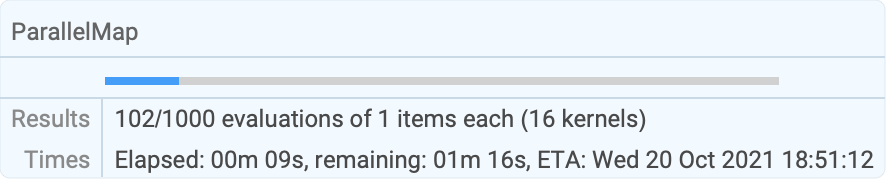
| |
Applications (2)
Watch the results appear as they are found:
SetSharedVariable[primes]Monitor[primes = {};
ParallelMap[If[PrimeQ[2 ^ # - 1], AppendTo[primes, #]]&, Range[1000, 5000]];primes,
primes]Framed[Grid[{{"SEND"}, {"+MORE"}, {"MONEY"}}, Dividers -> {None, {False, False, True, False}}, Alignment -> {Automatic, Right}, BaseStyle -> "Text"], FrameMargins -> 5, FrameStyle -> None]eq = word[s, e, n, d] + word[m, o, r, e] == word[m, o, n, e, y]Assign a single-digit number to each letter:
eq /. Thread[{d, e, m, n, o, r, s, y} -> {7, 5, 1, 6, 0, 8, 9, 2}]And interpret each word as a number in base 10:
% /. word[l__] :> FromDigits[{l}]Automate the checking for a particular digit assignment:
check[eq_, letters_, digits_] := eq /. Thread[letters -> digits] /. word[args___] :> FromDigits[{args}]check[eq, {d, e, m, n, o, r, s, y}, {7, 5, 1, 6, 0, 8, 9, 2}]To systematically solve this assignment, first get the list of letters:
alpha = Union[Reap[eq /. word[args___] :> Sow /@ {args}][[2, 1]]]The puzzle can be solved by considering all permutations of all subsets of eight digits:
Join@@Map[Select[Permutations[#], check[eq, alpha, #]&]&, Subsets[Range[0, 9], {Length[alpha]}]]Join@@ParallelMap[Select[Permutations[#], check[eq, alpha, #]&]&, Subsets[Range[0, 9], {Length[alpha]}]]Only the solutions with  are usually considered:
Select[%, #[[3]] ≠ 0&]The search can be stopped as soon as a nontrivial solution is found using ParallelTry:
ParallelTry[Catch[Scan[If[#[[3]] ≠ 0 && check[eq, alpha, #], Throw[#]]&, Permutations[#]];$Failed]&, Subsets[Range[0, 9], {Length[alpha]}]]Properties & Relations (10)
The parallelization happens at the outermost level used:
ParallelMap[Labeled[Framed[#], $KernelID]&, {a, b, c, d}, 2]ParallelMap[Labeled[Framed[#], $KernelID]&, {{a, b}, {c, d}}, 2]Map can be parallelized automatically, effectively using ParallelMap:
Parallelize[Map[PrimeQ[2 ^ # - 1]&, Range[100, 110]]]ParallelMap[PrimeQ[2 ^ # - 1]&, Range[100, 110]]Show the effect of load balancing with tasks of known size:
times = Range[0, 1, 0.04]AbsoluteTiming[ParallelMap[Pause, times, Method -> "FinestGrained"];]AbsoluteTiming[ParallelMap[Pause, times, Method -> "CoarsestGrained"];]Define a number of tasks with known runtimes:
tasks = Range[0.1, 1, 0.05];seq = Total[tasks]Measure the time for parallel execution:
t1 = First[AbsoluteTiming[ParallelMap[Pause, tasks]]]The speedup obtained (more is better):
seq / t1Finest-grained scheduling gives better load balancing and higher speedup:
t2 = First[AbsoluteTiming[ParallelMap[Pause, tasks, Method -> "FinestGrained"]]]seq / t2Scheduling large tasks first gives even better results:
t3 = First[AbsoluteTiming[ParallelMap[Pause, Reverse[tasks], Method -> "FinestGrained"]]]seq / t3A function of several arguments can be mapped with MapThread:
MapThread[f, {{1, 2, 3}, {a, b, c}}]Get a parallel version by using Parallelize:
Parallelize[MapThread[Labeled[Framed[f[##]], $KernelID]&, {{1, 2, 3}, {a, b, c}}]]MapIndexed passes the index of an element to the mapped function:
MapIndexed[f, {a, b, c}]Get a parallel version by using Parallelize:
Parallelize[MapIndexed[Labeled[Framed[f[##]], $KernelID]&, {a, b, c}]]Scan does the same as Map, but without returning a result:
Parallelize[Map[Print, {"a", "b"}]]

Parallelize[Scan[Print, {"a", "b"}]]

Functions defined interactively are automatically distributed to all kernels when needed:
ftest[n_] := Labeled[Framed[PrimeQ[2 ^ n - 1]], $KernelID]ParallelMap[ftest, Range[1275, 1285]]Distribute definitions manually and disable automatic distribution:
gtest[n_] := Labeled[Framed[PrimeQ[2 ^ n - 1]], $KernelID]DistributeDefinitions[gtest];ParallelMap[gtest, Range[1275, 1285], DistributedContexts -> None]For functions from a package, use ParallelNeeds rather than DistributeDefinitions:
Needs["FiniteFields`"]Map[FieldSize, Table[GF[2, i], {i, 10}]]ParallelNeeds["FiniteFields`"]ParallelMap[FieldSize, Table[GF[2, i], {i, 10}]]Get the size of all Wolfram Language files in an installation of Mathematica in parallel:
ParallelMap[FileByteCount, FileNames["*.m", $InstallationDirectory, Infinity]]//ShortTotal[%]Possible Issues (7)
If a level specification prevents parallelization, ParallelMap evaluates like Map:
ParallelMap[f, {a, b, c}, 0]
Side effects cannot be used in the function mapped in parallel:
primes = {};
ParallelMap[If[PrimeQ[2 ^ # - 1], AppendTo[primes, #];#]&, Range[1000, 2000]];primesUse a shared variable to support side effects:
SetSharedVariable[sprimes]sprimes = {};
ParallelMap[If[PrimeQ[2 ^ # - 1], AppendTo[sprimes, #]]&, Range[1000, 2000]];sprimesA function used that is not known on the parallel kernels may lead to sequential evaluation:
ftest[n_] := Labeled[Framed[PrimeQ[2 ^ n - 1]], $KernelID]ParallelMap[ftest, Range[1275, 1285], DistributedContexts -> None]Define the function on all parallel kernels:
DistributeDefinitions[ftest]The function is now evaluated on the parallel kernels:
ParallelMap[ftest, Range[1275, 1285], DistributedContexts -> None]Definitions of functions in the current context are distributed automatically:
gtest[n_] := Labeled[Framed[PrimeQ[2 ^ n - 1]], $KernelID]ParallelMap[gtest, Range[1275, 1285]]Definitions from contexts other than the default context are not distributed automatically:
ctx`mtest[n_] := Labeled[Framed[PrimeQ[2 ^ n - 1]], $KernelID]ParallelMap[ctx`mtest, Range[1275, 1285]]Use DistributeDefinitions to distribute such definitions:
DistributeDefinitions[ctx`mtest];ParallelMap[ctx`mtest, Range[1275, 1285]]Alternatively, set the DistributedContexts option to include all contexts:
cty`mtest[n_] := Labeled[Framed[PrimeQ[2 ^ n - 1]], $KernelID]ParallelMap[cty`mtest, Range[1275, 1285], DistributedContexts -> Automatic]Trivial operations may take longer when parallelized:
AbsoluteTiming[ParallelMap[Composition[N, Sin], Range[1000]];]AbsoluteTiming[Map[Composition[N, Sin], Range[1000]];]Measure the minimum parallel communication overhead:
AbsoluteTiming[Do[ParallelEvaluate[Null, First[Kernels[]]], {100}]]Compare with a simple calculation done on the master kernel itself:
AbsoluteTiming[Do[N[Sin[1]], {100}]]Functions may simplify short argument lists, but not longer ones:
{Majority[a], Majority[b, c], Majority[d, e, f]}Such simplification of partial expressions may make parallel mapping impossible:
ParallelMap[fun, Majority[a, b, c, d, e, f]]
Prevent simplification of partial expressions and apply the desired function only at the end:
Majority@@ParallelMap[fun, {a, b, c, d, e, f}]If the larger computations are near the end of the input list, timing estimates will be inaccurate:
ParallelMap[Timing[Inverse[RandomReal[{-1, 1}, {#, #}]];#]&, 2 ^ Range[13]]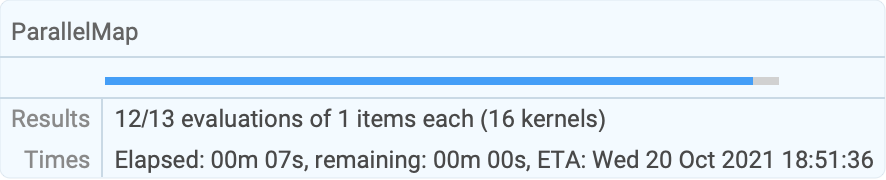
| |
Text
Wolfram Research (2008), ParallelMap, Wolfram Language function, https://reference.wolfram.com/language/ref/ParallelMap.html (updated 2021).
CMS
Wolfram Language. 2008. "ParallelMap." Wolfram Language & System Documentation Center. Wolfram Research. Last Modified 2021. https://reference.wolfram.com/language/ref/ParallelMap.html.
APA
Wolfram Language. (2008). ParallelMap. Wolfram Language & System Documentation Center. Retrieved from https://reference.wolfram.com/language/ref/ParallelMap.html