

StringMatchQ
StringMatchQ["string",patt]
tests whether "string" matches the string pattern patt.
StringMatchQ["string",RegularExpression["regex"]]
tests whether "string" matches the specified regular expression.
StringMatchQ["string",{patt1,patt2,…}]
test whether "string" matches any of the patti.
StringMatchQ[{"string1","string2",…},patt]
gives the list of the results for each of the "stringi".
StringMatchQ[patt]
represents an operator form of StringMatchQ that can be applied to an expression.
Details and Options
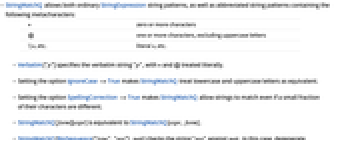
- StringMatchQ allows both ordinary StringExpression string patterns, as well as abbreviated string patterns containing the following metacharacters:
-
* zero or more characters @ one or more characters, excluding uppercase letters \\*, etc. literal *, etc. - Verbatim["p"] specifies the verbatim string "p", with * and @ treated literally.
- Setting the option IgnoreCase->True makes StringMatchQ treat lowercase and uppercase letters as equivalent.
- Setting the option SpellingCorrection->True makes StringMatchQ allow strings to match even if a small fraction of their characters are different.
- StringMatchQ[form][expr] is equivalent to StringMatchQ[expr,form].
- StringMatchQ[BioSequence["type","seq"],patt] checks the string "seq" against patt. In this case, degenerate letters in patt are interpreted as wildcard patterns based on the type of biomolecular sequence. Use Verbatim["patt"] to match degenerate letters literally.
- The documentation for BioSequence lists the degenerate letters supported by each type of biomolecular sequence.
- If the biomolecular sequence operated upon by StringMatchQ is circular, wraparound matches are possible.
Examples
open all close allBasic Examples (4)
Test whether a string matches the pattern:
Use abbreviated string patterns:
Give a list of strings as input:
Use the operator form of StringMatchQ:
Scope (10)
Mix regular expressions and string patterns:
Use pattern matching for dates:
Test for occurrences of either pattern:
StringMatchQ automatically threads over lists of strings:
Check whether a biomolecular sequence will match a string pattern:
Use a wildcard in the pattern compared against a biomolecular sequence:
The "N" is a degenerate letter only in biomolecular sequences:
Use Verbatim to avoid a degenerate match:
Options (3)
IgnoreCase (2)
Use IgnoreCaseTrue to check whether the string matches regardless of case:
SpellingCorrection (1)
The option SpellingCorrection -> True allows automatic spelling correction:
Properties & Relations (9)
For literal strings, SameQ is equivalent to StringMatchQ:
For fast extraction of elements in a list, use Pick:
Compare to Select:
StringMatchQ threads over lists of strings in the first argument:
StringMatchQ["string",{patt1,patt2,…}] is equivalent to StringMatchQ["string",Alternatives[patt1,patt2,…]]:
Use StringFreeQ to check no substring matches a pattern:
StringMatchQ generally returns False when StringFreeQ is True:
Use StringContainsQ to check if a substring matches a pattern:
StringMatchQ checks whether a whole string matches a pattern:
StringMatchQ generally returns False when StringContainsQ is False:
StringContainsQ["string",patt] is equivalent to StringMatchQ["string",___~~patt~~___]:
StringStartsQ["string",patt] is equivalent to StringMatchQ["string",StartOfString~~patt~~___]:
StringEndsQ["string",patt] is equivalent to StringMatchQ["string",___~~patt~~EndOfString]:
Possible Issues (3)
StringMatchQ supports metacharacters:
Most other string functions do not, which can lead to apparently contradictory results:
Wrap string patterns in Verbatim to disable metacharacters, giving consistency between the functions:
StringMatchQ does not work on strings with embedded formatting information:
Spelling correction only works for letter string patterns:

Text
Wolfram Research (1988), StringMatchQ, Wolfram Language function, https://reference.wolfram.com/language/ref/StringMatchQ.html (updated 2020).
CMS
Wolfram Language. 1988. "StringMatchQ." Wolfram Language & System Documentation Center. Wolfram Research. Last Modified 2020. https://reference.wolfram.com/language/ref/StringMatchQ.html.
APA
Wolfram Language. (1988). StringMatchQ. Wolfram Language & System Documentation Center. Retrieved from https://reference.wolfram.com/language/ref/StringMatchQ.html