

TagBox
TagBox[boxes,tag]
is a low-level box construct that displays as boxes but maintains tag to guide the interpretation of boxes on input.
Details and Options
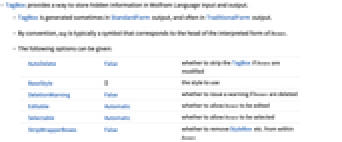
- TagBox provides a way to store hidden information in Wolfram Language input and output.
- TagBox is generated sometimes in StandardForm output, and often in TraditionalForm output.
- By convention, tag is typically a symbol that corresponds to the head of the interpreted form of boxes.
- The following options can be given:
-
AutoDelete False whether to strip the TagBox if boxes are modified BaseStyle {} the style to use DeletionWarning False whether to issue a warning if boxes are deleted Editable Automatic whether to allow boxes to be edited Selectable Automatic whether to allow boxes to be selected StripWrapperBoxes False whether to remove StyleBox etc. from within boxes SyntaxForm Automatic how the box should be interpreted for parsing purposes Tooltip None tooltip to display when the mouse cursor is over the box TooltipStyle {} style specifications for the tooltip TooltipDelay 0. how long to delay before displaying the tooltip - If you modify the displayed form of TagBox[boxes,tag] only boxes will be modified, and there is no guarantee that correct correspondence with tag will be maintained.
Examples
open all close allBasic Examples (3)
TagBox does not change the appearance of its contents:
The standard formatting for some expressions uses TagBox to aid interpretation:
The formatted result looks like this:
Without the TagBox, this notation would be interpreted differently:
A GridBox is normally interpreted as a matrix:
Use a predefined TagBox interpretation to get a different result:
Scope (1)
The following expressions look identical, so you cannot distinguish one from the other:
The box representation contains TagBox data:
The resulting box structures can be unambiguously interpreted:
Text
Wolfram Research (1996), TagBox, Wolfram Language function, https://reference.wolfram.com/language/ref/TagBox.html (updated 2020).
CMS
Wolfram Language. 1996. "TagBox." Wolfram Language & System Documentation Center. Wolfram Research. Last Modified 2020. https://reference.wolfram.com/language/ref/TagBox.html.
APA
Wolfram Language. (1996). TagBox. Wolfram Language & System Documentation Center. Retrieved from https://reference.wolfram.com/language/ref/TagBox.html