VideoFrames
VideoFrames
- Export converts arbitrary Wolfram Language animation objects to a sequence of video frames.
Background & Context

-
- Sequence of raster image files.
- Commonly used as an intermediary format in video production.
Export
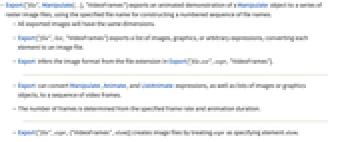
- Export["file",Manipulate[…],"VideoFrames"] exports an animated demonstration of a Manipulate object to a series of raster image files, using the specified file name for constructing a numbered sequence of file names.
- All exported images will have the same dimensions.
- Export["file",list,"VideoFrames"] exports a list of images, graphics, or arbitrary expressions, converting each element to an image file.
- Export infers the image format from the file extension in Export["file.ext",expr,"VideoFrames"].
- Export can convert Manipulate, Animate, and ListAnimate expressions, as well as lists of images or graphics objects, to a sequence of video frames.
- The number of frames is determined from the specified frame rate and animation duration.
- Export["file",expr,{"VideoFrames",elem}] creates image files by treating expr as specifying element elem.
- Export["file",expr,"VideoFrames",opt1->val1,…] exports expr with the specified option elements taken to have the specified values.
- See the following reference pages for full general information:
-
Export export to a file CloudExport export to a cloud object ExportString export to a string ExportByteArray export to a byte array
Options
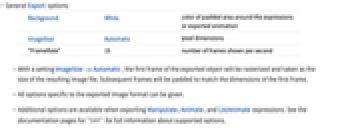
- General Export options:
-
Background White color of padded area around the expressions or exported animation ImageSize Automatic pixel dimensions "FrameRate" 15 number of frames shown per second - With a setting ImageSize->Automatic, the first frame of the exported object will be rasterized and taken as the size of the resulting image file. Subsequent frames will be padded to match the dimensions of the first frame.
- All options specific to the exported image format can be given.
- Additional options are available when exporting Manipulate, Animate, and ListAnimate expressions. See the documentation pages for "SWF" for full information about supported options.
Examples
Basic Examples (2)
Export a Manipulate object to a sequence of PNG images:
Capture an image sequence from the connected camera and export it: