表示由 TrainImageContentDetector 或 TrainTextContentDetector 产生的函数,对一段文本或图像中的内容进行本地化和分类.
ContentDetectorFunction

表示由 TrainImageContentDetector 或 TrainTextContentDetector 产生的函数,对一段文本或图像中的内容进行本地化和分类.
更多信息
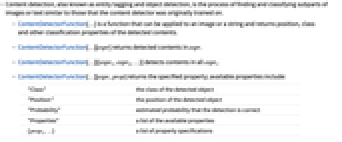
- 内容检测,也称为实体标记和对象检测,是对图像或文本的子部分进行查找和分类的过程,这些子部分与内容检测器最初训练的内容相似.
- ContentDetectorFunction[…] 是一个函数,可以应用于图像或字符串,并返回检测到的内容的位置、类别和其他分类属性.
- ContentDetectorFunction[…][expr] 返回在 expr 中检测到的内容.
- ContentDetectorFunction[…][{expr1,expr2,…}] 在所有 expri 中检测内容.
- ContentDetectorFunction[…][expr,prop] 返回指定的属性;可用属性包括:
-
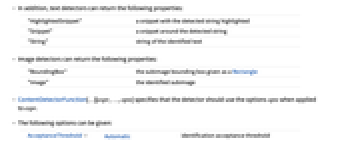
"Class" 检测到的对象的类别 "Position" 检测到的对象的位置 "Probability" 估计的检测正确的概率 "Properties" 可用属性列表 {prop1,…} 属性规范列表 - 此外,文本检测器还可以返回以下属性:
-
"HighlightedSnippet" 一个片段,其中突出显示检测到的字符串 "Snippet" 检测到的字符串周围的片段 "String" 识别出的字符串 - 图像检测器可以返回以下属性:
-
"BoundingBox" 以 Rectangle 给出的子图像的边界框 "Image" 识别出的子图像 - ContentDetectorFunction[…][expr,…,opts] 指定应用于 expr 时,检测器应使用选项 opts.
- 可给出以下选项:
-
AcceptanceThreshold Automatic 识别接受阈值 TargetDevice "CPU" 用于计算的目标设备 - 根据检测器类型,可能还有其他选项可用:
-
MaxFeatures Automatic 最多返回多少内容 MaxOverlapFraction Automatic 边界框重叠的最大程度
范例
打开所有单元 关闭所有单元基本范例 (2)
detector = TrainTextContentDetector[{
"I like banana" -> {{8, 13} -> "Fruit"},
"I eat apples watching TV" -> {{7, 12} -> "Fruit"},
"I am enjoying raspberries" -> {{15, 25} -> "Fruit"},
"I play soccer" -> {{8, 13} -> "Sport"},
"I watch TV" -> {}
}]detector[{"I ate cranberries", "I like basketball"}]df = TrainImageContentDetector[
{[image] -> {Rectangle[{48, 25},
{160, 144}] -> "apple", Rectangle[{144, 24}, {279, 144}] -> "apple"}, [image] -> {Rectangle[{84, 43},
{227, 155}] -> "strawberry"}, [image] -> {Rectangle[{67, 60},
{140, 220}] -> "banana"},
[image] -> {Rectangle[{60, 70}, {180, 212}] -> "strawberry"}}, TimeGoal -> Quantity[15, "Minutes"]]testImage = [image];
df[testImage]HighlightImage[testImage, Legended[#BoundingBox, #Class]& /@ df[testImage, {"BoundingBox", "Class"}]]选项 (3)
AcceptanceThreshold (1)
df = TrainImageContentDetector[{DynamicModule[«3»] -> {Rectangle[{89, 26}, {317, 217}] -> "heart"}, DynamicModule[«3»] -> {Rectangle[{228, 99}, {289, 158}] -> "heart"}, DynamicModule[«3»] -> {Rectangle[{86, 133}, {176, 207}] -> "heart", Rectangle[{170, 83}, {225, 130}] -> "heart"}, DynamicModule[«3»] -> {Rectangle[{147, 86}, {239, 186}] -> "heart"}}]i = [image];df[i]用 AcceptanceThresholdt 只返回强度大于 t 的检测:
df[i, AcceptanceThreshold -> .5]df[i, "Image", AcceptanceThreshold -> 10 ^ -2]MaxFeatures (1)
df = TrainImageContentDetector[{DynamicModule[«3»] -> {Rectangle[{89, 26}, {317, 217}] -> "heart"}, DynamicModule[«3»] -> {Rectangle[{228, 99}, {289, 158}] -> "heart"}, DynamicModule[«3»] -> {Rectangle[{86, 133}, {176, 207}] -> "heart", Rectangle[{170, 83}, {225, 130}] -> "heart"}, DynamicModule[«3»] -> {Rectangle[{147, 86}, {239, 186}] -> "heart"}}]i = [image];df[i, AcceptanceThreshold -> 10 ^ -3]//Length用 MaxFeaturesn 只返回 n 个最强的检测结果:
df[i, AcceptanceThreshold -> 10 ^ -3, MaxFeatures -> 4]MaxOverlapFraction (1)
df = TrainImageContentDetector[{DynamicModule[«3»] -> {Rectangle[{89, 26}, {317, 217}] -> "heart"}, DynamicModule[«3»] -> {Rectangle[{228, 99}, {289, 158}] -> "heart"}, DynamicModule[«3»] -> {Rectangle[{86, 133}, {176, 207}] -> "heart", Rectangle[{170, 83}, {225, 130}] -> "heart"}, DynamicModule[«3»] -> {Rectangle[{147, 86}, {239, 186}] -> "heart"}}]i = [image];HighlightImage[i, {Green, df[i, "BoundingBox"]}]HighlightImage[i, {Green, df[i, "BoundingBox", MaxOverlapFraction -> 0]}]HighlightImage[i, {Green, df[i, "BoundingBox", MaxOverlapFraction -> 0.1]}]相关指南
-
▪
- 监督机器学习
文本
Wolfram Research (2021),ContentDetectorFunction,Wolfram 语言函数,https://reference.wolfram.com/language/ref/ContentDetectorFunction.html.
CMS
Wolfram 语言. 2021. "ContentDetectorFunction." Wolfram 语言与系统参考资料中心. Wolfram Research. https://reference.wolfram.com/language/ref/ContentDetectorFunction.html.
APA
Wolfram 语言. (2021). ContentDetectorFunction. Wolfram 语言与系统参考资料中心. 追溯自 https://reference.wolfram.com/language/ref/ContentDetectorFunction.html 年
BibTeX
@misc{reference.wolfram_2026_contentdetectorfunction, author="Wolfram Research", title="{ContentDetectorFunction}", year="2021", howpublished="\url{https://reference.wolfram.com/language/ref/ContentDetectorFunction.html}", note=[Accessed: 04-September-2026]}
BibLaTeX
@online{reference.wolfram_2026_contentdetectorfunction, organization={Wolfram Research}, title={ContentDetectorFunction}, year={2021}, url={https://reference.wolfram.com/language/ref/ContentDetectorFunction.html}, note=[Accessed: 04-September-2026]}