

DocumentNotebook
DocumentNotebook[{cell1,cell2,…}]
represents a complete document notebook in the Wolfram System front end.
Details and Options
- CreateWindow takes a DocumentNotebook expression and displays it in a separate window.
- If generated as output within a notebook, DocumentNotebook displays as an in-cell representation of a notebook.
- DocumentNotebook can take any notebook option.
Examples
open all close allBasic Examples (2)
Scope (3)
Options (5)
Background (1)

CellDingbat (1)

CellGrouping (1)

TextAlignment (1)


Applications (2)
Define a template for a standard document:
mammalPage[common_, picture_, order_, family_, species_] := DocumentNotebook[Style[Grid[{{Style[common, FontSize -> 18], SpanFromLeft}, {picture, Column[Row[{#1, ": ", Style[#2, FontWeight -> Bold]}]&@@@{{"Order", order}, {"Family", family}, {"Species", species}}]}}, Frame -> True], FontFamily -> "Arial", ShowStringCharacters -> False]]CreateWindow[mammalPage["Ocelot", Import["ExampleData/ocelot.jpg"], "Carnivora", "Felidae", "Leopardus pardalis"]];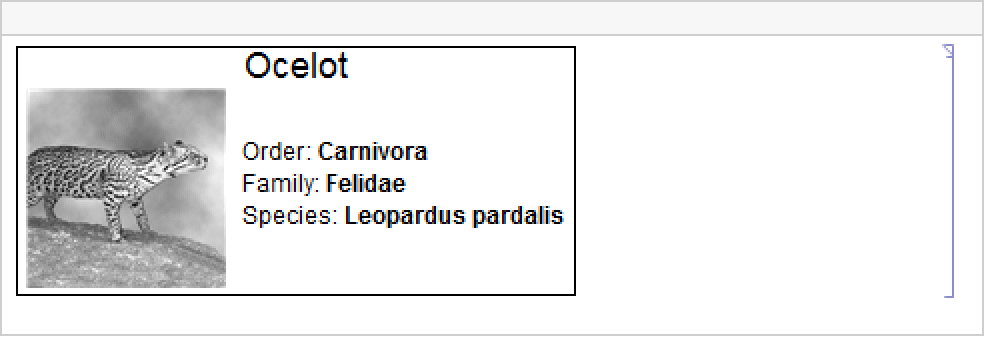
Turn a list structure into document structure:
outline[l_List] := l //. {s_String, r___} :> f[s, r] /. s_String :> TextCell[s] //. f[c__] :> CellGroup[{c}]outline[{"Chap. 1", {"Sec. 1", "a"}, {"Sec. 2", "b", "c"}}]//InputFormCreateWindow[DocumentNotebook[%, CellGrouping -> Manual]];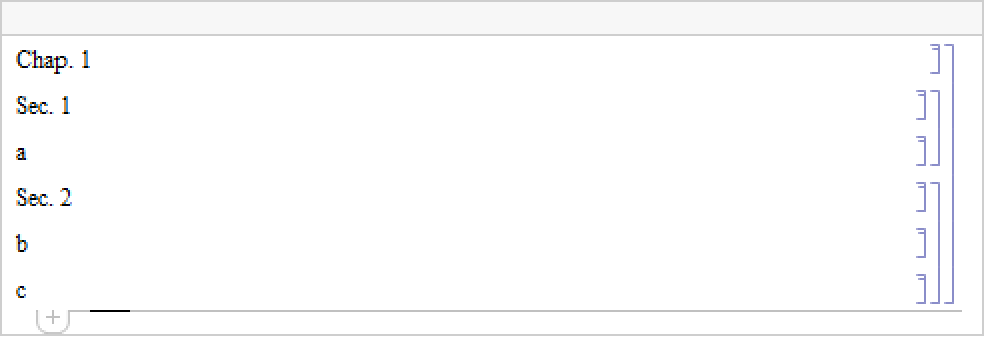
Properties & Relations (2)
Use CreateWindow to get a NotebookObject:
nb = CreateWindow[DocumentNotebook[{a, b, c}]];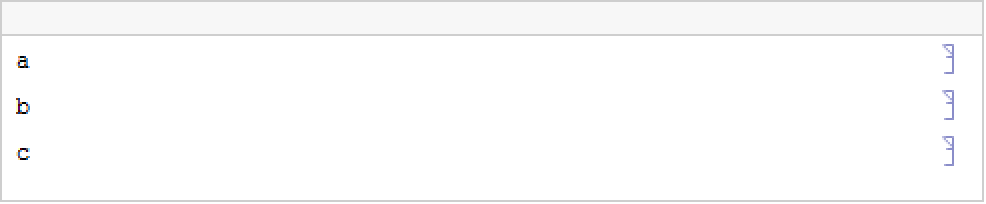
Use the NotebookObject in commands that act on the notebook:
SelectionMove[nb, Next, Cell]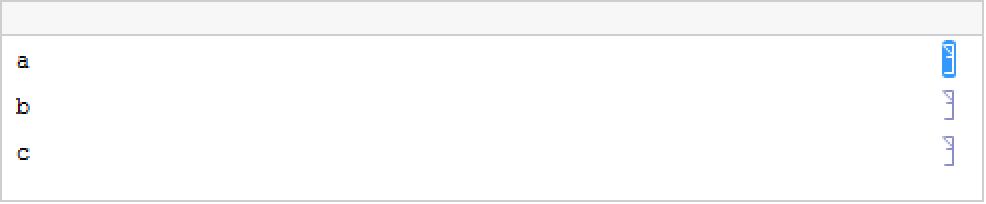
NotebookRead[nb]NotebookDelete[nb]
PaletteNotebook and DialogNotebook objects are mainly used as user interface tools:
PaletteNotebook[{"Square root", Button[Sqrt[π], p = N[Sqrt[π]]]}]DialogNotebook[{TextCell[Row[{"Your name:", InputField[]}]]}]Text
Wolfram Research (2007), DocumentNotebook, Wolfram Language function, https://reference.wolfram.com/language/ref/DocumentNotebook.html.
CMS
Wolfram Language. 2007. "DocumentNotebook." Wolfram Language & System Documentation Center. Wolfram Research. https://reference.wolfram.com/language/ref/DocumentNotebook.html.
APA
Wolfram Language. (2007). DocumentNotebook. Wolfram Language & System Documentation Center. Retrieved from https://reference.wolfram.com/language/ref/DocumentNotebook.html