

PaletteNotebook
PaletteNotebook[{cell1,cell2,…}]
represents a palette notebook that can be manipulated by the Wolfram System front end.
Details and Options
- CreateWindow takes a PaletteNotebook expression and displays it in a separate window.
- If generated as output within a notebook, PaletteNotebook displays as an in-cell representation of a palette notebook.
- PaletteNotebook can take any notebook option.
- A PaletteNotebook that has been created with CreateWindow can be installed using the Palettes ▶ Install Palette menu item.
- A palette installed into the Palettes menu will be ordered according to its MenuSortingValue option, or excluded if the option MenuSortingValue->None is applied.
Examples
open all close allBasic Examples (2)
Make a palette for applying a square root sign to the selection:
PaletteNotebook[{"Square root", PasteButton[Sqrt[]]}]Make a palette for listing files in the current directory:
PaletteNotebook[{"File Operations", Button["List files", CreateDocument[{Column[FileNames[]]}]]}]Scope (2)
Make a palette with text and graphics:
PaletteNotebook[{"Choose a direction:", Graphics[{Circle[], Inset[Button[#1, Appearance -> "Palette"], #2]&@@@{{"N", {0, 1}}, {"E", {1, 0}}, {"S", {0, -1}}, {"W", {-1, 0}}}}, ImageSize -> Tiny]}]PaletteNotebook[{Grid[Map[Button[#, NotebookWrite[InputNotebook[], #]]&, Partition[Characters["↑↓→←⇑⇓⇒⇐↕↔⇕⇔"], 4], {2}]]}]Options (5)
WindowElements (1)

WindowFloating (1)
Set to False to make a palette that can be covered up by other windows:
CreateWindow[PaletteNotebook[{TextCell["Do not float"], CancelButton[]}, WindowFloating -> False]];WindowMargins (1)
Set to Automatic to position a palette in the center of your screen:
CreateWindow[PaletteNotebook[{TextCell["Center"], CancelButton[]}, WindowMargins -> Automatic]];WindowSize (1)
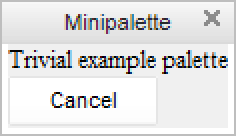
Applications (1)
Text
Wolfram Research (2007), PaletteNotebook, Wolfram Language function, https://reference.wolfram.com/language/ref/PaletteNotebook.html.
CMS
Wolfram Language. 2007. "PaletteNotebook." Wolfram Language & System Documentation Center. Wolfram Research. https://reference.wolfram.com/language/ref/PaletteNotebook.html.
APA
Wolfram Language. (2007). PaletteNotebook. Wolfram Language & System Documentation Center. Retrieved from https://reference.wolfram.com/language/ref/PaletteNotebook.html