


Real32
- Import can read arbitrary binary data as a sequence of single-precision numbers.
- Export can convert a list of arbitrary integers or reals to binary single-precision numbers.
Background & Context

-
- Uniform sequence of IEEE single-precision numbers.
- Binary data format.
Import & Export
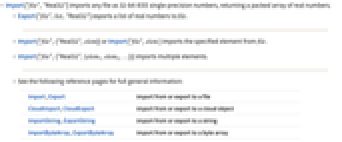
- Import["file","Real32"] imports any file as 32-bit IEEE single-precision numbers, returning a packed array of real numbers.
- Export["file",list,"Real32"] exports a list of real numbers to file.
- Import["file",{"Real32",elem}] or Import["file",elem ] imports the specified element from file.
- Import["file",{"Real32",{elem1,elem2,…}}] imports multiple elements.
- See the following reference pages for full general information:
-
Import, Export import from or export to a file CloudImport, CloudExport import from or export to a cloud object ImportString, ExportString import from or export to a string ImportByteArray, ExportByteArray import from or export to a byte array
Import Elements

- General Import elements:
-
"Elements" list of elements and options available in this file "Summary" summary of the file "Rules" list of rules for all available elements - Data representation element:
-
"Data" list of real numbers - By default, Import and Export use the "Data" element.
- Import["file",{"Real32",n}] reads the n
 single-precision number from file.
 - Import returns Infinity for IEEE "infinity", and Indeterminate for IEEE "not‐a‐number".
- Trailing bytes are ignored if the size of the imported file is not a multiple of the data size.
Options
- General option:
-
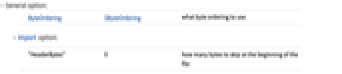
ByteOrdering $ByteOrdering what byte ordering to use - Import option:
-
"HeaderBytes" 0 how many bytes to skip at the beginning of the file