CompoundElement[{spec1,spec2,…}]
結果のリストを与えるフィールドあるいは入力のリストについての,フォームあるいはインタプリタの指定を表す.
CompoundElement[<|key1spec1,key2spec2,…|>]
結果の連想を与える,フォームあるいはインタプリタの指定を表す.
CompoundElement
CompoundElement[{spec1,spec2,…}]
結果のリストを与えるフィールドあるいは入力のリストについての,フォームあるいはインタプリタの指定を表す.
CompoundElement[<|key1spec1,key2spec2,…|>]
結果の連想を与える,フォームあるいはインタプリタの指定を表す.
詳細
- speciは,Interpreterのコンテキスト中では,Interpreterで使われる任意の指定(CompoundElementあるいはRepeatingElementを含む)でよい.
- FormObjectおよびFormFunctionのコンテキスト中では,speciはフォームで使われる任意の指定でよい.この指定には,完全な連想も含まれるが,フィールドの表とし可視化できるのは単純な構造だけである.
- Interpreter[CompoundElement[{form1,form2,…}]][{input1,input2,…}]は,事実上,{Interpreter[form1][input1],Interpreter[form2][input2],…}と等しい.
- Interpreter[CompoundElement[{form1,form2,…}]][{input1,input2,…}]では,inputiのリストは formiのリストと同じ長さでなければならない.長さが違うと,Failureオブジェクトが生成される.
- Interpreter[CompoundElement[<|key1->spec1,…|>]][input]からの結果は,各 keyiについての要素を含む連想である.input がリストのとき,連続する各 keyiは順に使われる.input が連想のとき,欠落した任意の keyiは欠落要素として返され,keyiのいずれでもないキーと関連する値は削除される.
- 任意の speciそれ自体が,CompoundElementオブジェクトあるいはRepeatingElementオブジェクトでもよい.
例題
すべて開く すべて閉じる例 (4)
CompoundElementを使って任意の種類のInterpreter呼出しを組み合せる:
Interpreter[CompoundElement[{"GivenName", {"home", "office", "mobile"}, "PhoneNumber"}]][{{"Alice", "home", "+44 020 1234 5678"}, {"Bob", "mobile", "+1 (202) 456-1111"}}]CompoundElementを使い,Wolfram Cloudへの接続が必要な呼出しをまとめることでInterpreterのスピードを上げる:
Interpreter[CompoundElement[{"City", "Country", "Integer"}]][{"rome", "italy", "4"}]CompoundElementは,正しい形をしていないデータではうまく処理できない:
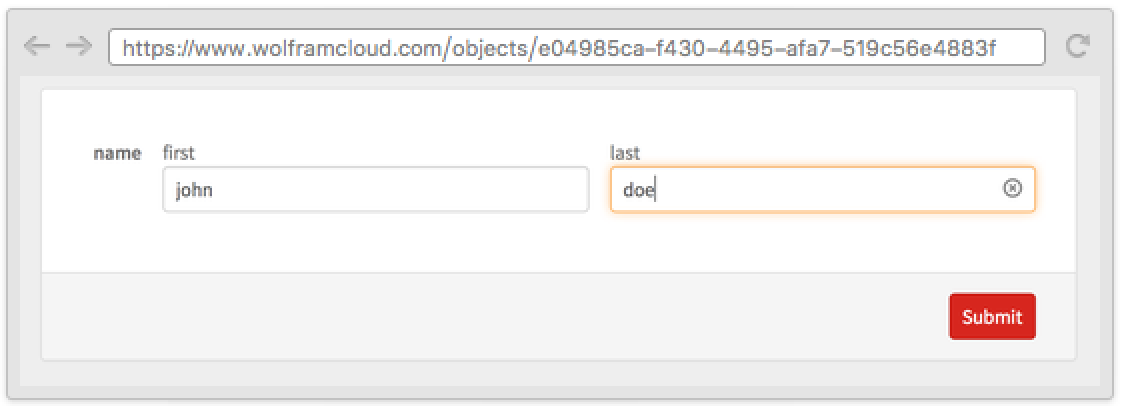
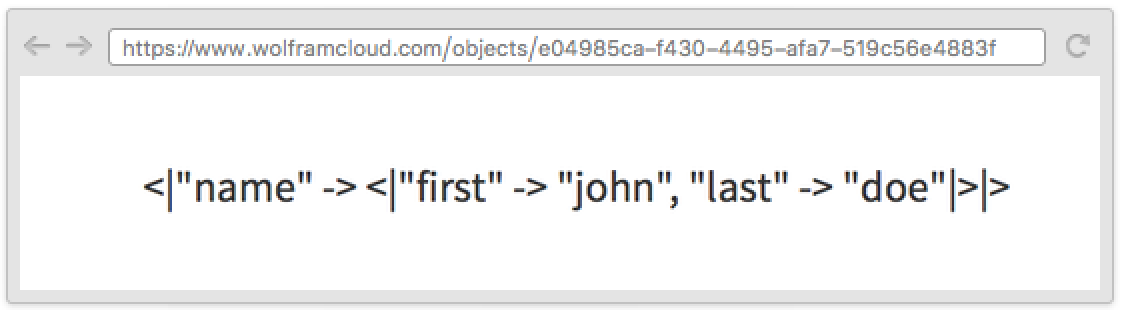
Interpreter[CompoundElement[{"Integer", "ComplexNumber"}]][{"2"}]CloudDeploy[FormFunction["name" -> CompoundElement[{"first" -> "String", "last" -> "String"}]]]アプリケーション (2)
Interpreter[CompoundElement[<|"location" -> CompoundElement[{"City", "USState"}], "singer" -> "MusicAct", "song" -> "MusicWork"|>]][<|"location" -> {"memphis", "tennessee"}, "singer" -> "elvis", "song" -> "hound dog"|>]Interpreter[CompoundElement[<|"x" -> "Real", "y" -> "Real"|>]][{"12.4", "-5"}]Interpreter[CompoundElement[<|"x" -> "Real", "y" -> "Real"|>]][<|"y" -> "12.4", "x" -> "-5"|>]特性と関係 (3)
CompoundElementをRepeatingElementと一緒に使ってさらに複雑な構造を解釈する:
Interpreter[CompoundElement[<|"numbers" -> RepeatingElement["Integer"], "fruit" -> RepeatingElement[{"apple" -> "pomme", "orange" -> "orange", "grapefruit" -> "pamplemousse"}]|>]][<|"numbers" -> {"1", "14", "-4"}, "fruit" -> {"apple", "pomme", "grapefruit"}|>]FormFunctionのコンテキスト中で,RepeatingElementと組み合せて用い,フィールドの表を生成する:
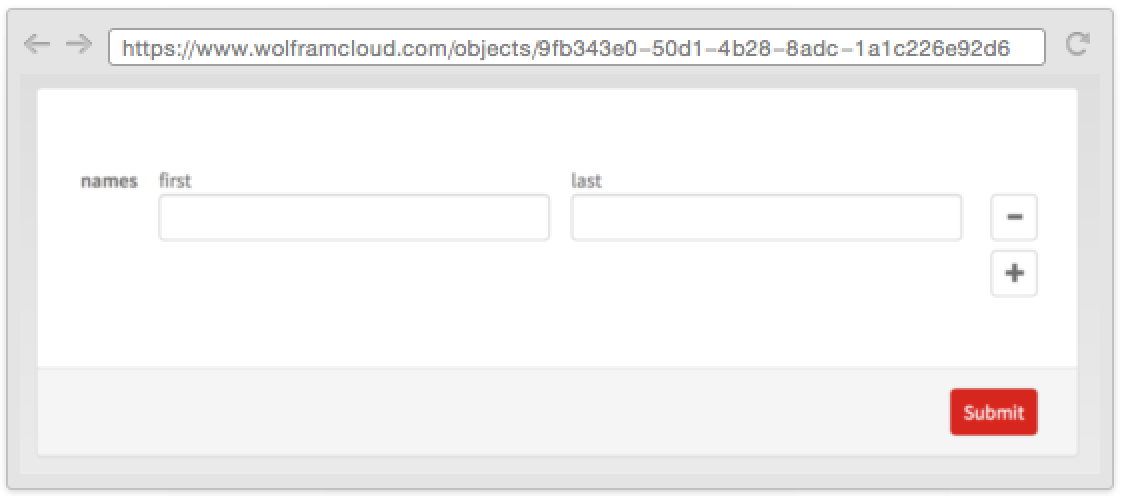
CloudDeploy[FormFunction["names" -> RepeatingElement[CompoundElement[<|"first" -> "String", "last" -> "String"|>]]]]CompoundElementをAlternativesと一緒に使って,形が違うこともあるデータを解釈する:
Interpreter[CompoundElement[{"City", "USState"}] | "City"]["bangkok"]Interpreter[CompoundElement[{"City", "USState"}]][{"trenton", "indonesia" | "NJ"}]関連するガイド
テキスト
Wolfram Research (2015), CompoundElement, Wolfram言語関数, https://reference.wolfram.com/language/ref/CompoundElement.html.
CMS
Wolfram Language. 2015. "CompoundElement." Wolfram Language & System Documentation Center. Wolfram Research. https://reference.wolfram.com/language/ref/CompoundElement.html.
APA
Wolfram Language. (2015). CompoundElement. Wolfram Language & System Documentation Center. Retrieved from https://reference.wolfram.com/language/ref/CompoundElement.html
BibTeX
@misc{reference.wolfram_2026_compoundelement, author="Wolfram Research", title="{CompoundElement}", year="2015", howpublished="\url{https://reference.wolfram.com/language/ref/CompoundElement.html}", note=[Accessed: 04-September-2026]}
BibLaTeX
@online{reference.wolfram_2026_compoundelement, organization={Wolfram Research}, title={CompoundElement}, year={2015}, url={https://reference.wolfram.com/language/ref/CompoundElement.html}, note=[Accessed: 04-September-2026]}