

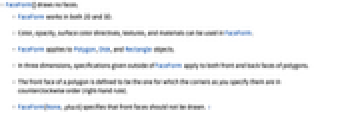
FaceForm
范例
打开所有单元 关闭所有单元基本范例 (2)
Graphics[{EdgeForm[{Thick, Blue}], FaceForm[Pink], Disk[]}]Graphics3D[{EdgeForm[{Thick, Blue}], FaceForm[{Pink, Opacity[0.8]}], Cuboid[]}, Boxed -> False]Graphics3D[{FaceForm[Yellow, Blue], Cuboid[]}, PlotRange -> {{-1 / 4, 5 / 4}, {1 / 4, 5 / 4}, {-1 / 4, 5 / 4}}]应用 (1)
用 FaceForm 来指定由图形函数生成的多边形样式:
ContourPlot[x ^ 3 - y ^ 2, {x, -2, 2}, {y, -3, 3}, ContourShading -> FaceForm[]]ParametricPlot3D[{Cos[ϕ]Sin[θ], Sin[ϕ]Sin[θ], Cos[θ]}, {ϕ, 0, 3Pi / 2}, {θ, 0, Pi}, MeshStyle -> Opacity[.2], PlotStyle -> FaceForm[Blue, Orange]]属性和关系 (2)
FaceForm[] 用来指定不绘制前面:
{Graphics[{EdgeForm[Red], White, Rectangle[], Rectangle[{0.5, 0.5}]}],
Graphics[{EdgeForm[Red], FaceForm[], Rectangle[], Rectangle[{0.5, 0.5}]}]}您可以对前后面使用不同的样式,包括 None 和 Opacity:
ParametricPlot3D[{Cos[ϕ]Sin[θ], Sin[ϕ]Sin[θ], Cos[θ]}, {ϕ, 0, 3Pi / 2}, {θ, 0, Pi}, MeshStyle -> Opacity[0.1], PlotStyle -> FaceForm[Directive[Opacity[0.5], Blue], Orange]]技术笔记
-
▪
- 三维图形指令
历史
1988年引入 (1.0) | 在以下年份被更新:2007 (6.0) ▪ 2010 (8.0) ▪ 2012 (9.0)
文本
Wolfram Research (1988),FaceForm,Wolfram 语言函数,https://reference.wolfram.com/language/ref/FaceForm.html (更新于 2012 年).
CMS
Wolfram 语言. 1988. "FaceForm." Wolfram 语言与系统参考资料中心. Wolfram Research. 最新版本 2012. https://reference.wolfram.com/language/ref/FaceForm.html.
APA
Wolfram 语言. (1988). FaceForm. Wolfram 语言与系统参考资料中心. 追溯自 https://reference.wolfram.com/language/ref/FaceForm.html 年
BibTeX
@misc{reference.wolfram_2026_faceform, author="Wolfram Research", title="{FaceForm}", year="2012", howpublished="\url{https://reference.wolfram.com/language/ref/FaceForm.html}", note=[Accessed: 06-September-2026]}
BibLaTeX
@online{reference.wolfram_2026_faceform, organization={Wolfram Research}, title={FaceForm}, year={2012}, url={https://reference.wolfram.com/language/ref/FaceForm.html}, note=[Accessed: 06-September-2026]}