

ExternalStorageDownload[location]
从指定的 location 下载内容.
ExternalStorageDownload[location,dest]
从指定的 location 将内容下载至本地的目标文件或目录 dest.
ExternalStorageDownload[locationdest]
从指定位置将内容下载至本地的目标文件或目录 dest.
ExternalStorageDownload[{location1,location2,…},dest]
从指定位置将内容下载至本地目标 dest.
ExternalStorageDownload[{location1,location2,…}dest]
从指定位置将内容下载至本地目标 dest.
ExternalStorageDownload[{location1dest1,location2dest2,…}]
从指定位置将内容下载至本地目标.
ExternalStorageDownload
ExternalStorageDownload[location]
从指定的 location 下载内容.
ExternalStorageDownload[location,dest]
从指定的 location 将内容下载至本地的目标文件或目录 dest.
ExternalStorageDownload[locationdest]
从指定位置将内容下载至本地的目标文件或目录 dest.
ExternalStorageDownload[{location1,location2,…},dest]
从指定位置将内容下载至本地目标 dest.
ExternalStorageDownload[{location1,location2,…}dest]
从指定位置将内容下载至本地目标 dest.
ExternalStorageDownload[{location1dest1,location2dest2,…}]
从指定位置将内容下载至本地目标.
更多信息和选项
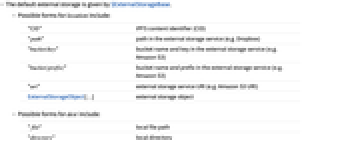
- 默认外部存储由 $ExternalStorageBase 给出.
- location 的可能的形式包括:
-
"CID" IPFS 内容标识符 (CID) "path" 外部存储服务中的路径(如 Dropbox) "bucket/key" 外部存储服务(如 Amazon S3)中的存储桶名称和密钥 "bucket/prefix/" 外部存储服务(如 Amazon S3)中的存储桶名称和前缀 "uri" 外部存储服务的 URI(如 Amazon S3 URI) ExternalStorageObject[…] 外部存储对象 - dest 的可能的形式包括:
-
"file" 本地文件路径 "directory" 本地目录 {"file1","file2",…} 本地文件路径列表
范例
打开所有单元 关闭所有单元基本范例 (4)
从 InterPlanetary 文件系统 (IPFS) 下载文件:
file = ExternalStorageDownload[ExternalStorageObject["QmXpif6oKinoP8CwPMCJPqoJNwvEfzbH1cJg6yZkBLJwKu",
Association["ExternalStorageBase" -> "IPFS", "FileHash" -> "c9ccd63d95043f5d639a76b932dba6c9"]]]Import[file]file = ExternalStorageDownload["spikey.png", ExternalStorageBase -> "Dropbox"]Import[file]file = ExternalStorageDownload["wolfram-bucket/coneflower.jpg", ExternalStorageBase -> "AmazonS3"]Import[file]通过提供 ExternalStorageObject 从 Amazon S3 存储桶下载多个文件:
files = ExternalStorageDownload[ExternalStorageObject[{"wolfram-bucket/coneflower.jpg", "wolfram-bucket/spikey2.png",
"wolfram-bucket/turtle.jpg"}, Association["BucketName" -> "wolfram-bucket",
"Path" -> {"coneflower.jpg", "spikey2.png", "turtle.jpg"}, "ExternalStorageBase" -> "AmazonS3"]], ExternalStorageBase -> "AmazonS3"]Import /@ files范围 (11)
单个文件 (7)
通过提供内容标识符 (CID) 从 InterPlanetary 文件系统 (IPFS) 下载文件:
ExternalStorageDownload["Qmd1HkTU55zaCDnX2wbnVoq15aPHdutn8c3epuJFAt4dgf"]Import[%]通过提供 ExternalStorageObject 从 InterPlanetary 文件系统 (IPFS) 下载文件:
ExternalStorageDownload[ExternalStorageObject["Qmd1HkTU55zaCDnX2wbnVoq15aPHdutn8c3epuJFAt4dgf",
Association["ExternalStorageBase" -> "IPFS", "FileHash" -> "38cb6f3cd68c6c723591a8a385732560"]]]eso = ExternalStorageUpload["ExampleData/spikey2.png", "NonExistentFolderX77/spikey.png", ExternalStorageBase -> "Dropbox"]eso["Path"]ExternalStorageDownload[eso["Path"], ExternalStorageBase -> "Dropbox"]Import[%]从 InterPlanetary 文件系统 (IPFS) 将文件下载至特定的本地路径:
ExternalStorageDownload[ExternalStorageObject["Qmd1HkTU55zaCDnX2wbnVoq15aPHdutn8c3epuJFAt4dgf",
Association["ExternalStorageBase" -> "IPFS", "FileHash" -> "38cb6f3cd68c6c723591a8a385732560"]], "~/Downloads/Wolfram/Spikey.png"]Import[%]ExternalStorageDownload["wolfram-bucket/coneflower.jpg", ExternalStorageBase -> "AmazonS3"]Import[%]通过提供 ExternalStorageObject 从 Amazon S3 存储桶下载一个文件:
ExternalStorageDownload[ExternalStorageObject["Choriza.jpg", Association["BucketName" -> "wolfram-bucket",
"ExternalStorageBase" -> "AmazonS3", "Path" -> "Choriza.jpg"]]]Import[%]从 Amazon S3 存储桶下载一个文件到特定的本地目标:
ExternalStorageDownload[ExternalStorageObject["zip.jpeg", Association["BucketName" -> "wolfram-bucket",
"ExternalStorageBase" -> "AmazonS3", "Path" -> "zip.jpeg"]], FileNameJoin[{$HomeDirectory, "zipDoggy.jpeg"}]]Import[%]ExternalStorageDownload[ExternalStorageObject["zip.jpeg", Association["BucketName" -> "wolfram-bucket",
"ExternalStorageBase" -> "AmazonS3", "Path" -> "zip.jpeg"]] -> FileNameJoin[{$HomeDirectory, "zipDoggy.jpeg"}]]多个文件 (4)
locations = Table[StringRiffle[{"wolfram-bucket", "jpgFiles", "image" <> ToString[i] <> ".jpg"}, "/"], {i, 1, 3}]files = ExternalStorageDownload[locations, ExternalStorageBase -> "AmazonS3"]Import /@ files通过提供 ExternalStorageObject 从 Amazon S3 存储桶下载多个文件:
files = ExternalStorageDownload[ExternalStorageObject[{"Cali.jpg", "Choriza2.jpg", "Choriza.jpg", "ThaiCali.jpg", "zip.jpeg"},
Association["BucketName" -> "wolfram-bucket", "ExternalStorageBase" -> "AmazonS3",
"Path" -> {"Cali.jpg", "Choriza2.jpg", "Choriza.jpg", "ThaiCali.jpg", "zip.jpeg"}]]]Import /@ files从 Amazon S3 存储桶下载多个文件到特定的本地目录:
files = ExternalStorageDownload[ExternalStorageObject[{"wolfram-bucket/coneflower.jpg", "wolfram-bucket/spikey2.png",
"wolfram-bucket/turtle.jpg"}, Association["BucketName" -> "wolfram-bucket",
"Path" -> {"coneflower.jpg", "spikey2.png", "turtle.jpg"}, "ExternalStorageBase" -> "AmazonS3"]], $HomeDirectory]Import /@ files从 Amazon S3 存储桶下载多个文件到特定的本地目标:
destinations = Table[FileNameJoin[{$HomeDirectory, "image" <> ToString[i] <> ".jpg"}], {i, 1, 3}];ExternalStorageDownload[ExternalStorageObject[{"jpgFiles/image1.jpg", "jpgFiles/image2.jpg", "jpgFiles/image3.jpg"},
Association["BucketName" -> "wolfram-bucket", "ExternalStorageBase" -> "AmazonS3",
"Path" -> {"jpgFiles/image1.jpg", "jpgFiles/image2.jpg", "jpgFiles/image3.jpg"}]], destinations, ExternalStorageBase -> "AmazonS3"]Import /@ %locations = Table[StringRiffle[{"wolfram-bucket", "jpgFiles", "image" <> ToString[i] <> ".jpg"}, "/"], {i, 1, 3}]ExternalStorageDownload[locations, destinations, ExternalStorageBase -> "AmazonS3"]ExternalStorageDownload[locations -> destinations, ExternalStorageBase -> "AmazonS3"]用规则列表 {location1dest1,location2dest2,…} 也可以:
ExternalStorageDownload[MapThread[Rule, {locations, destinations}], ExternalStorageBase -> "AmazonS3"]选项 (4)
ExternalStorageBase (4)
Amazon S3 (2)
ExternalStorageDownload["wolfram-bucket/coneflower.jpg", ExternalStorageBase -> "AmazonS3"]locations = Table[StringRiffle[{"wolfram-bucket", "jpgFiles", "image" <> ToString[i] <> ".jpg"}, "/"], {i, 1, 3}];ExternalStorageDownload[locations, ExternalStorageBase -> "AmazonS3"]Dropbox (1)
eso = ExternalStorageUpload["ExampleData/spikey2.png", ExternalStorageBase -> "Dropbox"]eso["Path"]ExternalStorageDownload["spikey2.png", ExternalStorageBase -> "Dropbox"]Import[%]属性和关系 (1)
CopyFile 也支持将 ExternalStorageObject 作为文件指定,将其下载至本地路径:
CopyFile[ExternalStorageObject["Qmd1HkTU55zaCDnX2wbnVoq15aPHdutn8c3epuJFAt4dgf",
Association["ExternalStorageBase" -> "IPFS", "FileHash" -> "38cb6f3cd68c6c723591a8a385732560"]], "~/Downloads/Wolfram/Spikey.png"]Import[%]相关指南
-
▪
- 文件操作
文本
Wolfram Research (2020),ExternalStorageDownload,Wolfram 语言函数,https://reference.wolfram.com/language/ref/ExternalStorageDownload.html (更新于 2021 年).
CMS
Wolfram 语言. 2020. "ExternalStorageDownload." Wolfram 语言与系统参考资料中心. Wolfram Research. 最新版本 2021. https://reference.wolfram.com/language/ref/ExternalStorageDownload.html.
APA
Wolfram 语言. (2020). ExternalStorageDownload. Wolfram 语言与系统参考资料中心. 追溯自 https://reference.wolfram.com/language/ref/ExternalStorageDownload.html 年
BibTeX
@misc{reference.wolfram_2026_externalstoragedownload, author="Wolfram Research", title="{ExternalStorageDownload}", year="2021", howpublished="\url{https://reference.wolfram.com/language/ref/ExternalStorageDownload.html}", note=[Accessed: 16-September-2026]}
BibLaTeX
@online{reference.wolfram_2026_externalstoragedownload, organization={Wolfram Research}, title={ExternalStorageDownload}, year={2021}, url={https://reference.wolfram.com/language/ref/ExternalStorageDownload.html}, note=[Accessed: 16-September-2026]}