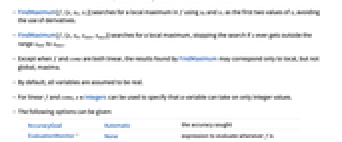
FindMaximum[f,x]
求出 f 的局部极大值,从一个自动选定的点开始.
FindMaximum[f,{x,x0}]
求出 f 的局部极大值,从点 x=x0 开始.
FindMaximum[f,{{x,x0},{y,y0},…}]
求出多变量的函数中局部极大值.
FindMaximum[{f,cons},{{x,x0},{y,y0},…}]
求出满足 cons 约束条件的局部极大值.
FindMaximum[{f,cons},{x,y,…}]
从约束条件定义区域内的点开始.
FindMaximum
FindMaximum[f,x]
求出 f 的局部极大值,从一个自动选定的点开始.
FindMaximum[f,{x,x0}]
求出 f 的局部极大值,从点 x=x0 开始.
FindMaximum[f,{{x,x0},{y,y0},…}]
求出多变量的函数中局部极大值.
FindMaximum[{f,cons},{{x,x0},{y,y0},…}]
求出满足 cons 约束条件的局部极大值.
FindMaximum[{f,cons},{x,y,…}]
从约束条件定义区域内的点开始.
更多信息和选项
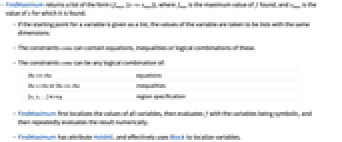
- FindMaximum 返回形式为 {fmax,{x->xmax}} 的列表,当 fmax 是 f 里的最大值时,则 xmax 是 x 里的值.
- 若起始点是给定列表里的变量,则变量的值与列表的维数相同.
- cons 约束包括方程、不等式或这些逻辑组合.
- 约束 cons 可以是下列的逻辑组合:
-
lhs==rhs 方程 lhs>rhs 或者 lhs>=rhs 不等式 {x,y,…}∈reg 区域指定 - FindMaximum 首先局部化所有变量值,然后求 f 里变量的符号值,最后求结果的数字值.
- FindMaximum 具有 HoldAll 属性,并且使用 Block 局部化变量.
- FindMaximum[f,{x,x0,x1}] 查寻 f 里的局部极大值,其中 f 使用 x0 和 x1 作为 x 的前两个值,从而避免使用导数.
- FindMaximum[f,{x,x0,xmin,xmax}] 查寻一个局部极大值,若 x 的范围在 xmin 到 xmax 之外,则停止查寻.
- 除了 f 和 cons 都线性化,否则 FindMaximum 的结果只能作为局部量,不能作为全局量或最大量.
- 默认的情况下,所有变量假定是实数.
- 若 f 和 cons 是线性的,x∈Integers 只指定是整数型的变量.
- 给出以下选项:
-
AccuracyGoal Automatic 精确查询 EvaluationMonitor None 当计算 f 值时,运行的表达式 Gradient Automatic 梯度函数列表 {D[f,x],D[f,y],…} MaxIterations Automatic 使用迭代的最大数 Method Automatic 使用的方法 PrecisionGoal Automatic 查询的精度 StepMonitor None 对表达式求值时采取的步长 WorkingPrecision MachinePrecision 内部计算中的精度 - AccuracyGoal 和 PrecisionGoal 的设置指定在最大坐标值和最大函数值处查询的位数.
- FindMaximum 将继续运行,直到 AccuracyGoal 或 PrecisionGoal 指定的目标达到.
- 在默认 Automatic 的情况下,Method 的设置包括 "ConjugateGradient"、 "PrincipalAxis"、 "LevenbergMarquardt"、"Newton" 和 "QuasiNewton".
范例
打开所有单元 关闭所有单元基本范例 (4)
FindMaximum[x Cos[x], {x, 2}]Plot[x Cos[x], {x, 0, 14}]x /. Last[FindMaximum[x Cos[x], {x, 2}]]FindMaximum[{x Cos[x], 1 ≤ x ≤ 15}, {x, 7}]FindMaximum[{-x - y, x + 2y ≥ 3 && x ≥ 0 && y ≥ 0 && y∈Integers}, {x, y}]FindMaximum[{x + y, {x, y}∈Disk[]}, {x, y}]Show[ContourPlot[x + y, {x, y}∈Disk[]], Graphics[{Red, PointSize[Large], Point[{x, y} /. Last[%]]}]]范围 (12)
FindMaximum[x Cos[x], {x, 5}]FindMaximum[x Cos[x], {x, 10}]FindMaximum[Sin[x]Sin[2y], {{x, 2}, {y, 2}}]FindMaximum[{Sin[x]Sin[2y], x ^ 2 + y ^ 2 < 3}, {{x, 2}, {y, 2}}]FindMaximum[{Sin[x]Sin[2y], x ^ 2 + y ^ 2 < 3}, {x, y}]FindMaximum[{-x - y, 3x + 2y ≥ 7 && x ≥ 0 && y ≥ 0}, {x, y}]FindMaximum[{-x - y, 3x + 2y ≥ 7 && x ≥ 0 && y ≥ 0 && x∈Integers}, {x, y}]使用 Or:
FindMaximum[{x + y, x ^ 2 + y ^ 2 ≤ 1 || (x + 2) ^ 2 + (y + 2) ^ 2 ≤ 1}, {x, y}]ℛ = Cylinder[{{-1, 0, 1}, {1, 0, -1}}, 1];FindMaximum[{z, {x, y, z}∈ℛ}, {x, y, z}]Graphics3D[{{Opacity[0.5], Green, ℛ}, {Red, PointSize[Large], Point[{x, y, z} /. Last[%]]}}]Subscript[ℛ, 1] = Disk[];
Subscript[ℛ, 2] = Line[{{-(1/2), -(1/2)}, {-(1/2), (1/2)}, {(1/2), (1/2)}, {(1/2), -(1/2)}, {-(1/2), -(1/2)}}];FindMaximum[{(x - u)^2 + (y - v)^2, {{x, y}∈Subscript[ℛ, 1], {u, v}∈Subscript[ℛ, 2]}}, {x, y, u, v}]Graphics[{{LightBlue, Subscript[ℛ, 1]}, {Green, Subscript[ℛ, 2]}, {Red, Point[{{x, y}, {u, v}} /. Last[%]]}}]Subscript[ℛ, 1] = Rectangle[];
Subscript[ℛ, 2] = Circle[{(1/3), (1/3)}, {2 r, r}];FindMaximum[{r, {x, y}∈Subscript[ℛ, 1] && {x, y}∈Subscript[ℛ, 2]}, {r, x, y}]Graphics[{{LightBlue, Subscript[ℛ, 1]}, {Green, Subscript[ℛ, 2]}, {Red, Point[{x, y}]}} /. Last[%]]Subscript[ℛ, 3] = Disk[{a, b}, {r, 2 - r}];FindMaximum[{r, ({0, 0} | {1, 0} | {0, 1})∈Subscript[ℛ, 3]}, {a, b, r}]Graphics[{{LightBlue, Subscript[ℛ, 3]} /. Last[%], {Red, Point[{{0, 0}, {1, 0}, {0, 1}}]}}]ℛ = Sphere[];FindMaximum[{x.{1, 2, 3}, x∈ℛ}, x]Subscript[ℛ, 1] = Triangle[{{0, 0}, {1, 0}, {0, 1}}];
Subscript[ℛ, 2] = Disk[{2, 2}, 1];FindMaximum[{EuclideanDistance[x, y], {x∈Subscript[ℛ, 1], y∈Subscript[ℛ, 2]}}, {x, y}]Graphics[{{LightBlue, Subscript[ℛ, 1], Subscript[ℛ, 2]}, {Red, Point[{x, y}]}} /. Last[%]]选项 (7)
AccuracyGoal 和 PrecisionGoal (2)

FindMaximum[Sin[x / 2], {x, 1}, AccuracyGoal -> 9, PrecisionGoal -> 8]FindMaximum[Sin[x / 2], {x, 1}, AccuracyGoal -> 20, PrecisionGoal -> 18]设置较高的 WorkingPrecision 使过程收敛:
FindMaximum[Sin[x / 2], {x, 1}, AccuracyGoal -> 20, PrecisionGoal -> 18, WorkingPrecision -> 40]EvaluationMonitor (1)
Gradient (1)
用给定梯度和用有限的梯度差分计算的赫赛 (Hessian)函数:
FindMaximum[Sin[x]Sin[2 y], {x, y}, Gradient -> {Cos[x] Sin[2 y], 2 Cos[2 y] Sin[x]}, Method -> "Newton"]FindMaximum[Sin[x]Sin[2y], {x, y}, Gradient -> {Cos[x] Sin[2 y], 2 Cos[2 y] Sin[x]}, Method -> {"Newton", Hessian -> {{-Sin[x] Sin[2 y], 2 Cos[x] Cos[2 y]}, {2 Cos[x] Cos[2 y], -4 Sin[x] Sin[2 y]}}}]Method (1)
FindMaximum[-Abs[x + 1] - Abs[x + 1.01] - Abs[y + 1], {x, y}]FindMaximum[-Abs[x + 1] - Abs[x + 1.01] - Abs[y + 1], {x, y}, Method -> "ConjugateGradient"]FindMaximum[-Abs[x + 1] - Abs[x + 1.01] - Abs[y + 1], {x, y}, Method -> "PrincipalAxis"]NMaximize 也可以使用一定范围的直接查询法:
NMaximize[{-Abs[x + 1] - Abs[x + 1.01] - Abs[y + 1]}, {x, y}]StepMonitor (1)
FindMaximum 是查找函数最大值的步长:
pts = Reap[FindMaximum[-(1 - x) ^ 2 - 100(-x ^ 2 - y) ^ 2 - 1, {{x, -1.2}, {y, 1}}, StepMonitor :> Sow[{x, y}]]][[2, 1]];
pts = Join[{{-1.2, 1}}, pts];ContourPlot[-(1 - x) ^ 2 - 100(-x ^ 2 - y) ^ 2 - 1//Minus//Log, {x, -1.3, 1.5}, {y, -1.5, 1.4}, Epilog -> {Red, Line[pts], Point[pts]}]WorkingPrecision (1)
设置工作精度
,在默认的情况下,准AccuracyGoal和PrecisionGoal设为
:
FindMaximum[Cos[x ^ 2 - 3 y] + Sin[x ^ 2 + y ^ 2], {x, y}, Method -> "Newton", WorkingPrecision -> 20]属性和关系 (2)
FindMaximum 尽可能找到一个局部极大值, NMaximize 尽可能找到一个全局最大值:
FindMaximum[{100 / ((x - 1)^2 + (y - 1)^2 + 1) + 200 / ((x + 1)^2 + (y + 2)^2 + 1), x^2 + y^2 > 3 }, {{x, 2}, y}]NMaximize[{ 100 / ((x - 1)^2 + (y - 1)^2 + 1) + 200 / ((x + 1)^2 + (y + 2)^2 + 1), x^2 + y^2 > 3 }, {x, y}]ContourPlot[100 / (((x - 1)) ^ 2 + ((y - 1)) ^ 2 + 1) + 200 / (((x + 1)) ^ 2 + ((y + 2)) ^ 2 + 1), {x, -3, 2}, {y, -3, 2}, RegionFunction -> (#1 ^ 2 + #2 ^ 2 > 3&), Contours -> 10, Epilog -> ({Red, PointSize[.02], Text["global maximum", {-.995, -2.092}], Point[{-.995, -1.992}], Text["local maximum", {0.5304, 1.2191}], Point[{1.2304, 1.2191}]}), ContourLabels -> True]Maximize 找到全局最大值并在有限精度内运行:
Maximize[{ 100 / ((x - 1)^2 + (y - 1)^2 + 1) + 200 / ((x + 1)^2 + (y + 2)^2 + 1), x^2 + y^2 > 3 }, {x, y}]N[%]FindMaximum 给出最大值和产生最大值的点:
FindMaximum[{x - 2y, x ^ 2 + y ^ 2 ≤ 1}, {x, y}]FindArgMax 给出最大值的位置:
FindArgMax[{x - 2y, x ^ 2 + y ^ 2 ≤ 1}, {x, y}]FindMaxValue 给出最大值:
FindMaxValue[{x - 2y, x ^ 2 + y ^ 2 ≤ 1}, {x, y}]可能存在的问题 (6)
x /. Last[FindMaximum[x Cos[x], {x, -1}]]Plot[x Cos[x], {x, % - 1.*^-7, % + 1.*^-7}, PlotRange -> All]FindMinimum[x Cos[x], {x, -1}, WorkingPrecision -> 30]FindMaximum[{x + y, x ^ 2 + y ^ 2 ≥ 2 && x ^ 2 + y ^ 2 ≤ 1}, {x, y}]FindMaximum[Tan[x], {x, 2}]FindMaximum[{x ^ 2 + y ^ 2, x ^ 2 + y ^ 2 > 10}, {x, y}]FindMaximum[{-x - y, x + 2y ≥ 3 && x > 1 && y > 1 && x∈Integers}, {x, y}, WorkingPrecision -> 20]FindMaximum[{-Cos[x] + Exp[(x - 0.5) y], x ^ 2 + y ^ 2 < 1}, {x, y}]FindMaximum[{-Cos[x] + Exp[(x - 0.5) y], x ^ 2 + y ^ 2 < 1}, {{x, -1}, {y, -1}}]f[x_] := Nest[Sin[# + Sin[2#]]&, x, 15]FindMaximum[f[x], {x, 0}]//Timingg[x_ ? NumericQ] := Nest[Sin[# + Sin[2#]]&, x, 15]FindMaximum[g[x], {x, 0}]//Timing相关指南
-
▪
- 最优化 ▪
- 凸优化 ▪
- 符号向量、矩阵和数组
历史
2003年引入 (5.0) | 在以下年份被更新:2007 (6.0) ▪ 2014 (10.0)
文本
Wolfram Research (2003),FindMaximum,Wolfram 语言函数,https://reference.wolfram.com/language/ref/FindMaximum.html (更新于 2014 年).
CMS
Wolfram 语言. 2003. "FindMaximum." Wolfram 语言与系统参考资料中心. Wolfram Research. 最新版本 2014. https://reference.wolfram.com/language/ref/FindMaximum.html.
APA
Wolfram 语言. (2003). FindMaximum. Wolfram 语言与系统参考资料中心. 追溯自 https://reference.wolfram.com/language/ref/FindMaximum.html 年
BibTeX
@misc{reference.wolfram_2026_findmaximum, author="Wolfram Research", title="{FindMaximum}", year="2014", howpublished="\url{https://reference.wolfram.com/language/ref/FindMaximum.html}", note=[Accessed: 10-October-2026]}
BibLaTeX
@online{reference.wolfram_2026_findmaximum, organization={Wolfram Research}, title={FindMaximum}, year={2014}, url={https://reference.wolfram.com/language/ref/FindMaximum.html}, note=[Accessed: 10-October-2026]}