

---
title: "StyleDefinitions"
language: "en"
type: "Symbol"
summary: "StyleDefinitions is an option for notebooks that gives definitions for the styles that can be used in a notebook."
keywords: 
- style definitions
- stylesheet
- format definitions
- document class definitions
- document style defintitions
- document design
- book design
- article design
canonical_url: "https://reference.wolfram.com/language/ref/StyleDefinitions.html"
source: "Wolfram Language Documentation"
related_guides: 
  - 
    title: "Notebook Document Generation"
    link: "https://reference.wolfram.com/language/guide/DocumentGeneration.en.md"
  - 
    title: "Stylesheets"
    link: "https://reference.wolfram.com/language/guide/Stylesheets.en.md"
  - 
    title: "Programmatic Notebook & Interface Customization"
    link: "https://reference.wolfram.com/language/guide/ProgrammaticNotebookAndInterfaceCustomization.en.md"
related_functions: 
  - 
    title: "ScreenStyleEnvironment"
    link: "https://reference.wolfram.com/language/ref/ScreenStyleEnvironment.en.md"
  - 
    title: "PrintingStyleEnvironment"
    link: "https://reference.wolfram.com/language/ref/PrintingStyleEnvironment.en.md"
  - 
    title: "StyleData"
    link: "https://reference.wolfram.com/language/ref/StyleData.en.md"
  - 
    title: "StyleHints"
    link: "https://reference.wolfram.com/language/ref/StyleHints.en.md"
related_tutorials: 
  - 
    title: "Styles and the Inheritance of Option Settings"
    link: "https://reference.wolfram.com/language/tutorial/ManipulatingNotebooks.en.md#12322"
  - 
    title: "Options for Notebooks"
    link: "https://reference.wolfram.com/language/tutorial/ManipulatingNotebooks.en.md#6483"
---
# StyleDefinitions

StyleDefinitions is an option for notebooks that gives definitions for the styles that can be used in a notebook.

## Details

* ``StyleDefinitions -> "name.nb"`` specifies that style definitions from the notebook ``"name.nb"`` should be used.

* The standard notebook front end comes with a selection of style definition notebooks containing styles appropriate for particular purposes.

* ``StyleDefinitions -> Notebook[…]`` allows style definitions to be given explicitly.

* The definition for a style named ``"s"`` is specified by the options for the first cell whose contents is ``StyleData["s"]``.

---

## Examples (1)

### Basic Examples (1)

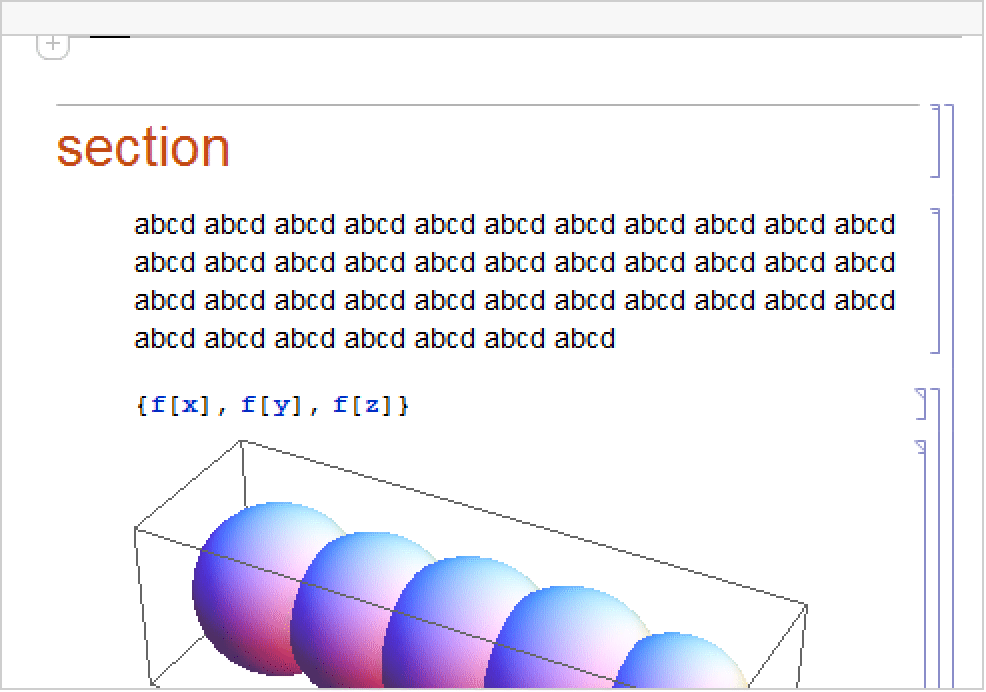
Create a document with styles defined in the standard stylesheet ``"Default.nb"`` :

```wl
In[1]:= nb = CreateDocument[{TextCell["section", "Section"], TextCell[StringJoin[Table["abcd ", {40}]], "Text"], ExpressionCell[f /@ {x, y, z}, "Input"], ExpressionCell[Graphics3D[Table[Sphere[{x, 0, 0}, RandomReal[]], {x, 0, 4}]], "Output"]}, StyleDefinitions -> "Default.nb"];
```

[image]

Check the ``StyleDefinitions`` setting:

```wl
In[2]:= Options[nb, StyleDefinitions]

Out[2]= {StyleDefinitions -> "Default.nb"}
```

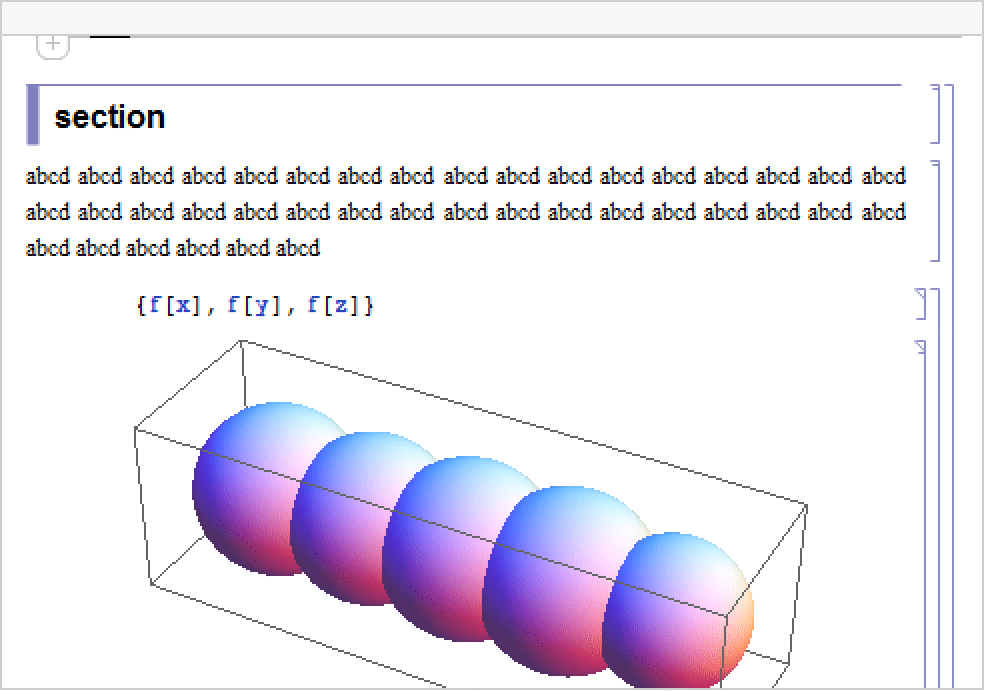
Use ``SetOptions`` to switch to a different stylesheet:

```wl
In[3]:= SetOptions[nb, StyleDefinitions -> FileNameJoin[{$InstallationDirectory, "SystemFiles", "FrontEnd", "StyleSheets", "Book", "Textbook.nb"}]]
```

[image]

## See Also

* [`ScreenStyleEnvironment`](https://reference.wolfram.com/language/ref/ScreenStyleEnvironment.en.md)
* [`PrintingStyleEnvironment`](https://reference.wolfram.com/language/ref/PrintingStyleEnvironment.en.md)
* [`StyleData`](https://reference.wolfram.com/language/ref/StyleData.en.md)
* [`StyleHints`](https://reference.wolfram.com/language/ref/StyleHints.en.md)

## Tech Notes

* [Styles and the Inheritance of Option Settings](https://reference.wolfram.com/language/tutorial/ManipulatingNotebooks.en.md#12322)
* [Options for Notebooks](https://reference.wolfram.com/language/tutorial/ManipulatingNotebooks.en.md#6483)

## Related Guides

* [Notebook Document Generation](https://reference.wolfram.com/language/guide/DocumentGeneration.en.md)
* [`Stylesheets`](https://reference.wolfram.com/language/guide/Stylesheets.en.md)
* [Programmatic Notebook & Interface Customization](https://reference.wolfram.com/language/guide/ProgrammaticNotebookAndInterfaceCustomization.en.md)

## History

* Introduced in 1996 (3.0)