TabularStructure
TabularStructure[tab]
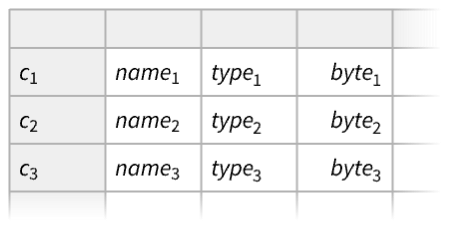
各列のTabular tab についての構造情報を与える.
TabularStructure[tab,cols]
列 cols の構造情報を与える.
TabularStructure[tab,cols,props]
報告する特性 props を選択する.
詳細
- TabularStructureは,通常,各列の構造情報を得るために使われる.
- TabularStructure[tab,cols,props]は,特性 props が列キーで列 cols が"ColumnKey"と呼ばれるキー列の項目である別のTabularオブジェクトを返す.各行はもとの列の一つの情報を含む.
- 次は,列指定の可能な形式 cols である.
-
All 入力Tabularデータのすべての列 {col1,col2,…} 入力データの列のリスト spatt データの列キーの文字列パターン crit 列キーを選択する基準関数 - パターン spatt は,"col*"等のメタ文字を含む文字列または"col"~~__等のStringExpressionブジェクト,またはRegularExpression["regex"]として指定できる.
- 基準関数 crit は,列キーを与える名前付きの変数#ColumnKeyと列の要素型を与える#ElementTypeを取る.
- 次は,使用可能な特性 props である.
-
"ColumnType" 列の型 "MissingCount" 列中の欠落要素数 "NonMissingCount" 列中の非欠落要素数 "ByteCount" 列のバイト数 "DuplicateFreeQ" 列に一意的な項目があるかどうか "CountDistinct" 一意的な項目の数 {prop1,prop2,…} 上記の特性 propiのリスト All 上記の全特性のリスト Automatic 上記の特性からの自動選択
例題
すべて開く すべて閉じる例 (1)
Tabularオブジェクトの列についての表形式のレポートを構築する:
tab = Tabular[{{1.5, "foo", True, Quantity[2, "Seconds"]}, {Missing[], "bar", False, Missing[]}}, {"c1", "c2", "c3", "c4"}]TabularStructure[tab]TabularStructure[tab, {"c1", "c3"}, {"NonMissingCount", "MissingCount"}]スコープ (3)
tab = ResourceData["Sample Tabular Data: Titanic"]TabularStructure[tab]各列の重複項目についての可能性の情報を含め,より多くの特性を加える:
TabularStructure[tab, All, All]tab = EntityValue["Element", {"Group", "AtomicRadius", "Valence", "Color"}, "Tabular"]TabularStructure[tab, {"AtomicRadius", "Valence"}]TabularStructure[tab, "Color"]TabularStructure[tab, "*u*"]TabularStructure[tab, Function[#ElementType === "Integer64"]]tab = ResourceData["Sample Tabular Data: Titanic"]TabularStructure[tab]TabularStructure[tab, All, All]TabularStructure[tab, All, "ByteCount"]TabularStructure[tab, All, {"ColumnType", "CountDistinct"}]アプリケーション (1)
Tabularオブジェクトのどの列が索引作成のためのキー列として使えるかを求める:
tab = ResourceData["Sample Tabular Data: Fatal Collisions"]TabularStructure[tab, All, {"DuplicateFreeQ", "CountDistinct"}]行がその値によって一意的に識別できるようにするため,キー列として使えるのは重複がない列だけである:
Select[%, Function[#DuplicateFreeQ]]例として,列のサブセットを抽出した後で"state"列を使う:
Tabular[tab[[All, {"state", "total", "alcohol"}]], <|"KeyColumns" -> "state"|>]特性と関係 (3)
TabularStructure[tab]は,キー列が tab の列キーを含むTabularオブジェクトを返す:
tab = ResourceData["Sample Tabular Data: Titanic"];ColumnKeys[tab]TabularStructure[tab]%["KeyColumns"]無記名のTabularオブジェクトのTabularStructureにはキー列はない:
Tabular[{{1, 4.3, Quantity[2.1, "Kilograms"], "cat"}, {3, 1.7, Quantity[3.3, "Kilograms"], "fox"}}]TabularStructure[%]Tabularオブジェクトを取る:
tab = Tabular[{{1.5, "foo", True, Quantity[2, "Seconds"]}, {Missing[], "bar", False, Missing[]}}, {"c1", "c2", "c3", "c4"}]TabularStructure[tab, {}, All]//NormalTabularStructure[tab, All, {}]%//Normalテキスト
Wolfram Research (2025), TabularStructure, Wolfram言語関数, https://reference.wolfram.com/language/ref/TabularStructure.html.
CMS
Wolfram Language. 2025. "TabularStructure." Wolfram Language & System Documentation Center. Wolfram Research. https://reference.wolfram.com/language/ref/TabularStructure.html.
APA
Wolfram Language. (2025). TabularStructure. Wolfram Language & System Documentation Center. Retrieved from https://reference.wolfram.com/language/ref/TabularStructure.html