"ByteTrie" (データ構造)
"ByteTrie" (データ構造)
"ByteTrie"
メンバがバイト列であるトライを表す.
詳細
- バイトトライは,効率的な挿入だけでなく,メンバシップの検証にも役立つ.
-
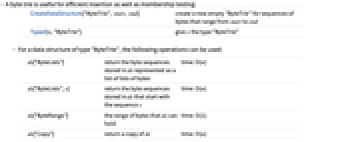
CreateDataStructure["ByteTrie", start, end] start から end までの範囲のバイト列用に新しい空の"ByteTrie"を作成する Typed[x,"ByteTrie"] x に"ByteTrie"型を与える - "ByteTrie"型のデータ構造については,以下の演算が使える.
-
ds["ByteLists"] バイトのリストのリストとして表される,ds に保存されたバイト列を返す time: O(n) ds["ByteLists",s] 列 s で始まる,ds に保存されたバイト列を返す time: O(n) ds["ByteRange"] ds が持つことのできるバイトの範囲 time: O(1) ds["Copy"] ds のコピーを返す time: O(n) ds["EmptyQ"] ds が要素を持たない場合にTrueを返す time: O(1) ds["FreeQ",s] バイト列 s が ds に保存されていない場合にTrueを返す time: O(log n) ds["Insert",s] バイト列 s を ds に挿入する time: O(log n) ds["Length"] ds に保存されたバイト列の数 time: O(1) ds["MemberQ",s] バイト列 s が ds に保存されている場合にTrueを返す time: O(log n) ds["NumericArrays"] 数列のリストとして表される,ds のバイト列を返す time: O(n) ds["NumericArrays",s] 列 s で始まる,ds に保存されたバイト列を返す time: O(n) ds["Strings"] 文字列のリストとして表される,ds に保存されたバイト列を返す time: O(n) ds["Strings",s] 列 s で始まる,ds に保存されたバイト列を返す time: O(n) - 以下の関数もサポートする.
-
dsi===dsj dsi が dsj に等しい場合はTrue FullForm[ds] ds の完全形 Information[ds] ds についての情報 InputForm[ds] ds の入力形 Normal[ds] ds を通常の式に変換する - "ByteTrie"データ構造に保存されたバイト列は,バイト,文字列,数値配列のリストとして表すことができる.
- トライは,その要素を保存するのに接頭辞を使うので,ハッシュ計算を使うデータ構造のようなコリジョンの問題が起ることがない.
例題
すべて開く すべて閉じる例 (6)

新しい"ByteTrie"は,CreateDataStructureを使って作成できる:
ds = CreateDataStructure["ByteTrie", "a", "c"]ds["Insert", "abc"]ds["MemberQ", "abc"]列が保存されていない場合には,Falseが返される:
ds["MemberQ", "abb"]ds["Strings"]ds = CreateDataStructure["ByteTrie", 97, 99]ds["Insert", {97, 98, 99}]ds["MemberQ", {97, 98, 98}]列が保存されていない場合には,Falseが返される:
ds["MemberQ", {97, 98, 98}]ds["ByteLists"]ds = CreateDataStructure["ByteTrie", "a", "c"];
ds["Insert", "abc"];
ds["Insert", "acb"];
ds["Insert", "bbc"];ds["Strings"]ds["Strings", "a"]ds["Strings", "ab"]ds = CreateDataStructure["ByteTrie", 97, 99];
ds["Insert", {97, 98, 99}];
ds["Insert", {97, 99, 98}];
ds["Insert", {98, 98, 99}];ds["ByteLists"]ds["ByteLists", {97}]ds["ByteLists", {97, 98}]ds = CreateDataStructure["ByteTrie", "a", "c"];
ds["Insert", "ab"];
ds["Insert", "abb"];
ds["Insert", "acb"];
ds["Insert", "bbc"];ds["Visualization"]ds = CreateDataStructure["ByteTrie", "a", "c"];
ds["Insert", "d"]
スコープ (1)
情報 (1)
新しい"ByteTrie"は,CreateDataStructureを使って作成することができる:
ds = CreateDataStructure["ByteTrie", "a", "c"]Information[ds]アプリケーション (2)
コマンドの完了 (1)
バイトトライはコマンドの完了に使うことができる.これにはRandomWord関数を使うとよい.
1000個の単語のリストを作成する.ハイフンを削除し,すべてを小文字にする:
words = ToLowerCase[ StringReplace[ RandomWord[{"CommonWords", "Noun"}, 1000], "-" -> ""]];ds = CreateDataStructure["ByteTrie", "a", "z"];
Scan[(ds["Insert", #])&, words]これで特定の接頭辞で始まる単語をすべて効率的に求めることができるようになった:
ds["Strings", "br"]整数の保存 (1)
整数は,バイト列に分割することによって,バイトライトに保存することができる.
これを行う一つの方法はいくつかの演算が必要であるが,IntegerDigitsを効率的に使うこともできる:
trie = CreateDataStructure["ByteTrie", 0, 7];
trie["Insert", IntegerDigits[ 1024, 8]];
trie["ByteLists"]insert[ trie_, num_] :=
trie["Insert", IntegerDigits[num, 8]]test[trie_, num_] :=
trie["MemberQ", Developer`FromPackedArray[IntegerDigits[num, 8]]]trie = CreateDataStructure["ByteTrie", 0, 7];
insert[ trie, 123456];test[trie, 123456]おもしろい例題 (1)
可視化 (1)
data = Table[ RandomChoice[{97, 98, 99}, RandomInteger[{1, 10}]], {20}]ds = CreateDataStructure["ByteTrie", 97, 99];
Scan[ds["Insert", #]&, data]ds["Visualization"]履歴
2020 で導入 (12.2)