ClearAll


ClearAll
范例
打开所有单元 关闭所有单元范围 (16)
符号输入 (11)



使用模式 (5)
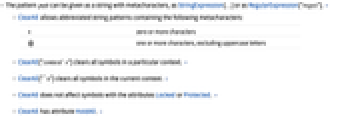
使用 StringExpression 清除当前环境中的所有 2 个字符的符号:
使用 RegularExpression 清除当前环境中的所有 3 个字符的符号:
属性和关系 (6)


可能存在的问题 (3)

利用 Unprotect 清除受保护符号的定义:
Clear 可以清除锁定符号的值和定义:
ClearAll 不影响锁定的符号:

当使用没有上下文标记的模式时,$ContextPath 上的所有匹配符号被清除:




Wolfram Research (1988),ClearAll,Wolfram 语言函数,https://reference.wolfram.com/language/ref/ClearAll.html (更新于 2022 年).
文本
Wolfram Research (1988),ClearAll,Wolfram 语言函数,https://reference.wolfram.com/language/ref/ClearAll.html (更新于 2022 年).
CMS
Wolfram 语言. 1988. "ClearAll." Wolfram 语言与系统参考资料中心. Wolfram Research. 最新版本 2022. https://reference.wolfram.com/language/ref/ClearAll.html.
APA
Wolfram 语言. (1988). ClearAll. Wolfram 语言与系统参考资料中心. 追溯自 https://reference.wolfram.com/language/ref/ClearAll.html 年