

EntityProperty[type,pname]
表示由 pname 确定的用于 EntityValue 的属性.
EntityProperty[class,pname]
表示由计算所得的实体类 class 引入的属性.
EntityProperty[type,pname,{qual1val1,qual2val2,…}]
表示由限定符规则 qualivali 修改的属性.
EntityProperty
实体类型列表»EntityProperty[type,pname]
表示由 pname 确定的用于 EntityValue 的属性.
EntityProperty[class,pname]
表示由计算所得的实体类 class 引入的属性.
EntityProperty[type,pname,{qual1val1,qual2val2,…}]
表示由限定符规则 qualivali 修改的属性.
更多信息和选项
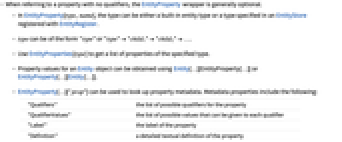
- 当指代没有限定符的属性时,EntityProperty 封装通常是可选的.
- 在 EntityProperty[type,name] 中,类型可以是内置的实体类型,也可以是用 EntityRegister 注册的 EntityStore 中指定的一个类型.
- type 的形式可以是 "type" 或 "type""child1""child2"….
- 用 EntityProperties[type] 获取指定类型的属性列表.
- Entity 对象的属性值可以使用 Entity[…][EntityProperty[…]] 或 EntityProperty[…][Entity[…]] 获得.
- 可用 EntityProperty[…]["prop"] 查找属性元数据. 元数据属性包括:
-
"Qualifiers" 属性可能的限定符列表 "QualifierValues" 可以赋给每个限定符的可能值列表 "Label" 属性的标签 "Definition" 属性的详细文字定义 "Source" 属性的源的信息 "PhysicalQuantity" 与实体-属性值关联的物理量 "Unit" 与实体-属性值关联的单位 - 如果限定符的值为 Automatic,则表明可以使用适用格式的值,例如,"Date" 限定符;包括合适的日期或日期范围.
- ExtendedEntityClass 和 AggregatedEntityClass 可以引入新的属性. 对于这样的属性,EntityProperty 的第一个参数将是实体类别的第一个参数.
- 取决于和表达式关联的 EntityTypeName,EntityProperty 表达式的 Information 将给出不同的属性.
范例
打开所有单元 关闭所有单元基本范例 (3)
EntityProperty["Aircraft", "CruiseSpeed"]Entity["Aircraft", "Concorde"][EntityProperty["Aircraft", "CruiseSpeed"]]Entity["Country", "UnitedStates"]["Population"]Entity["Country", "UnitedStates"][EntityProperty["Country", "Population", {"Date" -> 1980}]]用 Dated 进行同样的查询:
Entity["Country", "UnitedStates"][Dated["Population", 1980]]EntityProperty["Chemical", "MolecularMass"]["Unit"]["molecular mass of caffeine"]范围 (2)
EntityProperty["City", "Population"]["Qualifiers"]Lookup[EntityProperty["City", "Population"]["QualifierValues"], "Age"]EntityValue[
Entity["City", {"Boston", "Massachusetts", "UnitedStates"}],
EntityProperty["City", "Population", {"Age" -> "Adult"}]
]EntityProperty 可以具有关于属性更具体的限定符:
population = Hold[["population of spain in 1960"]]InputForm[population]应用 (1)
创建从 1900 年到 2010 年的日期范围,步长为 5 年:
years = DateRange[DateObject[{1900}], DateObject[{2010}], Quantity[5, "Years"]]populations = Entity["Country", "Netherlands"][Map[EntityProperty["Country", "Population", {"Date" -> #}]&, years]]DateListPlot[Thread[{years, populations}], Filling -> Axis, PlotLabel -> "Population over time", PlotTheme -> "Scientific"]属性和关系 (1)
EntityProperty 封装是可选的. 用属性名称已经足够:
Entity["Country", "UnitedStates"]["Population"] === Entity["Country", "UnitedStates"][EntityProperty["Country", "Population"]]Entity["Mountain", "MountEverest"]["Elevation"] === Entity["Mountain", "MountEverest"][EntityProperty["Mountain", "Elevation"]]可能存在的问题 (1)
一次调用具有一个属性的实体比调用具有一个属性列表的实体要慢:
Table[
Entity["Country", "SouthKorea"][EntityProperty["Country", "Population", {"Date" -> DateObject[{year}]}]],
{year, Range[1900, 2010, 10]}]//AbsoluteTimingEntity["Country", "Chile"][Table[EntityProperty["Country", "Population", {"Date" -> DateObject[{year}]}], {year, Range[1900, 2010, 10]}]]//AbsoluteTimingEntity["Country", "Chile"][Table[EntityProperty["Country", "Population", {"Date" -> DateObject[{year}]}], {year, Range[1900, 2010, 10]}]]//AbsoluteTiming相关指南
-
▪
- 知识表示和访问 ▪
- 使用关系数据库中的信息 ▪
- 时间和事件序列数据源 ▪
- 表格数据源
文本
Wolfram Research (2014),EntityProperty,Wolfram 语言函数,https://reference.wolfram.com/language/ref/EntityProperty.html (更新于 2019 年).
CMS
Wolfram 语言. 2014. "EntityProperty." Wolfram 语言与系统参考资料中心. Wolfram Research. 最新版本 2019. https://reference.wolfram.com/language/ref/EntityProperty.html.
APA
Wolfram 语言. (2014). EntityProperty. Wolfram 语言与系统参考资料中心. 追溯自 https://reference.wolfram.com/language/ref/EntityProperty.html 年
BibTeX
@misc{reference.wolfram_2026_entityproperty, author="Wolfram Research", title="{EntityProperty}", year="2019", howpublished="\url{https://reference.wolfram.com/language/ref/EntityProperty.html}", note=[Accessed: 09-August-2026]}
BibLaTeX
@online{reference.wolfram_2026_entityproperty, organization={Wolfram Research}, title={EntityProperty}, year={2019}, url={https://reference.wolfram.com/language/ref/EntityProperty.html}, note=[Accessed: 09-August-2026]}