EntityStore["type"]
タイプ"type"の実体の空の実体ストアを表す.
EntityStore["type"data]
特性と値が data で定義された,タイプ"type"の実体の実体ストアを表す.
EntityStore[{tspec1,tspec2,…}]
複数のタイプの実体の実体ストアを表す.
EntityStore[RelationalDatabase[…]]
外部データベースのスキーマから実体ストアを構築する.
EntityStore[{tspec1,tspec2,...},dbspec]
dbspec で指定されたデータベース中の表の名前を tspeciで指定されたタイプにマッピングして実体ストアを構築する.
EntityStore
EntityStore["type"]
タイプ"type"の実体の空の実体ストアを表す.
EntityStore["type"data]
特性と値が data で定義された,タイプ"type"の実体の実体ストアを表す.
EntityStore[{tspec1,tspec2,…}]
複数のタイプの実体の実体ストアを表す.
EntityStore[RelationalDatabase[…]]
外部データベースのスキーマから実体ストアを構築する.
EntityStore[{tspec1,tspec2,...},dbspec]
dbspec で指定されたデータベース中の表の名前を tspeciで指定されたタイプにマッピングして実体ストアを構築する.
詳細とオプション
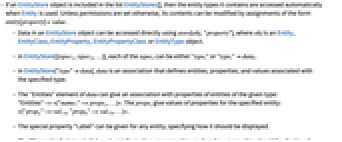
- EntityStoreオブジェクトがリストEntityStores[]に含まれている場合は,Entityが使われるとリストに含まれる実体タイプに自動的にアクセスする.パーミッションの設定で許可されない場合を除き,entity[property]=value の形式の割当てでコンテンツを変更することができる.
- EntityStoreオブジェクト中のデータには,store[obj,"property"]を使って直接アクセスすることができる.obj は,Entity,EntityClass,EntityProperty,EntityPropertyClassあるいはEntityTypeの各オブジェクトである.
- EntityStore[{tspec1,tspec2,…}]の各 tspeciは"typei"あるいは"typei"dataiでよい.
- EntityStore["type"data]の data は,指定のタイプに関連付けられた実体,特性,値を定義する連想である.
- data の"Entities"要素は,指定のタイプの実体の特性を持つ連想を与える("Entities"-><|"name1"->props1,…|>).propsiは指定された実体の特性値を与える(<|"propa"->val1a,"propb"->val1b,…|>).
- 特別な特性"Label"を任意の実体に与えて,それ自身をどのように表示するかを指定することができる.
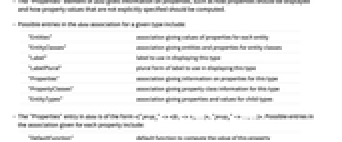
- data の"Properties"要素は,特性をどのように表示するか,明示的に指定されていない特性値をどのように計算するか等の特性の情報を与える.
- 次は,指定されたタイプについて使用可能な data 連想内の実体である.
-
"Entities" 各実体についての特性値を与える連想 "EntityClasses" 実体クラスの実体と特性を与える連想 "Label" このタイプの表示に使用するラベル "LabelPlural" このタイプの表示に使用するラベルの複数形 "Properties" このタイプの特性についての情報を与える連想 "PropertyClasses" このタイプの特性クラスの情報を与える連想 "EntityTypes" 子タイプについての特性と値を与える連想 - data の"Properties"実体は,<|"propa"-><|k1->v1,…|>,"propb"->…,…|>の形をしている.次は各特性に与えられる連想の可能な項目である.
-
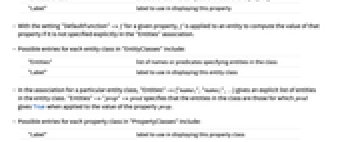
"DefaultFunction" この特性の値を計算するデフォルト関数 "Label" この特性の表示に使われるラベル - 指定された特性について"DefaultFunction"->f と設定すると,"Entities"の連想で特性が明示的に指定されていない場合は,f が実体に適用されて特性の値が計算される.
- 次は,"EntityClasses"の各実体クラスについての可能な項目である.
-
"Entities" クラス中の実体を指定する名前または述語のリスト "Label" この実体クラスの表示に使用するラベル - 特定の実体クラスについての連想で,"Entities"->{"name1","name2",…}は実体クラス中の実体の明示的なリストを与える."Entities"->"prop"->pred は,クラス中の実体が特性 prop の値に適用された場合に pred がTrueを返す実体であるように指定する.
- 次は,"PropertyClasses"の各特性クラスについての可能な項目である.
-
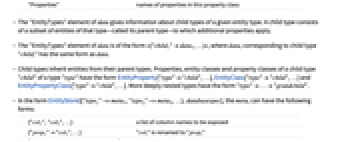
"Label" この特性クラスの表示に使用するラベル "Properties" この特性クラス中の特性名 - data の"EntityTypes"要素は与えられた実体タイプの子タイプについての情報を与える.子タイプは,そのタイプ(親タイプと呼ばれる)の実体の部分集合からなり,これに追加的な特性が適用される.
- data の"EntityTypes"要素は<|"child1"data1,…|>の形式で,子タイプ"childi"に対応するdataiは data と同じ形式を持つ.
- 子タイプは親タイプから実体を継承する.タイプ"type"の子タイプ"child"の特性,実体クラス,特性クラスは,EntityProperty["type""child",…],EntityClass["type""child",…],EntityPropertyClass["type""child",…]の形式である.より深くネストしたタイプの形式は"type"…"grandchild"になる.
- EntityStore[{"type1"->meta1,"type2"->meta2,…},databasespec]の形式における metaiは,以下の形を取ることができる.
-
{"col1","col2",…} 公開される列の名前のリスト {"prop1""col1",…} "coli"は"propi"に名称変更される {…,"propi"EntityFunction[…],…} "propi"はEntityFunctionから計算される class タイプ全体が実体の計算されたクラスから構築される - EntityStore[{…,"typei"->class,…},…]の形式における class は,EntityClass,FilteredEntityClass,ExtendedEntityClass,SampledEntityClass,SortedEntityClass,AggregatedEntityClass,CombinedEntityClassの任意の頭部でよい.
- リレーショナルデータベースがバックエンドの実体ストアでは,EntityStoreの第1引数の構造は<|"Types"-><|"type1"-><|…|>,"type2"-><|…|>,…|>|>の形式である.ただし,各"typei"の右辺の各連想は以下のキーを持つことができる.
-
"Properties" 特定を定義する連想 "EntityTypeExtractor" 表の名前または計算されたクラス "CanonicalNameProperties" CanonicalNameを形成する特性 - リレーショナルデータベースにおける特性は,もとになっているデータベースの列,計算された特性,関係という3つの 種類がある.
- 列特性は以下を含む連想で定義される.
-
"ColumnPrefix" 一般に表の名前 "ColumnName" 列の名前 - 計算された特性は以下を含む連想で定義される.
-
"Function" 特性を定義するEntityFunction - 関係特性はEntityStore内のタイプを参照するEntityまたはEntityClassの値を取る特性で,以下を含む連想で定義される.
-
"DestinationEntityType" 関係に参照される実体タイプ "EntityTypeMapping" 着信実体タイプと宛先実体タイプの特性間のマッピング - "EntityTypeMapping"はCombinedEntityClassと同じ指定を持ち,以下の形式の値を取る.
-
"prop" 発信元タイプと宛先タイプは,"prop"特性について同じ値を持つ {"prop1","prop2",…} 発信元タイプと宛先タイプはすべての"propi"について同じ値を持つ "left""right" 発信元タイプの"left"の値は宛先タイプの"right"の値と同じである {"left1""right1",…} 発信元タイプの"lefti"の値は宛先タイプの"righti"の値と同じである EntityFunction[{left,right},…] 発信元実体 left についての関係の値は,実体関数を評価するとTrueになるすべての宛先タイプ実体 right である - リレーショナルデータベースがバックエンドにある実体ストアでは,EntityValueとEntityListのすべての呼出しがデータベースへの単一の呼出しになるように,"Label"特性を使ったフォーマットが無効になっている.
- 次は,使用可能なオプションである.
-
Initialization None 実体ストアが登録された際に評価される式 MetaInformation <||> 実体ストアに関連付けられたメタ情報
例題
すべて開く すべて閉じる例 (3)
store = EntityStore["fruit" -> <|
"Entities" -> <|
"banana" -> <|"color" -> Yellow|>,
"lime" -> <|"color" -> Green|>,
"orange" -> <|"color" -> Orange|>,
"raspberry" -> <|"color" -> Red|>,
"strawberry" -> <|"color" -> Red|>
|>
|>]EntityRegister[store]これで,実体についての特性値が実体ストアで自動的に検索されるようになった:
Entity["fruit", "lime"]["color"]EntityList["fruit"]特性"color"の値がRedの実体を求める:
EntityClass["fruit", "color" -> EqualTo[Red]]//EntityListEntityValue["fruit", "color", "Association"]EntityUnregister["fruit"]外部データベースに接続するために,RelationalDatabaseオブジェクトを構築する:
schema = RelationalDatabase[FindFile["ExampleData/ecommerce-database.sqlite"]]RelationalDatabaseオブジェクトからEntityStoreを構築する:
store = EntityStore[schema]EntityStoreを登録する:
EntityRegister[store]EntityValue["offices", "city"]EntityUnregister[store]データベースにもとの表の部分集合が含まれている,データベースがバックエンドにあるEntityStoreを構築する:
EntityStore[{"offices"}, DatabaseReference[FindFile["ExampleData/ecommerce-database.sqlite"]]]スコープ (11)
基本的な用法 (4)
計算された特性"p3",実体,特性クラスを使って実体ストアを作る:
store = EntityStore["MyType" -> <|
"Label" -> "my type",
"LabelPlural" -> "my type entities",
"Entities" -> <|
"e1" -> <|"p1" -> 1, "p2" -> 2, "Label" -> "E1"|>,
"e2" -> <|"p1" -> 3, "p2" -> 4, "Label" -> "E2"|>,
"e3" -> <|"Label" -> "E3"|>
|>,
"Properties" -> <|
"p1" -> <|"Label" -> "P1"|>,
"p3" -> <|"DefaultFunction" -> Function[e, e["p1"] + e["p2"]], "Label" -> "P3"|>
|>,
"EntityClasses" -> <|
"ec1" -> <|"Entities" -> {"e1", "e2"}, "Label" -> "EC1"|>,
"ec2" -> <|"Entities" -> {"p3" -> GreaterThan[3]}|>
|>,
"PropertyClasses" -> <|
"pc1" -> <|"Properties" -> {"p1", "p3"}, "Label" -> "PC1"|>
|>
|>]EntityRegister[store];Entity["MyType", "e2"]["p3"]EntityList[EntityClass["MyType", "ec2"]]ある実体について"pc1"中の全特性の値のAssociationを得る:
Entity["MyType", "e1"][EntityPropertyClass["MyType", "pc1"], "PropertyAssociation"]EntityUnregister[store];store[Entity["MyType", "e1"], "p1"]store[Entity["MyType", "e1"], "p3"]store[EntityClass["MyType", "ec1"], "Label"]"Entities"について保存されている生のデータを取り出す:
store[EntityClass["MyType", "ec1"], "Entities"]integerStore = EntityStore["integer" -> <|
"EntityValidationFunction" -> IntegerQ @* Interpreter["Integer"],
"Properties" -> <|
"Factorial" -> <|
"DefaultFunction" -> Function[entity, entity["Value"]!]
|>,
"Value" -> <|
"DefaultFunction" -> Interpreter["Integer"] @* CanonicalName
|>
|>
|>]EntityRegister[integerStore];Entity["integer", "4"]["Value"]Entity["integer", "4"]["Factorial"]Entity["integer", "abc"]["Factorial"]Entity["integer", "7"]["Factorial"] = 7これで新しい値を持った実体が"integer"についての実体ストアに登録された:
newIntegerStore = Entity["integer"]["EntityStore"]newIntegerStore[Entity["integer", "7"], "Factorial"]newIntegerStore[Entity["integer", "6"], "Factorial"]EntityUnregister["integer"]ラベル付きの実体と実体クラスを含むEntityStoreを定義する:
store = EntityStore["type" -> <|
"Entities" -> <|"e1" -> <|"Label" -> "E1"|>, "e2" -> <|"Label" -> "E2"|>|>,
"EntityClasses" -> <|"ec1" -> <|"Entities" -> {"e1", "e2"}, "Label" -> "EC1"|>|>
|>];通常,EntityClassはそれが表す実体のリストのように動作する.クラスの各実体について"Label"を得る:
EntityRegister[store];EntityClass["type", "ec1"]["Label"]EntityUnregister[store]クラスの"Label"を得るために,直接EntityStoreにアクセスする:
store[EntityClass["type", "ec1"], "Label"]co = CloudPut[EntityStore["t" -> <|
"Entities" -> <|
"e1" -> <|"p1" -> 99, "p2" -> 88|>,
"e2" -> <|"p1" -> 77, "p2" -> 66|>
|>
|>]]クラウドオブジェクトを他の人とシェアして,相手がそこに含まれる実体を使えるようにする:
EntityRegister[CloudGet[co]];Entity["t", "e2"]["p2"]EntityUnregister["t"]データベース接続性 (5)
表の名前を変えてEntityStoreを構築する:
EntityStore[{"Offices" -> "offices"}, RelationalDatabase[FindFile["ExampleData/ecommerce-database.sqlite"]]]列の部分集合を含むEntityStoreを構築する:
EntityStore[{"offices" -> {"officeCode", "city"}}, RelationalDatabase[FindFile["ExampleData/ecommerce-database.sqlite"]]]列の名前を変えてEntityStoreを構築する:
EntityStore[{"offices" -> {"OfficeCode" -> "officeCode", "City" -> "city"}}, RelationalDatabase[FindFile["ExampleData/ecommerce-database.sqlite"]]]計算されたタイプのEntityStoreを構築する:
EntityStore[{"someEmployees" -> FilteredEntityClass["employees", EntityFunction[x, StringStartsQ[x["firstName"], "L"]]]}, RelationalDatabase[FindFile["ExampleData/ecommerce-database.sqlite"]]]特性が計算されたEntityStoreを構築する:
EntityStore[{"orders" -> {"orderNumber", "orderDate" -> EntityFunction[x, FromUnixTime[x["orderDate"]]]}}, RelationalDatabase[FindFile["ExampleData/ecommerce-database.sqlite"]]]限定子 (1)
"Date"で限定された"Population"特性で"beehive"実体を指定する:
EntityRegister[EntityStore["beehive" -> <|
"Entities" -> <|
"lisa" -> <|
{"Population", "Date" -> All} -> TimeSeries[{
{{2013}, 100000},
{{2014}, 200000},
{{2015}, 150000}
}]
|>,
"tom" -> <|
{"Population", "Date" -> All} -> TimeSeries[{
{{2013}, 300000},
{{2014}, 200000},
{{2015}, 200000}
}]
|>
|>,
"Properties" -> <|
"Population" -> <|
"DefaultFunction" -> Function[ent, ent[Dated["Population", All]]["LastValue"]]
|>,
{"Population", "Date" -> _ ? DateObjectQ} -> <|
"DefaultFunction" -> Function[{ent, quals},
Round[ent[Dated["Population", All]][quals["Date"]]]
]
|>
|>
|>]];Entity["beehive", "lisa"]["Population"]Entity["beehive", "lisa"]["Population", "Date" -> DateObject[{2014, 6}]]Datedを使う:
Entity["beehive", "lisa"][Dated["Population", 2014]]Dated[Entity["beehive", "lisa"], 2014]["Population"]Entity["beehive", "lisa"]["Population", "Date" -> All]DateListPlot[%]EntityClass["beehive", All][Dated["Population", 2013], "EntityAssociation"]EntityUnregister["beehive"]子タイプ (1)
人(そのうちのあるものは音楽家か科学者である)の実体ストアを作成する:
store = EntityStore["person" -> <|
"Entities" -> <|
"anna" -> <|"birthDate" -> DateObject[{1991, 1, 5}]|>,
"bob" -> <|"birthDate" -> DateObject[{1992, 8, 14}]|>,
"chris" -> <|"birthDate" -> DateObject[{1989, 4, 28}]|>,
"david" -> <|"birthDate" -> DateObject[{1984, 12, 05}]|>
|>,
"EntityTypes" -> <|
"musician" -> <|
"Entities" -> <|
"anna" -> <|"instruments" -> {Entity["MusicalInstrument", "Piano"]}|>,
"bob" -> <|"instruments" -> {Entity["MusicalInstrument", "DrumKit"], Entity["MusicalInstrument", "Piano"]}|>,
"david" -> <|"instruments" -> {Entity["MusicalInstrument", "Trumpet"]}|>
|>
|>,
"scientist" -> <|
"Entities" -> <|
"anna" -> <|"fields" -> {"physics", "math"}|>,
"chris" -> <|"fields" -> {"physics", "biology"}|>
|>
|>
|>
|>]EntityRegister[store]EntityProperties["person"]EntityProperties[Entity["person", "bob"]]実体についての全データを子タイプからのものも含めて取得する:
Entity["person", "anna"]["Association"]曖昧さがない場合は,子タイプの特性は文字列として指定できる:
Entity["person", "bob"]["instruments"]Entity["person", "bob"][EntityProperty["person" -> "musician", "instruments"]]EntityList[EntityClass["person", "fields" -> MemberQ["physics"]]]EntityList[EntityClass["person" -> "musician", {}]]EntityList[EntityClass["person" -> "musician", "fields" -> MemberQ["physics"]]]Intersection[%%%, %%]EntityUnregister[store]一般化と拡張 (1)
store = EntityStore[{
"employee" -> <|
"Entities" -> <|
"andrew" -> <|"office" -> Entity["office", "office1"]|>,
"anna" -> <|"office" -> Entity["office", "office2"]|>,
"mary" -> <|"office" -> Entity["office", "office1"]|>
|>
|>,
"office" -> <|
"Entities" -> <|
"office1" -> <|"floor" -> 1|>,
"office2" -> <|"floor" -> 2|>
|>
|>
}]EntityRegister[store]EntityList["office"]EntityList@EntityClass["employee", "office" -> Entity["office", "office1"]]EntityUnregister[store]オプション (2)
Initialization (1)
MetaInformation (1)
store = EntityStore[
"book" -> <|
"Entities" -> <|
"Faust" -> <|"Authors" -> {Entity["Person", "Goethe::89m93"]}|>,
"VigilanciaPermanente" -> <|"Authors" -> {Entity["Person", "EdwardSnowden::596nd"]}|>
|>
|>,
MetaInformation -> <|"CreationDate" -> DateObject[{2020}]|>
];Options[store, MetaInformation]考えられる問題 (2)
データベースがバックエンドにある実体ストアでは,フォーマットに"Label"特性は使われない:
EntityRegister[EntityStore["offices" -> {"officeCode", "Label" -> "territory"}, RelationalDatabase[FindFile["ExampleData/ecommerce-database.sqlite"]]]]EntityList["offices"]外部データベースを扱うときに,主キーが一部の表に設定されていないデータベースに遭遇することがある:

EntityRegister[EntityStore[RelationalDatabase[URLDownload[CloudObject["https://www.wolframcloud.com/obj/documentation/nopk.sqlite"]]]]]このような場合はEntityStoreがメッセージを出す.これは,単一の実体を含むなんらかの機能が無効になることを意味する:

EntityList["table"]しかし,EntityValueはそのまま動作することが多い:
EntityValue["table", "col"]テクニカルノート
関連するガイド
関連するワークフロー
- 実体ストアを設定する
テキスト
Wolfram Research (2016), EntityStore, Wolfram言語関数, https://reference.wolfram.com/language/ref/EntityStore.html (2019年に更新).
CMS
Wolfram Language. 2016. "EntityStore." Wolfram Language & System Documentation Center. Wolfram Research. Last Modified 2019. https://reference.wolfram.com/language/ref/EntityStore.html.
APA
Wolfram Language. (2016). EntityStore. Wolfram Language & System Documentation Center. Retrieved from https://reference.wolfram.com/language/ref/EntityStore.html
BibTeX
@misc{reference.wolfram_2026_entitystore, author="Wolfram Research", title="{EntityStore}", year="2019", howpublished="\url{https://reference.wolfram.com/language/ref/EntityStore.html}", note=[Accessed: 08-September-2026]}
BibLaTeX
@online{reference.wolfram_2026_entitystore, organization={Wolfram Research}, title={EntityStore}, year={2019}, url={https://reference.wolfram.com/language/ref/EntityStore.html}, note=[Accessed: 08-September-2026]}