FindGeometricTransform[pts1,pts2]
求将由 pts2 指定的位置与 pts1 对齐的几何变换,返回对齐误差以及变换函数.
FindGeometricTransform[ref,{pts1,pts2,…}]
求每个 ptsi 和参考 ref 之间的几何变换.
FindGeometricTransform[{pts1,pts2,…}]
求对齐每个 ptsi 和 pts1 之间的几何变换.
FindGeometricTransform
FindGeometricTransform[pts1,pts2]
求将由 pts2 指定的位置与 pts1 对齐的几何变换,返回对齐误差以及变换函数.
FindGeometricTransform[ref,{pts1,pts2,…}]
求每个 ptsi 和参考 ref 之间的几何变换.
FindGeometricTransform[{pts1,pts2,…}]
求对齐每个 ptsi 和 pts1 之间的几何变换.
更多信息和选项
- FindGeometricTransform 返回形如 {err,trfun} 的表达式,其中 err 是平均对齐误差的估计量,而 trfun 是一个变换函数. 函数 trfun 可用于位置 pts2,使其与位置 pts1 对齐.
- 几何体 pts1 和 pts2 可以是位置坐标列表或者 Wolfram 语言图形对象.
- FindGeometricTransform[image1,image2] 会求出对齐二维或者三维图像的几何变换.
- FindGeometricTransform 可用于任何维度空间中的点,以及内置的二维和三维图形基元.
- 可以指定下列选项:
-
Method Automatic 所用的对齐方法 TransformationClass Automatic 图像之间的几何关系 - 默认情况下,使用最合适的对齐方法和变换类型来计算变换.
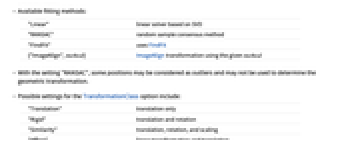
- 可用的拟合方法:
-
"Linear" 基于 SVD 的线性求解器 "RANSAC" 随机取样一致方法 "FindFit" 使用 FindFit {"ImageAlign",method} 使用给定 ImageAlign 的 method 变换 - 设置 "RANSAC" 下,某些位置可能被认为是异常值,并且可能不被用于决定几何变换.
- TransformationClass 选项的可能设置包括:
-
"Translation" 只平移 "Rigid" 平移和旋转 "Similarity" 平移、旋转和缩放 "Affine" 线性变换和平移 "Perspective" 线性分式变换
范例
打开所有单元 关闭所有单元基本范例 (2)
范围 (6)
{error, f} = FindGeometricTransform[p1 = Polygon[{{0, 0}, {1, 0}, {1, 1}, {0, 1}}], p2 = Polygon[{{0, 0}, {1, 0}, {7 / 4, 1}, {3 / 4, 1}}]]GraphicsRow[Graphics /@ {p1, p2, GeometricTransformation[p2, f]}]shape1 = Polygon[{{0, 1, 0}, {0, 0, 1}, {1, 0, 0}}];
shape2 = Polygon[{{1.9, 3., 3.}, {3., 3.777, 3.7}, {3., 3.77, 2.22}}];
FindGeometricTransform[shape1, shape2]FindGeometricTransform[[image], [image]]FindGeometricTransform[[image], [image]]//ChopFindGeometricTransform[{{0., 0.}, {0., 1.}}, {{{0, 0}, {-0.5, 0.5}}, {{2, 0}, {0, 0}}}]FindGeometricTransform[{{{0., 0.}, {0., 1.}}, {{0, 0}, {-0.5, 0.5}}, {{2, 0}, {0, 0}}}]选项 (8)
Method (4)
f = AffineTransform[{ {{2, 1}, {0, 3}}, {20, 50}}];
pt1 = RandomReal[1, {200, 2}]; pt2 = f[pt1];
First@AbsoluteTiming[FindGeometricTransform[pt1, pt2, Method -> #]]& /@ {"Linear", "RANSAC"}如果有异常值或者错误的对应,"RANSAC" 方法效果最好:
pts = ImageCorrespondingPoints[[image], [image]];FindGeometricTransform[pts[[1]], pts[[2]], Method -> "RANSAC"]FindGeometricTransform[pts[[1]], pts[[2]], Method -> "FindFit"]对于图像,"ImageAlign" 方法返回由 ImageAlign 找到的变换:
FindGeometricTransform[[image], [image], Method -> "ImageAlign"]使用利用 KAZE 关键点的 "Keypoints" 方法:
FindGeometricTransform[[image], [image], Method -> {"ImageAlign", {"Keypoints", "KAZE"}}]TransformationClass (4)
pts = Table[{Cos[θ], Sin[θ]}, {θ, 0, 2 * π, π / 10}];
pts2 = TransformationFunction[(| | | |
| ---- | --- | - |
| 1.5 | 0.2 | 5 |
| -0.4 | 2 | 1 |
| -0.5 | 0 | 1 |)][pts + RandomReal[.01 * {-1, 1}, {Length[pts], 2}]];FindGeometricTransform[pts2, pts, TransformationClass -> "Perspective"]pts = Table[{Cos[θ], Sin[θ]}, {θ, 0, 2 * π, π / 10}];
pts2 = TransformationFunction[(| | | |
| ---- | --- | - |
| 1.5 | 0.2 | 5 |
| -0.4 | 2 | 1 |
| 0 | 0 | 1 |)][pts + RandomReal[.01 * {-1, 1}, {Length[pts], 2}]];FindGeometricTransform[pts2, pts, TransformationClass -> "Affine"]pts = Table[{Cos[θ], Sin[θ]}, {θ, 0, 2 * π, π / 10}];
pts2 = TransformationFunction[(| | | |
| ---- | --- | - |
| 1.5 | 0.2 | 5 |
| -0.2 | 1.5 | 1 |
| 0 | 0 | 1 |)][pts + RandomReal[.01 * {-1, 1}, {Length[pts], 2}]];FindGeometricTransform[pts2, pts, TransformationClass -> "Rigid"]pts = Table[{Cos[θ], Sin[θ]}, {θ, 0, 2 * π, π / 10}];
pts2 = TransformationFunction[(| | | |
| - | - | - |
| 1 | 0 | 5 |
| 0 | 1 | 1 |
| 0 | 0 | 1 |)][pts + RandomReal[.01 * {-1, 1}, {Length[pts], 2}]];FindGeometricTransform[pts2, pts, TransformationClass -> "Translation"]应用 (3)
i1 = [image];i2 = [image];{e, t} = FindGeometricTransform[i1, i2]ImagePerspectiveTransformation[i2, t, DataRange -> Full]i1 = [image];i2 = [image];{e, tr} = FindGeometricTransform[i1, i2]{w, h} = ImageDimensions[i2];
tmp = ImagePerspectiveTransformation[i2, tr, DataRange -> Full, PlotRange -> {{0, First@tr[{w, 0}]}, {0, h}}];
ImageCompose[tmp, {i1, .7}, Round@({w, h} / 2)]FindGeometricTransform[{[image], [image], [image]}]属性和关系 (2)
求一个三维变换并利用 GeometricTransformation 使用它:
shape1 = Polygon[{{0, 1, 0}, {0, 0, 1}, {1, 0, 0}}];
shape2 = Polygon[{{1.9, 3., 3.}, {3., 3.777, 3.7}, {3., 3.77, 2.22}}];
GraphicsRow[Graphics3D /@ {shape1, shape2, GeometricTransformation[shape2, Last@FindGeometricTransform[shape1, shape2]]}]f = AffineTransform[{ {{2, 1}, {0, 3}}, {20, 50}}];
points = RandomReal[1, {200, 2}];
FindGeometricTransform[f[points], points, Method -> "Linear"]文本
Wolfram Research (2010),FindGeometricTransform,Wolfram 语言函数,https://reference.wolfram.com/language/ref/FindGeometricTransform.html (更新于 2017 年).
CMS
Wolfram 语言. 2010. "FindGeometricTransform." Wolfram 语言与系统参考资料中心. Wolfram Research. 最新版本 2017. https://reference.wolfram.com/language/ref/FindGeometricTransform.html.
APA
Wolfram 语言. (2010). FindGeometricTransform. Wolfram 语言与系统参考资料中心. 追溯自 https://reference.wolfram.com/language/ref/FindGeometricTransform.html 年
BibTeX
@misc{reference.wolfram_2026_findgeometrictransform, author="Wolfram Research", title="{FindGeometricTransform}", year="2017", howpublished="\url{https://reference.wolfram.com/language/ref/FindGeometricTransform.html}", note=[Accessed: 05-October-2026]}
BibLaTeX
@online{reference.wolfram_2026_findgeometrictransform, organization={Wolfram Research}, title={FindGeometricTransform}, year={2017}, url={https://reference.wolfram.com/language/ref/FindGeometricTransform.html}, note=[Accessed: 05-October-2026]}