Discard
更多信息
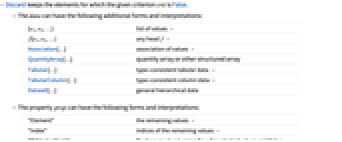
- Discard 保留给定 crit 为 False 的元素.
- data 可采用以下形式和解释:
-
{e1,e2,…} 值的列表 » f[e1,e2,…] 任意标头 f » Association[…] 值的关联 » QuantityArray[…] 量的数组或其他结构化数组 Tabular[…] 类型一致的表格数据 » TabularColumn[…] 类型一致的列数据 » Dataset[…] 一般分层数据 - 属性 prop 可采用以下形式和解释:
-
"Element" 剩下的值 » "Index" 剩下的值的索引 » "BitVectorMask" 布尔掩码,对选定的值返回 True,否则返回 False » {prop1,prop2,…} 多种形式组成的列表 » All 给出元素、索引和位向量掩码的关联 » - Discard[crit][data] 等价于 Discard[data,crit].
范例
打开所有单元 关闭所有单元基本范例 (6)
Discard[{1, 2, 4, 7, 6, 2}, EvenQ]Discard[{1, 2, 4, 7, 6, 2}, # > 2& -> "Index"]Discard[{1, 2, 4, 7, 6, 2}, OddQ, 1]使用 Discard 的算符形式:
Discard[EvenQ][{1, 2, 4, 7, 6, 2}]Discard 对 Association 中的值进行操作:
Discard[<|a -> 1, b -> 2, c -> 3, d -> 4|>, # > 2&]删除 Tabular 对象中的行:
Tabular[{{"cat", 2}, {"fox", 3}, {"dog", 5}}, {"a", "b"}]Discard[%, OddQ[#b]&]范围 (15)
基本用法 (5)
Discard[{{1, y}, {2, x}, {3, x}, {4, z}, {5, x}, {6, y}}, MemberQ[#, x]&]Discard[{{1, y}, {2, x}, {3, x}, {4, z}, {5, x}, {6, y}}, MemberQ[#, x]&, 2]Discard[{1, 2, 4, 7, 6, 2}, # > 2&]Discard[Range[10], GreaterThan[3]]使用 Discard 的算符形式:
Range[10]//Select[GreaterThan[3]]输入数据 (5)
Discard[f[1, a, 2, b, 3], IntegerQ]Discard 适用于 Association 中的值:
Discard[<|"a" -> {.1, .3, .2}, "b" -> {"dog", "cat", "fox"}|>, AllTrue[#, StringQ]&]Discard 适用于向量 SparseArray 对象:
s = SparseArray[Table[2 ^ i -> i, {i, 0, 4}]]Discard[s, OddQ]Discard[s, EvenQ]Discard 可用于 TabularColumn 对象:
TabularColumn[RandomDate[10 ^ 5]]Discard[EvenQ[DateValue[#, "Day"]]&][%]DateHistogram[Normal[%]]tab = ToTabular[{"a" -> {1, 2, 3}, "b" -> {.1, .3, .2}, "c" -> {"dog", "cat", "fox"}, "d" -> {DateObject[{2024, 8, 1}], DateObject[{2024, 8, 2}], DateObject[{2024, 8, 3}]}}, "Columns"]Discard[tab, Function[BusinessDayQ[#d]]]Normal[%]输出数据 (5)
Discard[Range[10], OddQ -> "Element"]Discard[Range[10], OddQ -> "Index"]Discard[Range[10], OddQ -> "BitVectorMask"]Normal[%]Discard[Range[10], OddQ -> {"Element", "Index"}]Discard[Range[10], OddQ -> All]应用 (8)
Discard[Range[100], Mod[#, 4] == 0&]Discard[Tuples[{a, b}, 4], # == Reverse[#]&, 3]Discard[Tuples[{0, 1}, {3, 3}], Det[#] < 2&]Discard[Eigenvalues[RandomReal[1, {5, 5}]], Abs[#] < 1&]查找名称长度至少为 36 个字符的内置 Wolfram 语言对象:
Discard[Names["*"], StringLength[#] < 36&]Discard[7 π^2 x^2 y^2, NumericQ]app[n_] := 4N[Length[Discard[RandomReal[{-1, 1}, {n, 2}], Dot[#, #] > 1&]] / n]TableForm[Table[n = 10 ^ k;p = app[n];{n, p, π - p}, {k, 1, 6}], TableHeadings -> {{}, {"n", "approximation", "error"}}]data = Tabular[{...}]使用 TabularStructure 以调查缺失数据的数量:
TabularStructure[data]Discard[data, Count[#, _Missing] >= 2&]TabularStructure[%]属性和关系 (3)
data = RandomInteger[100, 10]Discard[data, PrimeQ]Select[data, PrimeQ]Union[%%, %] == Union@dataDiscard 与 Cases 类似,只是它使用函数而不是模式:
list = RandomInteger[9, {10, 2}]f = Total[#] > 10&;Discard[list, f]用 Cases 获得相同的结果:
Cases[list, x_ /; !f[x]]Discard[Range[10], EvenQ]使用 GatherBy 分隔奇数和偶数元素:
GatherBy[Range[10], EvenQ]使用 GroupBy 来构建关联,其中明确包含作为键的标准结果:
GroupBy[Range[10], EvenQ]可能存在的问题 (2)
Discard 删除明确应用该标准可得到 True 结果的元素:
Discard[{1, 2, 4, 7, x}, # > 2&]Discard[{1, 2, 4, 7, x}, # <= 2&]两种情况下,均没有对符号对象 x 进行分配,因为将数值判定标准应用于任何符号对象都不会给出 True:
x > 2只有默认的 "Element" 属性才会保留输入表达式的头部:
Discard[f@@{1, 2, 4, 7, 8}, # > 2& -> All]相关指南
-
▪
- 表格对象
文本
Wolfram Research (2025),Discard,Wolfram 语言函数,https://reference.wolfram.com/language/ref/Discard.html (更新于 2026 年).
CMS
Wolfram 语言. 2025. "Discard." Wolfram 语言与系统参考资料中心. Wolfram Research. 最新版本 2026. https://reference.wolfram.com/language/ref/Discard.html.
APA
Wolfram 语言. (2025). Discard. Wolfram 语言与系统参考资料中心. 追溯自 https://reference.wolfram.com/language/ref/Discard.html 年
BibTeX
@misc{reference.wolfram_2026_discard, author="Wolfram Research", title="{Discard}", year="2026", howpublished="\url{https://reference.wolfram.com/language/ref/Discard.html}", note=[Accessed: 10-September-2026]}
BibLaTeX
@online{reference.wolfram_2026_discard, organization={Wolfram Research}, title={Discard}, year={2026}, url={https://reference.wolfram.com/language/ref/Discard.html}, note=[Accessed: 10-September-2026]}