DocumentGenerator[template,timespec]
表示一个文档生成器,其模板为 template,将在由 timespec 所定义的时刻表上运算.
DocumentGenerator[template,driver,timespec]
从 driver 取参数以填充模板.
DocumentGenerator
DocumentGenerator[template,timespec]
表示一个文档生成器,其模板为 template,将在由 timespec 所定义的时刻表上运算.
DocumentGenerator[template,driver,timespec]
从 driver 取参数以填充模板.
更多信息和选项
- CloudDeploy[DocumentGenerator[…]] 在云端设置文档生成器. 生成器周期性地应用 template,记录生成过程的结果,将所生成的文档存档,并将其发送到任意指定的收件人.
- 文档生成器可以用适用于计划任务的函数控制,如 TaskSuspend 和 TaskResume. timespec 服从 ScheduledTask 规范,且可以是 None.
- 参数模板可以是一个 TemplateObject、笔记本或模板笔记本、形式为 File[…] 的指定或含有这些构建的 CloudObject[…].
- 参数 driver 可以是 Association、纯函数或计算为 Association 的 Wolfram 语言脚本,设定 $CurrentBinding 值的笔记本,或者是含有任何这些结构的 CloudObject 或 File.
- 如果 template 含有模板元素,元素将从 driver 填充,如果 driver 不存在,则从模板默认值来填充.
- 云对象和文件在部署生成器时被复制并与生成器捆绑,除非指定资源被认定为 Delayed. 就地使用 Delayed 资源.
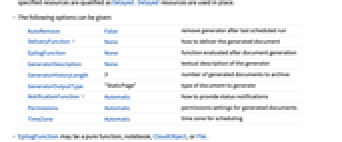
- 可以给出以下选项:
-
AutoRemove False 运行完最后一个计划任务后删除生成器 DeliveryFunction None 如何递送所生成的文档 EpilogFunction None 文档生成后所运行的函数 GeneratorDescription None 生成器的文本描述 GeneratorHistoryLength 3 要存档的生成文档数目 GeneratorOutputType "StaticPage" 所生成文档的类型 NotificationFunction Automatic 如何提供状态通知 Permissions Automatic 生成文档的权限设置 TimeZone Automatic 计划任务的时区 - EpilogFunction 可以是纯函数、笔记本、CloudObject 或 File.
- GeneratorOutputType 的常见设置包括:
-
"StaticPage" 已部署的网页 "CDF" 供下载的笔记本 "PDF" PDF 文档 "CloudCDF" 云端笔记本 - 需要注意的是,输出类型的选择对 DeliveryFunction 中指定的递送方式没有限制.
- 在云端,文档生成的准确时间通常由负载均衡的需求决定.
- 生成器在云端执行之间的最小时间由云配置和政策确定,并且通常是小时的某一分数.
范例
打开所有单元 关闭所有单元基本范例 (2)
co = CloudDeploy[DocumentGenerator[File["ExampleData/BasicTemplate.nb"], None]]触发生成器使用 TaskExecute 异步运行:
TaskExecute[co]TaskRemove[co]co = With[{template = StringTemplate["Time: `time`
Current temperature: `temp`"],
driver = <|"time" :> Now, "temp" :> AirTemperatureData[]|>}, CloudDeploy[DocumentGenerator[template, driver, "Hourly"]]
]TaskExecute[co]TaskRemove[co]推广和延伸 (1)
选项 (2)
DeliveryFunction (1)
NotificationFunction (1)
通知函数允许指定方收到关于任务计算的状态消息. 部署一个给各方发出通知的生成器,但没有收件人:
co1 = CloudDeploy[DocumentGenerator[File["ExampleData/BasicTemplate.nb"], <|"author" -> $CloudUserID|>, "Daily",
NotificationFunction -> {{$CloudUserID, "a@b.com"} -> All}
]]TaskExecute[co1]TaskRemove[{co1}]应用 (1)
创建测验分数的每日报告. 通过从 NormalDistribution 采样来模拟分数:
quizScore[μ_, σ_] := Min[Round@RandomVariate[NormalDistribution[μ, σ]], 100];
quizScore["science"] := quizScore[75, 8];quizScore["english"] := quizScore[82, 6];quizScore["maths"] := quizScore[70, 13];部署生成器,使其每周三次在 17:00 运算,并对当天的成绩报告汇总:
driver = Block[
{names = {"John Smith", "Sarah Cook", "Sam Jones"}, subjects = {"science", "english", "maths"}, raw},
raw = Table[Prepend[(quizScore[#1]&) /@ subjects, n], {n, names}];Association["people" -> (AssociationThread[Prepend[subjects, "name"] -> #1]& /@ raw)]
]&;
co = CloudDeploy[DocumentGenerator[
File["ExampleData/RepeatingTemplate.nb"],
driver,
DateObject[{_, _, Monday | Wednesday | Friday, 17}]
]]TaskExecute[co]TaskRemove[co]可能存在的问题 (2)
将本地 File 资源定性为 Delayed 将导致部署错误,因为资源在运算时间将在云端不可用:
co = With[{template = Delayed[File["ExampleData/BasicTemplate.nb"]]}, CloudDeploy[DocumentGenerator[template, None]]
]在云端计算 DocumentGenerator 时,其内存使用和计算时间会受到限制. 这些限制取决于您的云服务计划,具体数值可通过 CloudAccountData 中的 "ScheduledTaskMemoryLimit" 和 "ScheduledTaskEvaluationTimeLimit" 查询:
CloudAccountData /@ {"ScheduledTaskMemoryLimit", "ScheduledTaskEvaluationTimeLimit"}巧妙范例 (1)
创建文档生成器,生成在前一天交易量最高的
支货运业股票在过去
天的业绩:
driver[m_Integer, n_Integer] := Block[{members, reportOn},
members = FinancialData["Trucking", "Members"];
reportOn = Take[Reverse[SortBy[
({#, Quiet[FinancialData[#, "Volume", {Yesterday}]]}& /@ members) /. {{_, _Missing | _FinancialData} -> Sequence[], {t_String, {{_List, i_Integer}}} :> {t, i}},
Last
]], n][[All, 1]];
<|
"Start" :> DateString[DatePlus[Today, -m], "DateShort"],
"Stocks" -> (
<|"Name" -> FinancialData[#, "Company"], "Ticker" -> #|>& /@ reportOn)
|>
]&;
co = CloudDeploy[DocumentGenerator[
File["ExampleData/StocksTemplate.nb"],
driver[30, 5],
DateObject[{_, _, Tuesday | Wednesday | Thursday | Friday | Saturday, 1}],
GeneratorOutputType -> "CloudCDF"
], "trucking-example"]这个报告的生成时间通常会超过同步运算的时限. 触发生成器异步运行:
TaskExecute[co]DocumentGeneratorInformation[co, "CurrentOutput"]TaskRemove[co]文本
Wolfram Research (2014),DocumentGenerator,Wolfram 语言函数,https://reference.wolfram.com/language/ref/DocumentGenerator.html (更新于 2017 年).
CMS
Wolfram 语言. 2014. "DocumentGenerator." Wolfram 语言与系统参考资料中心. Wolfram Research. 最新版本 2017. https://reference.wolfram.com/language/ref/DocumentGenerator.html.
APA
Wolfram 语言. (2014). DocumentGenerator. Wolfram 语言与系统参考资料中心. 追溯自 https://reference.wolfram.com/language/ref/DocumentGenerator.html 年
BibTeX
@misc{reference.wolfram_2026_documentgenerator, author="Wolfram Research", title="{DocumentGenerator}", year="2017", howpublished="\url{https://reference.wolfram.com/language/ref/DocumentGenerator.html}", note=[Accessed: 15-September-2026]}
BibLaTeX
@online{reference.wolfram_2026_documentgenerator, organization={Wolfram Research}, title={DocumentGenerator}, year={2017}, url={https://reference.wolfram.com/language/ref/DocumentGenerator.html}, note=[Accessed: 15-September-2026]}