"AVLTree" (データ構造)
"AVLTree" (データ構造)
"AVLTree"
各ノードに保存された値が一般式である可変の平衡二分探索木を表す.
詳細
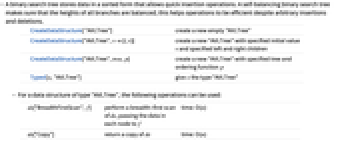
- 二分探索木は,素早く挿入演算が行えるようにソートされた形式でデータを保存する.平衡二分探索木は,すべての枝の高さが平衡であるので,任意の挿入や削除の演算を効率的にする.
-
CreateDataStructure[ "AVLTree"] 新しい空の"AVLTree"を作成する CreateDataStructure["AVLTree",v{l,r}] 指定の初期値 v と指定の左と右の子を持つ新しい"AVLTree"を作成する CreateDataStructure["AVLTree",tree,p] 指定の木と順序関数 p を持つ新しい"AVLTree"を作成する Typed[x,"AVLTree"] x に"AVLTree"型を与える - "AVLTree"型のデータ構造には,以下の演算が使える.
-
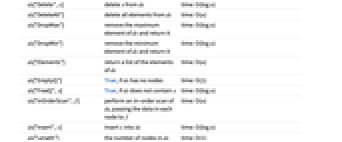
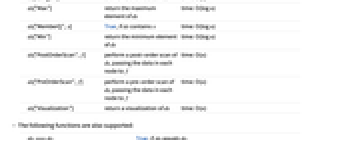
ds["BreadthFirstScan",f] ds の幅優先探索を行い,各ノードのデータを f に渡す time: O(n) ds["Copy"] ds のコピーを返す time: O(n) ds["Delete",x] delete x を ds から削除する time: O(log n) ds["DeleteAll"] ds からすべての要素を削除する time: O(n) ds["DropMax"] ds の最大要素を取り除き,それを返す time: O(log n) ds["DropMin"] ds の最小要素を取り除き,それを返す time: O(log n) ds["Elements"] ds の要素のリストを返す time: O(n) ds["EmptyQ"] ds がノードを持たない場合はTrue time: O(1) ds["FreeQ",x] ds が x を含まない場合はTrue time: O(log n) ds["InOrderScan",f] ds の間順探索を行い,各ノードのデータを f に渡す time: O(n) ds["Insert",x] x を ds に挿入する time: O(log n) ds["Length"] ds のノードの数 time: O(1) ds["Max"] ds の最大要素を返す time: O(log n) ds["MemberQ",x] ds が x を含む場合はTrue time: O(log n) ds["Min"] ds の最小要素を返す time: O(log n) ds["PostOrderScan",f] ds の後順探索を行い,各ノードのデータを f に渡す time: O(n) ds["PreOrderScan",f] ds の前順探索を行い,各ノードのデータを f に渡す time: O(n) ds["Visualization"] ds の可視化を返す time: O(n) - 以下の関数もサポートする.
-
dsi===dsj dsi が dsj に等しい場合はTrue FullForm[ds] ds の完全形 Information[ds] ds についての情報 InputForm[ds] ds の入力形 Normal[ds] ds を通常の式に変換する - 2つの要素の順序は,Sortの順序関数によって与えられる解釈に従い,順序関数 p によって決定される.デフォルトの順序関数は,Orderである.
- "AVLTree"は,各部分木の高さが決して2以上異なることがないように,平衡特性を維持する.
- 最初の木の指定がNullである場合には,空の"AVLTree"が作成される.