"ExprStruct" (データ構造)
"ExprStruct"
評価せずに変更できる式を表す.
詳細
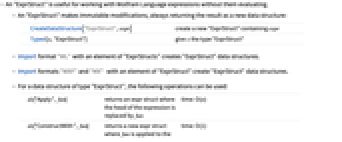
- "ExprStruct"は,Wolfram言語式を評価せずに作業する場合に役立つ.
- "ExprStruct"は,不変の変更を行い,常にその結果を新しいexpr structとして返す.
-
CreateDataStructure["ExprStruct",expr] expr を含む新しい"ExprStruct"を作成する Typed[x,"ExprStruct"] x に"ExprStruct"型を与える - Import形式の"WL"は,"ExprStructs"の要素を使うと"ExprStruct"のデータ構造を作成する.
- Import形式の"WXF"と"MX"は,"ExprStructs"の要素を使うと"ExprStruct"のデータ構造を作成する.
- "ExprStruct"型のデータ構造には,以下の演算が使える.
-
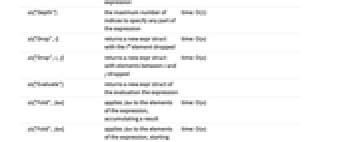
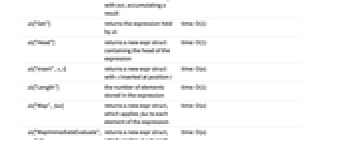
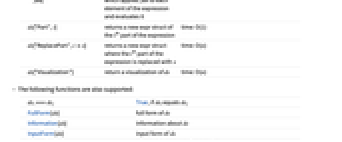
ds["Apply",fun] 式の頭部が fun で置き換えられるexpr structを返す time: O(n) ds["ConstructWith",fun] fun が式に適用される新しいexpr structを返す time: O(1) ds["Depth"] 式の任意部分を指定するのに必要な指標の最大数 time: O(1) ds["Drop",i] i 番目の要素を削除した新しいexpr structを返す time: O(n) ds["Drop",i,j] i から j の間の要素が削除された新しいexpr structを返す time: O(n) ds["Evaluate"] 式を評価した新しいexpr structを返す ds["Fold",fun] fun を式の要素に適用し,結果を累積する time: O(n) ds["Fold",fun,init] fun を式の要素に適用する.init で始めて結果を累積する time: O(n) ds["Get"] ds がホールドする式を返す time: O(1) ds["Head"] 式の頭部を含む新しいexpr structを返す time: O(1) ds["Insert",x,i] 位置 i に x を挿入した新しいexpr structを返す time: O(n) ds["Length"] 式の中に保存された要素数 time: O(1) ds["Map",fun] fun を式の各要素に適用する新しいexpr structを返す time: O(n) ds["MapImmediateEvaluate",fun] fun を式の各要素に適用し,それを評価する新しいexpr structを返す time: O(n) ds["Part",i] 式の i
番目の部分の新しいexpr structを返すtime: O(1) ds["ReplacePart",ix] 式の i
番目の部分を x で置き換えた新しいexpr structを返す time: O(n) ds["Visualization"] ds の可視化を返す time: O(n) - 以下の関数もサポートする.
-
dsi===dsj dsi が dsj に等しい場合はTrue FullForm[ds] ds の完全形 Information[ds] ds についての情報 InputForm[ds] ds の入力形 Length[ds] ds の長さ Normal[ds] ds を通常の式に変換する
例題
すべて開く すべて閉じる例 (2)
新しい"ExprStruct"は,CreateDataStructureを使って作成できる:
ds = CreateDataStructure["ExprStruct", f[1, 2, 3]]式を h でラップする新しい"ExprStruct"を返す:
ds1 = ds["ConstructWith", h]ds1["Get"]ds["Get"]新しい"ExprStruct"データ構造を作成する:
ds = CreateDataStructure["ExprStruct", Nest[f, x, 20]]ds["Depth"]ds["Visualization"]スコープ (20)
情報 (1)
新しい"ExprStruct"は,CreateDataStructureを使って作成することができる:
ds = CreateDataStructure["ExprStruct", f[1]]Information[ds]インポート (4)
"ExprStructs"の要素を使った"WL"形式のインポートは,"ExprStruct"のデータ構造を作成する:
Import["ExampleData/Collatz.m", "ExprStructs"]Importを使って,文字列を"ExprStruct"にロードする:
ds = ImportString["Print[1]", {"WL", "ExprStructs", 1}]ds["ConstructWith", Hold]["Get"]"ExprStruct"要素を使った"WXF"形式のインポートは,"ExprStruct"のデータ構造を作成する:
bytes = BinarySerialize[Unevaluated[1 + 1]]
ds = ImportByteArray[bytes, {"WXF", "ExprStruct"}]ds["ConstructWith", Hold]["Get"]"ExprStruct"要素を使った"MX"形式のインポートは,"ExprStruct"のデータ構造を作成する:
str = ExportString[f[1], "MX"];
ds = ImportString[str, {"MX", "ExprStruct"}]ds["Get"]演算 (15)
"Apply" (1)
新しい"ExprStruct"を作成する:
ds = CreateDataStructure["ExprStruct", f[x, y]]式の頭部が g で置き換えられた新しい"ExprStruct"を返す:
ds1 = ds["Apply", g]ds1["Visualization"]"ConstructWith" (1)
新しい"ExprStruct"を作成する:
ds = CreateDataStructure["ExprStruct", f[x, y]]g が式に適用された新しい"ExprStruct"を作成する:
ds1 = ds["ConstructWith", g]ds1["Visualization"]"Depth" (1)
新しい"ExprStruct"を作成する:
ds = CreateDataStructure["ExprStruct", f[x, y]]ds["Depth"]"Drop" (1)
新しい"ExprStruct"を作成する:
ds = CreateDataStructure["ExprStruct", f[x, y, z]];
ds["Visualization"]式の2番目の要素を削除し,新しい"ExprStruct"を返す:
ds1 = ds["Drop", 2]ds1["Visualization"]"Evaluate" (1)
新しい"ExprStruct"を作成する:
ds = CreateDataStructure["ExprStruct", Unevaluated[Plus[4, 2]]];
ds["Visualization"]式を評価した新しい"ExprStruct"を返す:
ds1 = ds["Evaluate"]ds1["Visualization"]"Fold" (1)
新しい"ExprStruct"を作成する:
ds = CreateDataStructure["ExprStruct", f[1, 2, 3, 4]];
ds["Visualization"]Plusを使って式の全要素を混合し,その総数を返す:
ds["Fold", Plus]ds["Fold", Plus, 42]"Get" (1)
新しい"ExprStruct"を作成する:
ds = CreateDataStructure["ExprStruct", f[x, y]]ds["Get"]Normalも同じ式を返す:
Normal[ds]"Head" (1)
新しい"ExprStruct"を作成する:
ds = CreateDataStructure["ExprStruct", f[x, y]]式の頭部を新しい"ExprStruct"として得る:
ds1 = ds["Head"]ds1["Get"]"Insert" (1)
新しい"ExprStruct"を作成する:
ds = CreateDataStructure["ExprStruct", f[x, y]]要素を指定された位置に挿入し,新しい"ExprStruct"を返す:
ds1 = ds["Insert", z, 2]ds1["Visualization"]"Length" (1)
新しい"ExprStruct"を作成する:
ds = CreateDataStructure["ExprStruct", f[x, y]]ds["Length"]Lengthでも同じ値が返される:
Length[ds]"Map" (1)
新しい"ExprStruct"を作成する:
ds = CreateDataStructure["ExprStruct", f[x, y, z]]Printが式の各要素に適用された新しい"ExprStruct"を返す:
ds1 = ds["Map", Print]ds1["Visualization"]"MapImmediateEvaluate" (1)
新しい"ExprStruct"を作成する:
ds = CreateDataStructure["ExprStruct", f[x, y, z]]Printが式の各要素に適用され評価された新しい"ExprStruct"を返す:
ds1 = ds["MapImmediateEvaluate", Print]ds1["Visualization"]"Part" (1)
新しい"ExprStruct"を作成する:
ds = CreateDataStructure["ExprStruct", f[x, y, z]]式の2番目の要素を"ExprStruct"として得る:
ds1 = ds["Part", 2]ds1["Visualization"]"ReplacePart" (1)
新しい"ExprStruct"を作成する:
ds = CreateDataStructure["ExprStruct", f[x, y, z]]式の2番目の要素が g で置き換えられた新しい"ExprStruct"を返す:
ds1 = ds["ReplacePart", 2, g]ds1["Visualization"]"Visualization" (1)
新しい"ExprStruct"を作成する:
ds = CreateDataStructure["ExprStruct", f[x, y, z]]ds["Visualization"]アプリケーション (1)
未評価の式 (1)
"ExprStruct"は,未評価の式で作業を行う場合に役立つ.新しい"ExprStruct"を作成する:
ds = CreateDataStructure["ExprStruct", f[1, 2]]頭部をPlusで置き換える:
ds = ds["Apply", Plus]ds["Visualization"]ds["Map", f]["Visualization"]ds["Map", # ^ 2&]["Visualization"]適用後に各要素を評価する場合は,"MapImmediateEvaluate"演算を使うとよい:
ds["MapImmediateEvaluate", # ^ 2&]["Visualization"]特性と関係 (4)
InputForm (1)
InputFormは,"ExprStruct"の連続番号付きのコンテンツを返す:
InputForm[CreateDataStructure["ExprStruct", f[x]]]この連続番号付きの形式を使って,データ構造を再作成することができる:
DataStructure["ExprStruct", {"Data" :> f[x]}]Length (1)
Lengthを使って"ExprStruct"内に保存された式の長さを得ることができる:
ds = CreateDataStructure["ExprStruct", {x, y, z}];
Length[ds]ds["Length"]Normal (1)
Normalを使って"ExprStruct"のコンテンツを得ることができる:
ds = CreateDataStructure["ExprStruct", f[x, y]];
Normal[ds]ds["Get"]SameQ (1)
SameQを使って,2つの"ExprStruct"データ構造に同じコンテンツが含まれているかどうかをテストすることができる:
ds1 = CreateDataStructure["ExprStruct", f[x]];
ds2 = CreateDataStructure["ExprStruct", f[x]];
ds1 === ds2ds1["ConstructWith", g];
ds1 === ds2履歴
2020 で導入 (12.1)