"RedBlackTree" (データ構造)
"RedBlackTree" (データ構造)
"RedBlackTree"
各ノードにおいて保存される値が一般式である可変平衡二分探索木を表す.
詳細
- 二分探索木は,挿入操作が素早くできる整理された形式でデータを保存する.平衡二分探索木では,すべての枝の高さが必ず平衡である.これによって,任意の挿入や削除にも関わらず,操作が効率的であるようにすることができる.
-
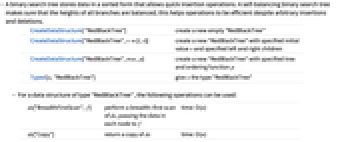
CreateDataStructure[ "RedBlackTree"] 新しい空の"RedBlackTree"を作成する CreateDataStructure["RedBlackTree",v{l,r}] 指定の初期値 v と指定の左と右の子を持つ新しい"RedBlackTree"を作成する CreateDataStructure["RedBlackTree",tree,p] 指定の木と順序関数 p を持つ新しい"RedBlackTree"を作成する Typed[x,"RedBlackTree"] x に "RedBlackTree"型を与える - "RedBlackTree"型のデータ構造には,以下の演算が使える.
-
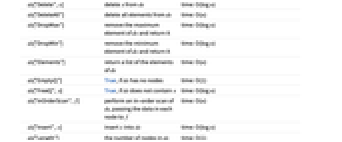
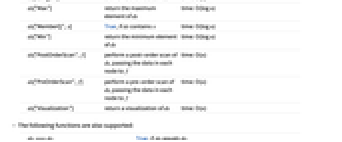
ds["BreadthFirstScan",f] ds の幅優先探索を行い,各ノードのデータを f に渡す time: O(n) ds["Copy"] ds のコピーを返す time: O(n) ds["Delete",x] x を ds から削除する time: O(log n) ds["DeleteAll"] ds からすべての要素を削除する time: O(n) ds["DropMax"] ds の最大要素を取り除き,それを返す time: O(log n) ds["DropMin"] ds の最小要素を取り除き,それを返す time: O(log n) ds["Elements"] ds の要素のリストを返す time: O(n) ds["EmptyQ"] ds がノードを持たない場合はTrue time: O(1) ds["FreeQ",x] ds が x を含まない場合はTrue time: O(log n) ds["InOrderScan",f] ds の間順探索を行い,各ノードのデータを f に渡す time: O(n) ds["Insert",x] x を ds に挿入する time: O(log n) ds["Length"] ds のノードの数 time: O(1) ds["Max"] ds の最大要素を返す time: O(log n) ds["MemberQ",x] ds が x を含む場合はTrue time: O(log n) ds["Min"] ds の最小要素を返す time: O(log n) ds["PostOrderScan",f] ds の後順探索を行い,各ノードのデータを f に渡す time: O(n) ds["PreOrderScan",f] ds の前順探索を行い,各ノードのデータを f に渡す time: O(n) ds["Visualization"] ds の可視化を返す time: O(n) - 以下の関数もサポートする.
-
dsi===dsj dsi が dsj に等しい場合はTrue FullForm[ds] ds の完全形 Information[ds] ds についての情報 InputForm[ds] ds の入力形 Normal[ds] ds を通常の式に変換する - 2つの要素の順序は,Sortの順序関数によって与えられる解釈に従い,順序関数 p によって決定される.デフォルトの順序関数は,Orderである.
- "RedBlackTree"は,各部分木の高さが決して2以上異なることがないように,平衡特性を維持する.
- 最初の木の指定がNullである場合には,空の"RedBlackTree"が作成される.