"StringVector" (データ構造)
"StringVector" (データ構造)
"StringVector"
文字列のベクトルを表す.
詳細
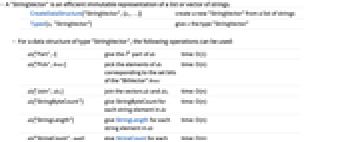
- "StringVector"は,文字列のリストまたはベクトルの効率的な不変表現である.
-
CreateDataStructure["StringVector",{s1,…}] 文字列のリストから新しい"StringVector"を作成する Typed[x,"StringVector"] x に"StringVector"の型を与える - "StringVector"型のデータ構造には,以下の演算が使える.
-
ds["Part",i] ds の i  番目の部分を与える
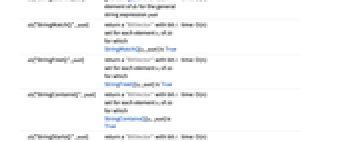
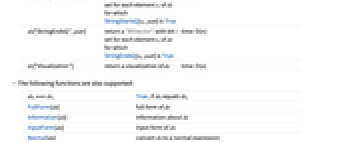
time: O(1) ds["Pick",bvec] "BitVector" bvec の集合ビットに対応する ds の要素を取り出す time: O(n) ds["Join",ds1] ds と ds1のベクトルを結合する time: O(n) ds["StringByteCount"] ds 内の各文字列要素についてStringByteCountを与える time: O(n) ds["StringLength"] ds 内の各文字列要素について StringLengthを与える time: O(n) ds["StringCount",patt] 一般的な文字列式 patt について ds の各要素のStringCountを与える time: O(n) ds["StringMatchQ",patt] StringMatchQ[si,patt]がTrueである ds の各要素 si についてビット i 集合を含む"BitVector"を返す time: O(n) ds["StringFreeQ",patt] StringFreeQ[si,patt]がTrueである ds の各要素 si についてビット i 集合を含む"BitVector"を返す time: O(n) ds["StringContainsQ",patt] StringContainsQ[si,patt] がTrueである ds の各要素 si についてビット i 集合を含む"BitVector"を返す time: O(n) ds["StringStartsQ",patt] StringStartsQ[si,patt]がTrueである ds の各要素 si についてビット i 集合を含む"BitVector"を返す time: O(n) ds["StringEndsQ",patt] StringEndsQ[si,patt]がTrueである ds の各要素 si についてビット i 集合を含む"BitVector"を返す time: O(n) ds["Visualization"] ds の可視化を返す time: O(n) - 以下の関数もサポートする.
-
dsi===dsj dsi が dsj に等しい場合はTrue FullForm[ds] ds の完全形 Information[ds] ds についての情報 InputForm[ds] ds の入力形 Normal[ds] ds を通常の式に変換する
例題
すべて開く すべて閉じる例 (4)
新しい"StringVector"は,CreateDataStructureを使って作成できる:
最後の3つの要素を"StringVector"として逆順で得る:
"StringVector"は通常文字列のリストよりも少ないメモリを使う:
リテラル文字列の検索は,文字列のリストを使うよりも"StringVector"を使う方がずっと速くできることがある:
要素の選択は,文字列のリストを使うよりも"StringVector"を使う方がずっと速くできることがある:
"r"で始まり,"e"で終る"StringVector"要素を選ぶ:
Selectを文字列のリストに使う:
スコープ (1)
情報 (1)
新しい"StringVector"は,CreateDataStructureを使って作成することができる: