Animator
詳細とオプション
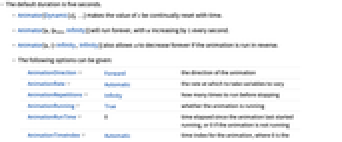
- デフォルトの継続時間は5秒である.
- Animator[Dynamic[s],…]は s の値を時間につれて連続的に再設定する.
- Animator[u,{umin,Infinity}]は,1秒ごとに u が1増加する割合で永遠に実行される.
- Animator[u,{-Infinity,Infinity}]は,アニメーションが逆方向に進んでいる場合に u が永遠に減り続けるようにすることもできる.
- 次のオプションを与えることができる.
-
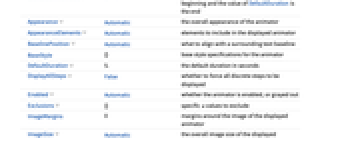
AnimationDirection Forward アニメーションの方向 AnimationRate Automatic 変数が変化する速度 AnimationRepetitions Infinity 停止するまでに何回実行するか AnimationRunning True アニメーションが実行中かどうか AnimationRunTime 0 アニメーションが最後に開始されてからの経過時間.アニメーションが実行されていない場合は0 AnimationTimeIndex Automatic アニメーションの時間指標.始まりは0,DefaultDurationの値は終り Appearance Automatic アニメータの全体的な外観 AppearanceElements Automatic 表示されたアニメータに含める要素 BaselinePosition Automatic 周囲のテキストのベースラインと何を揃えるか BaseStyle {} アニメータのベーススタイル指定 DefaultDuration 5. デフォルトの継続時間(秒) DisplayAllSteps False すべての離散的ステップを強制的に表示するかどうか Enabled Automatic アニメータを有効にするか灰色(無効)にするか Exclusions {} 避けるべき特定の値 u 個 ImageMargins 0 表示されたアニメータの画像の周囲に置く余白 ImageSize Automatic 表示されたアニメータの全体的な画像サイズ - デフォルトのアニメータには"ProgressSlider","PlayPauseButton","FasterSlowerButtons","DirectionButton"の要素が含まれている.これらの要素は,AppearanceElementsの設定として与えられたリストで順不同で指定することができる.
- "PlayButton","ResetPlayButton","PauseButton","ResetButton"等の要素も使うことができる.
- Appearance -> "Labeled"は,アニメータの現行値を編集可能なラベルとして表示する.
- Animator[]はAnimator[0]と等価である.
例題
すべて開く すべて閉じる例 (3)
スコープ (5)
アニメータのコンテンツ (1)
アニメータのコントロール (4)
Animator[0.5, AnimationRunning -> False]Animator[0, {0, 5}, AnimationRunning -> False]Animator[0, {0, 5, 1}, AnimationRunning -> False]Animator[0, {0, 5}, 5, AnimationRunning -> False]オプション (25)
AnimationDirection (1)
AnimationRate (1)
AnimationRepetitions (1)
AnimationRunning (2)
デフォルトで,Animatorは動いているスライダーで開始する:
Animator[0]AnimationRunningを設定すると,スライダーは静止したままになる:
Animator[0, AnimationRunning -> False]AnimationRunTime (1)
AnimationTimeIndex (1)
デフォルトのオプション設定では,AnimationTimeIndexは0から5までである:
DynamicModule[{i}, {Animator[0, {0, 100}, AnimationTimeIndex -> Dynamic[i]], Dynamic[i]}]Appearance (3)
Table[Animator[0, Appearance -> a, AnimationRunning -> False], {a, {Tiny, Small, Medium, Large}}]Animator[0, {0, 1}, Appearance -> "Labeled", AnimationRunning -> False]Table[Animator[Appearance -> a], {a, {"Indeterminate", "Necklace", "ArcUp", "ArcDown", "ArcUpFill", "Percolate", "Ellipsis"}}]AppearanceElements (4)
デフォルトで,Animatorはスライダーといくつかのボタンからなっている:
Animator[0, AnimationRunning -> False]AppearanceElementsを設定することで,どのコントロールを表示するかを指定する:
Table[Animator[0, AppearanceElements -> a, AnimationRunning -> False], {a, {"ProgressSlider", "StepLeftButton", "StepRightButton", "PlayPauseButton", "FasterSlowerButtons", "DirectionButton", "ResetButton", "PlayButton", "ResetPlayButton"}}]Animator[0, AppearanceElements -> All, AnimationRunning -> False]カスタマイズされたAnimatorを作る:
Animator[0, AppearanceElements -> {"StepLeftButton", "StepRightButton", "ProgressSlider"}, AnimationRunning -> False]Background (2)
BaselinePosition (1)
DefaultDuration (2)
DisplayAllSteps (1)
DisplayAllStepsを使ってすべての中間ステップを行うように強制する:
Table[Animator[0, {0, 5000, 5}, DisplayAllSteps -> t, AnimationRunning -> False], {t, {True, False}}]Enabled (2)
Exclusions (1)
ImageSize (1)
アプリケーション (2)
DynamicModule[{n}, {Animator[Dynamic[n], AnimationRunning -> False], Dynamic[Plot[Sin[n x], {x, 0, 6}, PlotRange -> 1]]}]DynamicModule[{t}, {Animator[Dynamic[t], AnimationDirection -> ForwardBackward, AnimationRunning -> False], Dynamic[Plot[{Cos[x], Sin[x], t Cos[x] + (1 - t)Sin[x]}, {x, 0, 6}, PlotRange -> 1]]}]DynamicModule[{n}, {Animator[Dynamic[n], {1, 20, 2}, AnimationRunning -> False], Dynamic[Expand[(x + y) ^ n]]}]DynamicModule[{n}, {Animator[Dynamic[n], {1000, 10000, 1}, AnimationRunning -> False], Dynamic[Prime[n]]}]特性と関係 (1)
AnimateとListAnimateはAnimatorのコントロールを使う:
DynamicModule[{x = 0}, {Animator[Dynamic[x], AnimationRunning -> False], Graphics[Line[Dynamic@{{0, 0}, {x, x}}], Axes -> True, PlotRange -> {{0, 1}, {0, 1}}]}]Animate[Graphics[Line[{{0, 0}, {x, x}}], Axes -> True, PlotRange -> {{0, 1}, {0, 1}}], {x, 0, 1}, AnimationRunning -> False]ListAnimate[Table[Graphics[Line[{{0, 0}, {x, x}}], Axes -> True, PlotRange -> {{0, 1}, {0, 1}}], {x, 0, 1, 0.01}], AnimationRunning -> False]考えられる問題 (1)
Animatorのコントロールはリアルタイムの時計で動かされており,一時停止しても表示に影響するだけで状態には影響しない:
Animate[Animator[Dynamic[t], AnimationRunning -> Which[0 ≤ r < 1, True, 1 ≤ r < 2, False, 2 ≤ r ≤ 3, True]], {r, 0, 3}]テクニカルノート
関連するガイド
テキスト
Wolfram Research (2007), Animator, Wolfram言語関数, https://reference.wolfram.com/language/ref/Animator.html (2014年に更新).
CMS
Wolfram Language. 2007. "Animator." Wolfram Language & System Documentation Center. Wolfram Research. Last Modified 2014. https://reference.wolfram.com/language/ref/Animator.html.
APA
Wolfram Language. (2007). Animator. Wolfram Language & System Documentation Center. Retrieved from https://reference.wolfram.com/language/ref/Animator.html
BibTeX
@misc{reference.wolfram_2026_animator, author="Wolfram Research", title="{Animator}", year="2014", howpublished="\url{https://reference.wolfram.com/language/ref/Animator.html}", note=[Accessed: 19-August-2026]}
BibLaTeX
@online{reference.wolfram_2026_animator, organization={Wolfram Research}, title={Animator}, year={2014}, url={https://reference.wolfram.com/language/ref/Animator.html}, note=[Accessed: 19-August-2026]}