Animator
更多信息和选项
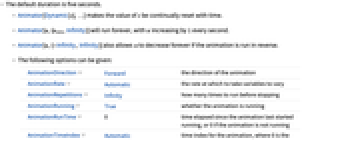
- 缺省持续时间为 5 秒.
- Animator[Dynamic[s],…] 使 s 的值随时间不断重置.
- Animator[u,{umin,Infinity}] 永远运行,u 值每秒钟增加 1.
- 如果动画反向运行,Animator[u,{-Infinity,Infinity}] 也可以使 u 值始终减少.
- 可以给出以下可选项.
-
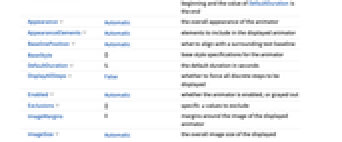
AnimationDirection Forward 动画的方向 AnimationRate Automatic 使变量变化的速率 AnimationRepetitions Infinity 停止前需要运行多少次 AnimationRunning True 动画是否运行 AnimationRunTime 0 自动画上次启动运行所经过的时间,或者如果动画没有运行,则为0 AnimationTimeIndex Automatic 动画的时间索引,其中0为开始, DefaultDuration 的值为结束 Appearance Automatic 动画器的总体外观 AppearanceElements Automatic 显示的动画器中包含的元素 BaselinePosition Automatic 如何与周围文本基线对齐 BaseStyle {} 动画器的基本样式规范 DefaultDuration 5. 以秒为单位的缺省持续时间 DisplayAllSteps False 是否强制显示所有不连续步长 Enabled Automatic 是否启用动画器 Exclusions {} 将会排除在外的特定 u 值 ImageMargins 0 显示的动画器影像周围的边幅 ImageSize Automatic 显示的动画器总体影像大小 - 以下元素包含在缺省动画器中:"ProgressSlider"、"PlayPauseButton"、"FasterSlowerButtons"、"DirectionButton". 这些元素可以在作为 AppearanceElements 的设置给出的列表中以任意顺序指定.
- 其它可能元素包括:"PlayButton"、"ResetPlayButton"、"PauseButton"、"ResetButton".
- Appearance -> "Labeled" 显示动画器作为可编辑标签的当前值.
- Animator[] 等价于 Animator[0].
范例
打开所有单元 关闭所有单元基本范例 (3)
范围 (5)
动画内容 (1)
动画控制 (4)
Animator[0.5, AnimationRunning -> False]Animator[0, {0, 5}, AnimationRunning -> False]Animator[0, {0, 5, 1}, AnimationRunning -> False]Animator[0, {0, 5}, 5, AnimationRunning -> False]选项 (25)
AnimationDirection (1)
AnimationRate (1)
AnimationRepetitions (1)
AnimationRunning (2)
Animator 在缺省状态下利用一个移动滑块启动:
Animator[0]通过设置 AnimationRunning,滑块保持静止:
Animator[0, AnimationRunning -> False]AnimationRunTime (1)
AnimationTimeIndex (1)
在默认选项设置下,AnimationTimeIndex 从0运行至5:
DynamicModule[{i}, {Animator[0, {0, 100}, AnimationTimeIndex -> Dynamic[i]], Dynamic[i]}]Appearance (3)
Table[Animator[0, Appearance -> a, AnimationRunning -> False], {a, {Tiny, Small, Medium, Large}}]Animator[0, {0, 1}, Appearance -> "Labeled", AnimationRunning -> False]Table[Animator[Appearance -> a], {a, {"Indeterminate", "Necklace", "ArcUp", "ArcDown", "ArcUpFill", "Percolate", "Ellipsis"}}]AppearanceElements (4)
Animator 在缺省状态下由一个滑块和一组按钮组成:
Animator[0, AnimationRunning -> False]通过设置 AppearanceElements 指定显示哪些控件:
Table[Animator[0, AppearanceElements -> a, AnimationRunning -> False], {a, {"ProgressSlider", "StepLeftButton", "StepRightButton", "PlayPauseButton", "FasterSlowerButtons", "DirectionButton", "ResetButton", "PlayButton", "ResetPlayButton"}}]Animator[0, AppearanceElements -> All, AnimationRunning -> False]创建自定义的 Animator:
Animator[0, AppearanceElements -> {"StepLeftButton", "StepRightButton", "ProgressSlider"}, AnimationRunning -> False]Background (2)
BaselinePosition (1)
DefaultDuration (2)
DisplayAllSteps (1)
利用 DisplayAllSteps 强制显示每一个中间步长:
Table[Animator[0, {0, 5000, 5}, DisplayAllSteps -> t, AnimationRunning -> False], {t, {True, False}}]Enabled (2)
Exclusions (1)
ImageSize (1)
应用 (2)
DynamicModule[{n}, {Animator[Dynamic[n], AnimationRunning -> False], Dynamic[Plot[Sin[n x], {x, 0, 6}, PlotRange -> 1]]}]DynamicModule[{t}, {Animator[Dynamic[t], AnimationDirection -> ForwardBackward, AnimationRunning -> False], Dynamic[Plot[{Cos[x], Sin[x], t Cos[x] + (1 - t)Sin[x]}, {x, 0, 6}, PlotRange -> 1]]}]DynamicModule[{n}, {Animator[Dynamic[n], {1, 20, 2}, AnimationRunning -> False], Dynamic[Expand[(x + y) ^ n]]}]DynamicModule[{n}, {Animator[Dynamic[n], {1000, 10000, 1}, AnimationRunning -> False], Dynamic[Prime[n]]}]属性和关系 (1)
Animate 和 ListAnimate 使用 Animator 控件:
DynamicModule[{x = 0}, {Animator[Dynamic[x], AnimationRunning -> False], Graphics[Line[Dynamic@{{0, 0}, {x, x}}], Axes -> True, PlotRange -> {{0, 1}, {0, 1}}]}]Animate[Graphics[Line[{{0, 0}, {x, x}}], Axes -> True, PlotRange -> {{0, 1}, {0, 1}}], {x, 0, 1}, AnimationRunning -> False]ListAnimate[Table[Graphics[Line[{{0, 0}, {x, x}}], Axes -> True, PlotRange -> {{0, 1}, {0, 1}}], {x, 0, 1, 0.01}], AnimationRunning -> False]可能存在的问题 (1)
Animator 控件由实时时钟驱动,暂停仅影响显示,而不会影响状态:
Animate[Animator[Dynamic[t], AnimationRunning -> Which[0 ≤ r < 1, True, 1 ≤ r < 2, False, 2 ≤ r ≤ 3, True]], {r, 0, 3}]文本
Wolfram Research (2007),Animator,Wolfram 语言函数,https://reference.wolfram.com/language/ref/Animator.html (更新于 2014 年).
CMS
Wolfram 语言. 2007. "Animator." Wolfram 语言与系统参考资料中心. Wolfram Research. 最新版本 2014. https://reference.wolfram.com/language/ref/Animator.html.
APA
Wolfram 语言. (2007). Animator. Wolfram 语言与系统参考资料中心. 追溯自 https://reference.wolfram.com/language/ref/Animator.html 年
BibTeX
@misc{reference.wolfram_2026_animator, author="Wolfram Research", title="{Animator}", year="2014", howpublished="\url{https://reference.wolfram.com/language/ref/Animator.html}", note=[Accessed: 19-August-2026]}
BibLaTeX
@online{reference.wolfram_2026_animator, organization={Wolfram Research}, title={Animator}, year={2014}, url={https://reference.wolfram.com/language/ref/Animator.html}, note=[Accessed: 19-August-2026]}