

AudioAnnotationLookup[audio]
audio に関連付けられた全注釈を与える.
AudioAnnotationLookup[audio,tags]
tags で指定された注釈を与える.
AudioAnnotationLookup[audio,tagsselector]
selector を使って選択した注釈を与える.
AudioAnnotationLookup[audio,tagsselector,format]
format に従って各注釈要素をフォーマットする.
AudioAnnotationLookup
AudioAnnotationLookup[audio]
audio に関連付けられた全注釈を与える.
AudioAnnotationLookup[audio,tags]
tags で指定された注釈を与える.
AudioAnnotationLookup[audio,tagsselector]
selector を使って選択した注釈を与える.
AudioAnnotationLookup[audio,tagsselector,format]
format に従って各注釈要素をフォーマットする.
詳細
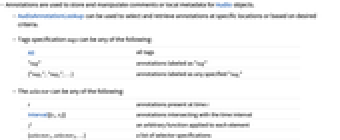
- 注釈は,Audioオブジェクトのコメントあるいはローカルなメタデータを保存・操作するために使われる.
- AudioAnnotationLookupを使って,特定の場所にある注釈あるいは希望の基準に基づいた注釈を,選択して取り出すことができる.
- タグ指定 tags は次のいずれでもよい.
-
All すべてのタグ "tag" "tag"というラベルが付いた注釈 {"tag1","tag2",…} 任意の指定された"tagi"が付いた注釈 - slector は次のいずれでもよい.
-
t 時点 t に存在した注釈 Interval[{t1,t2}] 時間間隔と交差している注釈 f 各要素に適用された任意の関数 {selector1,selector2,…} セレクタ指定のリスト - 各注釈要素に対応する連想に任意の関数 f が適用される.
- AudioAnnotateを使って自動的に音声注釈を計算して保存する.
例題
すべて開く すべて閉じる例 (2)
Audioオブジェクトに注釈を付ける:
a = Import["ExampleData/rule30.wav"];res = AudioAnnotate[a, "tag" -> {.5 -> "val", {1, 1.5} -> "val2"}];AudioAnnotationLookupを使ってすべての注釈を取り出す:
AudioAnnotationLookup[res]Audioオブジェクトに注釈を付ける:
a = Import["ExampleData/rule30.wav"];res = AudioAnnotate[a, {"tag1" -> {.5 -> "v11", {1, 1.5} -> "v12"}, "tag2" -> {.1 -> "v21", {.7, 1.5} -> "v22"}}];AudioAnnotationLookup[res, "tag1"]スコープ (6)
Audioオブジェクトに注釈を付ける:
a = Import["ExampleData/rule30.wav"];a = AudioAnnotate[a, {"Transients", "Loud" -> (#RMSAmplitude > .08&), "Inaudible"}];AudioAnnotationLookup[a, All -> .2]//ColumnAudioオブジェクトに注釈を付ける:
a = Import["ExampleData/rule30.wav"];a = AudioAnnotate[a, {"Transients", "Loud" -> (#RMSAmplitude > .08&), "Inaudible"}];AudioAnnotationLookup[a, All -> Interval[{.1, 1}]]//Column時点.1から1までで"Loud"というタグに属する,すべての注釈を選択する:
AudioAnnotationLookup[a, "Loud" -> Interval[{.1, 1}]]Audioオブジェクトに注釈を付ける:
a = Import["ExampleData/rule30.wav"];a = AudioAnnotate[a, {"Transients", "Loud" -> (#RMSAmplitude > .08&)}];AudioAnnotationLookup[a, All -> (Quiet[#[[2]] > .4]&)]複数の選択基準が使われた場合は,それらのどれかがTrueを返す注釈要素が選ばれる:
a = Import["ExampleData/rule30.wav"];a = AudioAnnotate[a, {"Transients", "Loud" -> (#RMSAmplitude > .08&), "Inaudible"}];AudioAnnotationLookup[a, All -> {#[[1]] > .6&, #[[2]] > .4&}]AudioAnnotationLookup[a, All -> {#[[1]] > .6 && #[[2]] > .4&}]Audioオブジェクトに注釈を付ける:
a = Import["ExampleData/rule30.wav"];a = AudioAnnotate[a, {"Transients", "Loud" -> (#RMSAmplitude > .08&), "Max"}];AudioAnnotationLookup[a, "Transients", "Intervals"]出力の注釈をTimeSeriesとしてフォーマットする:
AudioAnnotationLookup[a, "Max", "TimeSeries"]Audioオブジェクトに注釈を付ける:
a = Import["ExampleData/rule30.wav"];a = AudioAnnotate[a, {"Transients", "Loud" -> (#RMSAmplitude > .08&), "Max"}];AudioAnnotationLookup[a, "Transients", List@@#&]テキスト
Wolfram Research (2019), AudioAnnotationLookup, Wolfram言語関数, https://reference.wolfram.com/language/ref/AudioAnnotationLookup.html.
CMS
Wolfram Language. 2019. "AudioAnnotationLookup." Wolfram Language & System Documentation Center. Wolfram Research. https://reference.wolfram.com/language/ref/AudioAnnotationLookup.html.
APA
Wolfram Language. (2019). AudioAnnotationLookup. Wolfram Language & System Documentation Center. Retrieved from https://reference.wolfram.com/language/ref/AudioAnnotationLookup.html
BibTeX
@misc{reference.wolfram_2026_audioannotationlookup, author="Wolfram Research", title="{AudioAnnotationLookup}", year="2019", howpublished="\url{https://reference.wolfram.com/language/ref/AudioAnnotationLookup.html}", note=[Accessed: 18-August-2026]}
BibLaTeX
@online{reference.wolfram_2026_audioannotationlookup, organization={Wolfram Research}, title={AudioAnnotationLookup}, year={2019}, url={https://reference.wolfram.com/language/ref/AudioAnnotationLookup.html}, note=[Accessed: 18-August-2026]}