CepstrumArray[data]
计算 data 的功率倒频谱.
CepstrumArray[data,type]
计算 type 的指定 data 的倒频谱.
CepstrumArray
CepstrumArray[data]
计算 data 的功率倒频谱.
CepstrumArray[data,type]
计算 type 的指定 data 的倒频谱.
更多信息和选项
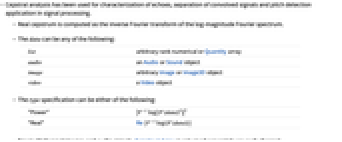
- 在信号处理中,倒频谱分析被用于回声特性分析、卷积信号分离、音高检测.
- 实数倒频谱的计算方法为:傅立叶频谱幅值的对数的逆傅立叶变换.
- data 可为以下形式:
-
list 任意维数的数值数组或 Quantity 数组 audio Audio 或 Sound 对象 image 任意 Image 或 Image3D 对象 video Video 对象 - type 指定可为以下任意一个:
-
"Power" ![|F^(-1)log(TemplateBox[{{F, (, data, )}}, Abs]^2)|^2 |F^(-1)log(TemplateBox[{{F, (, data, )}}, Abs]^2)|^2](Files/CepstrumArray.zh/1.png)
"Real"
- 对于多通道图像和音频对象,对每个通道分别计算 CepstrumArray.
- CepstrumArray 接受 FourierParameters 选项. 默认设置为 FourierParameters->{1,-1}.
范例
打开所有单元 关闭所有单元基本范例 (2)
CepstrumArray[{1, 1, 2, 2, 1, 1, 0, 0}]Audio 对象的倒频谱:
a = Import["ExampleData/rule30.wav"];CepstrumArray[a]ListLinePlot[Take[%, {20, 500}]]范围 (7)
CepstrumArray[{1, 1, 2, 2, 1, 1, 0, 0}, "Real"]a = RandomComplex[1 + I, {3, 3}];
a//MatrixFormCepstrumArray[a]//MatrixForm计算 Sound 的倒频谱:
a = ExampleData[{"Sound", "Apollo11ReturnSafely"}]CepstrumArray[a]ListLinePlot[Take[%, {20, 500}], PlotRange -> All]多通道 Audio 对象的倒频谱:
a = ExampleData[{"Audio", "Bee"}];CepstrumArray[a, "Real"]ListLinePlot[Take[%, All, {20, 500}], PlotRange -> All]CepstrumArray[\!\(\*VideoBox[""]\)]ListLinePlot[Take[%[[1]], {20, 500}], PlotRange -> All]Image 的倒频谱:
a = [image];CepstrumArray[a]MatrixPlot[RotateLeft[Log@%, {150, 150}], PlotTheme -> "Minimal"]a = [image];c = CepstrumArray[a];Dimensions@cTable[MatrixPlot[RotateLeft[Log[cc], Round[Dimensions[cc] / 2]], PlotTheme -> "Minimal"], {cc, c}]应用 (3)
data = Table[2 Sin[0.05π n ] + Sin[0.154 π n] + RandomReal[{-1, 1}] / 10., {n, 0, 1023}];dtf = TransferFunctionModel[(1/1 - 0.8 z^-31), z, SamplingPeriod -> 1]y = RecurrenceFilter[dtf, data];Periodogram[{data, y}]由于卷积的倒频谱是两个分量的倒频谱的和,因此更容易识别由梳状滤波器引起的峰值:
ListLinePlot[{CepstrumArray[data][[ ;; 100]], CepstrumArray[y][[ ;; 100]]}, PlotRange -> .2]a = AudioDelay[Import["ExampleData/rule30.wav"], Quantity[0.6, "Seconds"], .6, PaddingSize -> 4]cepstrum = CepstrumArray[a];
cepstrum = Log[cepstrum[[ ;; Length[cepstrum] / 2]]];peaks = FindPeaks[cepstrum, 1, 2, -2]ListLinePlot[cepstrum, PlotRange -> All, Epilog -> {Red, Point[peaks]}]quefrency = MaximalBy[peaks, Last][[1, 1]] - 1UnitConvert[N@quefrency / AudioSampleRate[a], "s"]a = ExampleData[{"Sound", "Oboe"}, "Audio"]Periodogram[a, 4000]cepstrum = CepstrumArray[a];
cepstrum = cepstrum[[ ;; Length[cepstrum] / 2]];peaks = FindPeaks[cepstrum, 1, .1]ListLinePlot[cepstrum[[ ;; 1000]], PlotRange -> {0, 1}, Epilog -> {Red, Point[peaks]}]quefrency = MaximalBy[Select[peaks, #[[1]] > 1&], Last][[1, 1]] - 1ff = AudioSampleRate[a] / quefrencyAudioGenerator[{"Sin", ff}]文本
Wolfram Research (2017),CepstrumArray,Wolfram 语言函数,https://reference.wolfram.com/language/ref/CepstrumArray.html (更新于 2024 年).
CMS
Wolfram 语言. 2017. "CepstrumArray." Wolfram 语言与系统参考资料中心. Wolfram Research. 最新版本 2024. https://reference.wolfram.com/language/ref/CepstrumArray.html.
APA
Wolfram 语言. (2017). CepstrumArray. Wolfram 语言与系统参考资料中心. 追溯自 https://reference.wolfram.com/language/ref/CepstrumArray.html 年
BibTeX
@misc{reference.wolfram_2026_cepstrumarray, author="Wolfram Research", title="{CepstrumArray}", year="2024", howpublished="\url{https://reference.wolfram.com/language/ref/CepstrumArray.html}", note=[Accessed: 13-August-2026]}
BibLaTeX
@online{reference.wolfram_2026_cepstrumarray, organization={Wolfram Research}, title={CepstrumArray}, year={2024}, url={https://reference.wolfram.com/language/ref/CepstrumArray.html}, note=[Accessed: 13-August-2026]}