


Dynamic
Dynamic[expr]
represents an object that displays as the dynamically updated current value of expr. If the displayed form of Dynamic[expr] is interactively changed or edited, an assignment expr=val is done to give expr the new value val that corresponds to the displayed form.
Dynamic[expr,f]
continually evaluates f[val,expr] during interactive changing or editing of val.
Dynamic[expr,{f,fend}]
also evaluates fend[val,expr] when interactive changing or editing is complete.
Dynamic[expr,{fstart,f,fend}]
also evaluates fstart[val,expr] when interactive changing or editing begins.
Details and Options

- Dynamic[expr] can appear not only directly as an expression to display, but also for example as a coordinate in a graphics primitive or an object such as a slider, or as a setting for an option.
- When used to assign values to expr through interactive operations, the expression in Dynamic[expr] will most often be a symbol x, an object x[i], a part e[[i]], or a list {x,y,…}.
- In graphics, for example, Point[Dynamic[{x,y}]] represents a point whose position is dynamically updated to be given by the current values of x and y. Whenever the point is interactively moved, assignments of the form {x,y}={valx,valy} are done. Point[Dynamic[{x,y}]] can be moved interactively; Dynamic[Point[{x,y}]] cannot.
- Dynamic[expr] evaluates expr whenever it needs its value and it determines that any type of value of symbols on which it depends might have changed.
- If Refresh or Clock objects appear in the evaluation of the expression in Dynamic[expr], then expr will always continually be reevaluated.
- Dynamic has attribute HoldFirst, so that expr is not evaluated until its value is needed for display.
- Dynamic[expr] is equivalent to Dynamic[expr,(expr=#)&].
- Dynamic[expr,f] makes interactive operations not change expr except by virtue of the evaluation of f[val,expr].
- Objects represented by Dynamic[expr,None] cannot be changed interactively, but will change if the value of expr changes for other reasons.
- Dynamic[expr,Temporary] allows the displayed form of an object to change in the course of interactive operations, but assigns an updated value to expr only when the operations are complete.
- For interactive mouse operations, Dynamic[expr,{fstart,f,fend}] typically evaluates fstart[val,expr] once when the mouse is pressed, then evaluates f[val,expr] whenever the mouse is moved, and then evaluates fend[val,expr] once when the mouse is released.
- If the mouse is not moved, fstart, f, and fend are each evaluated exactly once.
- f[val,expr] is always evaluated once immediately after the evaluation of fstart[val,expr], and when it is last evaluated, the value of val is always the same as in fend[val,expr].
- Interactive operations that can affect Dynamic objects include dragging of elements in graphics or in objects such as Slider, as well as editing of fields in objects such as InputField.
- The functions fstart, f, and fend can be the following:
-
Automatic assign values using Set None perform no action Temporary allow interactive operations to make temporary changes func evaluate func[val,expr] - Dynamic[expr,f] is equivalent to Dynamic[expr,{None,f,None}].
- Dynamic[expr,Temporary] is equivalent to Dynamic[expr,{None,Temporary,Automatic}].
- Dynamic[expr,f] can be used to enforce constraints on values assigned to expr.
- Dynamic[expr,f] can be used to do assignments for individual variables when expr is an expression like x+y.
- A function func[val,expr] should have attribute HoldRest if it is going to perform an assignment to expr. This can be achieved with Function[{v,e},body,HoldRest].
- The following options can be given:
-
BaseStyle {} base style specifications for the displayed object Deinitialization None an expression to evaluate when the Dynamic can no longer be displayed Evaluator Automatic the kernel to use for evaluations Initialization None an expression to evaluate when the Dynamic is first displayed ShrinkingDelay 0. how long to delay before shrinking if the displayed object gets smaller SynchronousUpdating True whether to evaluate contents synchronously TrackedSymbols All symbols whose changes trigger an update UpdateInterval Infinity time interval at which to do updates - Dynamic[e] displays as the dynamically updated current value of e in StandardForm and TraditionalForm, but just as Dynamic[e] in InputForm and OutputForm.
- Dynamic[expr] provides an analog of delayed assignment, where values are implicitly requested by the need to display, rather than by evaluation of an expression.
Examples
open allclose allBasic Examples (1)


Scope (24)
Basic Dynamic (6)
Any expression can be wrapped with Dynamic:
Dynamic is not shown in StandardForm, but is still present:
Use Dynamic to link the currently displayed value depending on  :
:
By default, variables inside Dynamic are not localized:
Use DynamicModule to localize variables:
A Dynamic expression can be self-triggering:
Use with Slider:
Expressions such as RandomReal and DateString do not automatically update:
Use UpdateInterval to force dynamic updating:
Dynamic holds its argument and never evaluates it unless it displays as output:
Since the above Dynamic was never displayed, the assignment was never executed:
Placing Dynamic (3)
Interactive Dynamic (8)
![TemplateBox[{ColorSlider, paclet:ref/ColorSlider}, RefLink, BaseStyle -> {InlineFormula}]](Files/Dynamic.en/4.png "TemplateBox[{ColorSlider, paclet:ref/ColorSlider}, RefLink, BaseStyle -> {InlineFormula}]")
Advanced Dynamic (7)
By default, Dynamic performs an assignment operation when used in an interactive element:
Use the second argument to specify a function to be evaluated during interaction:
Supply a list of two functions to be evaluated during and after interaction:
Supply a list of three functions to be evaluated before, during, and after interaction:
Use Temporary to update the dynamic variable at the end of interaction:
Use None to disallow updating the dynamic variable:
Dynamic also performs assignment operations for interactively settable front end options:
Options (8)
Evaluator (1)
Specify a Dynamic that will only run in the kernel named "Local":
Initialization (2)
By default, external definitions are lost between kernel sessions:
Use Initialization to evaluate expressions necessary for displaying the output:
ShrinkingDelay (1)
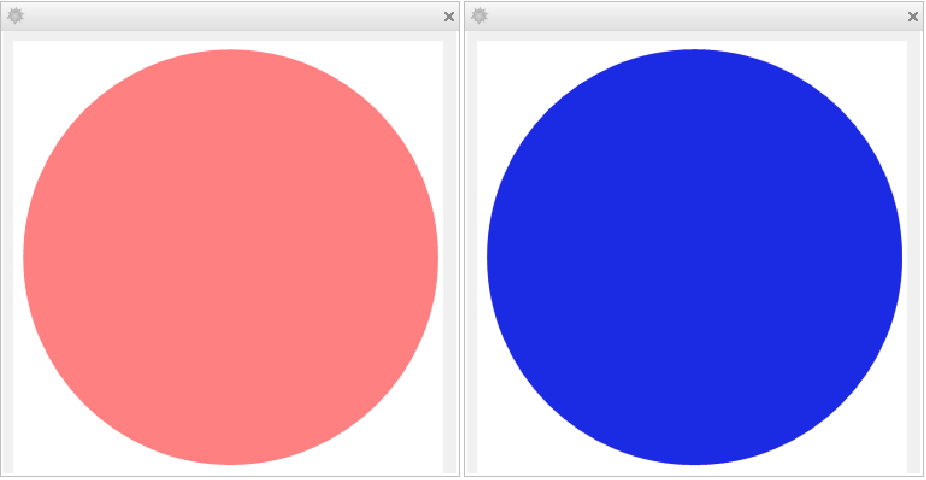
Assign a number or graphics to  :
:
Use ShrinkingDelay to allow lapse time before shrinking the size of the output:
Applications (5)
Constrain the coordinates of a point to lie on a circle:
Construct a dynamic calculating interface:
Create a timer to track lapsed minutes and seconds, with Trigger for the controls:
Create a simple interface that looks up the shapes of countries:
Construct custom controls, e.g. an angular slider with range  :
:

Properties & Relations (4)
Dynamic may be used to directly display its contents:
A Dynamic that simply displays has no interactivity, and the second argument does not affect it:
Alternatively, Dynamic may be fed as a value to an interactive control, object or option:
A value-style Dynamic invokes its second argument when the value is interactively changed:
Dynamic expressions do not evaluate their contents until the result is displayed onscreen:

Even showing the result is not a guarantee that it will resolve immediately:

Use FinishDynamic when timing is important:

Synchronous dynamics are time-limited according to the value of DynamicEvaluationTimeout:
An evaluation can detect if it's being dynamically evaluated by using $DynamicEvaluation:
Possible Issues (4)
The following example does not work because the assignment operation fails:
Use the second argument of Dynamic to control the assignment operation:
Self-triggering Dynamic can easily cause infinite loops (delete the output to stop it):
By default, view elements generate the entire contents before displaying:
Use Dynamic and ImageSize->Automatic to generate the contents only when displayed:
Module variables are not initialized, and returning a Module variable leaks the symbol name:
Generally, variables should be initialized and localized using DynamicModule instead:
It is also acceptable to wrap Dynamic entirely around a Module:
Text
Wolfram Research (2007), Dynamic, Wolfram Language function, https://reference.wolfram.com/language/ref/Dynamic.html.
CMS
Wolfram Language. 2007. "Dynamic." Wolfram Language & System Documentation Center. Wolfram Research. https://reference.wolfram.com/language/ref/Dynamic.html.
APA
Wolfram Language. (2007). Dynamic. Wolfram Language & System Documentation Center. Retrieved from https://reference.wolfram.com/language/ref/Dynamic.html