启用一个标准对话框,用于用户名、密码的认证信息.
AuthenticationDialog["type"]
启用一个指定标准类型的认证对话框.
AuthenticationDialog[{"key1","key2", …}]
启用一个为特定键请求值得认证对话框.
AuthenticationDialog[arg,func]
把函数 func 应用于对话框的返回值.
AuthenticationDialog
启用一个标准对话框,用于用户名、密码的认证信息.
AuthenticationDialog["type"]
启用一个指定标准类型的认证对话框.
AuthenticationDialog[{"key1","key2", …}]
启用一个为特定键请求值得认证对话框.
AuthenticationDialog[arg,func]
把函数 func 应用于对话框的返回值.
更多信息和选项
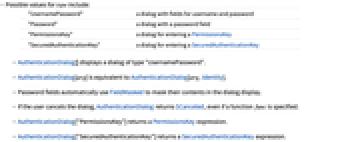
- type 的可能值包括:
-
"UsernamePassword" 带有用户名和密码字段的对话框 "Password" 带有密码字段的对话框 "PermissionsKey" 输入 PermissionsKey 的对话框 "SecuredAuthenticationKey" 输入 SecuredAuthenticationKey 的对话框 - AuthenticationDialog[] 显示 "UsernamePassword" 类型的对话框.
- AuthenticationDialog[arg] 等价于 AuthenticationDialog[arg,Identity].
- 密码字段自动使用 FieldMasked 屏蔽对话框显示的内容.
- 如果用户取消对话框,AuthenticationDialog 返回 $Canceled,甚至是已指定函数 func.
- AuthenticationDialog["PermissionsKey"] 返回一个 PermissionsKey 表达式.
- AuthenticationDialog["SecuredAuthenticationKey"] 返回一个 SecuredAuthenticationKey 表达式.
- 所有其他对话框返回一个 Association.
- 运行 AuthenticationDialog 的 Wolfram 语言内核会被锁定直到完成对话框.
- 当没有前端时,AuthenticationDialog 编写成标准的输出并从标准输入中读取.
- 格式 AuthenticationDialog["type"->{"key1"->"init1",…}] 和 AuthenticationDialog[{"key1"->"init1",…}]可用于指定任何字段的初始值.
- 选项设置 SystemCredentialKey"name" 允许由 $SystemCredentialStore 给定的当前密钥环安全地记住数据.
- 被 "key1"->"init1"->"Masked" 指定的字段内容会被屏蔽.
- 在某些平台上也支持 AuthenticationDialog[FormObject[…]],显示对话框中的任意格式.
- AuthenticationDialog 接受笔记本选项和 AppearanceRules.
- AppearanceRules 可用于指定对话框的总体外观,包括标题和描述文本.
- 默认情况下,AuthenticationDialog 把对话框放在主显示屏的中间. WindowMargins 的明确设置会覆盖这个.
范例
打开所有单元 关闭所有单元基本范例 (4)
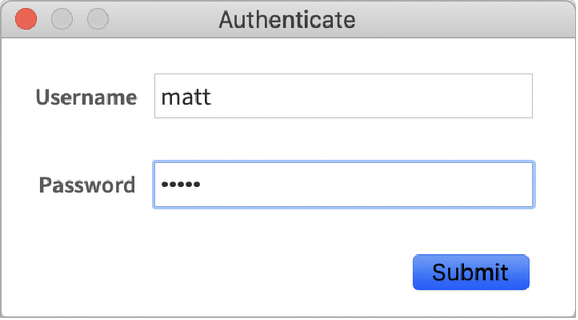
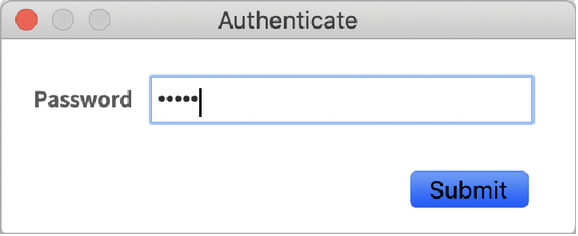
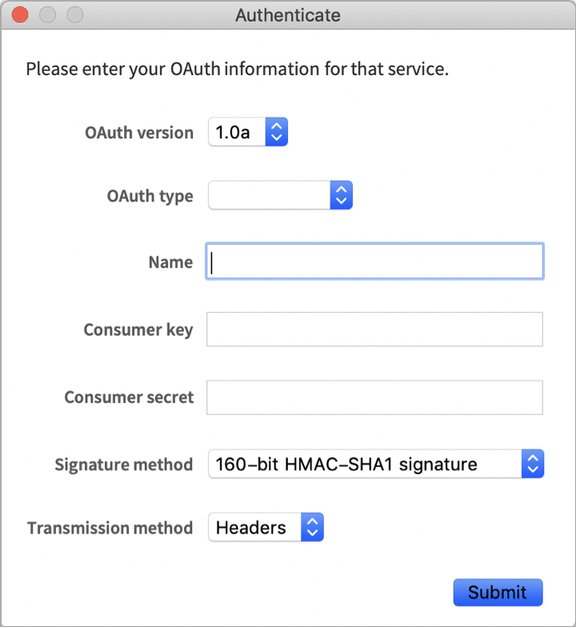
AuthenticationDialog[]AuthenticationDialog["Password"]AuthenticationDialog["Password", Hash[#Password]&]AuthenticationDialog["SecuredAuthenticationKey", AppearanceRules -> <|"Description" -> "Please enter your OAuth information for that service."|>]范围 (7)
AuthenticationDialog["UsernamePassword" -> {"Username" -> "matt"}]指定函数处理由此得出的 Association:
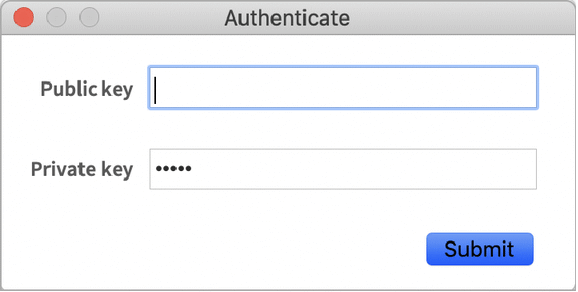
AuthenticationDialog[{"Username" -> "matt", "Password", "Password hint" -> "first pet's name"}, Delete[#, "Password hint"]&]AuthenticationDialog[{"Public key", "Private key" -> "12345" -> "Masked"}]用 SystemCredentialKey"name" 在会话之间安全地存储对话框字段. 按提供的名称存储数据:
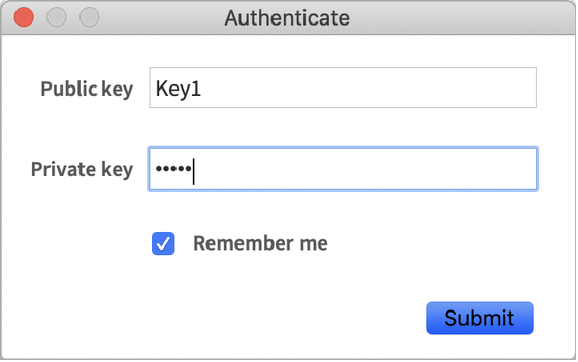
AuthenticationDialog[{"Public key", "Private key" -> "12345" -> "Masked"}, SystemCredentialKey -> "Example1"]SystemCredential["Example1"]对于其他控制类型、可选字段等使用 FormObject:
AuthenticationDialog[FormObject[{"Username" -> "String", "Password" -> <|"Masked" -> True|>, "Password hint" -> <|"Required" -> False, "Hint" -> "(optional)"|>}]]在标准的 Wolfram 语言内核中使用 AuthenticationDialog:
$ ./WolframKernel
Wolfram 15.0.0 Kernel for Mac OS X x86 (64-bit)
Copyright 1988-2026 Wolfram Research, Inc.
In[1]:= AuthenticationDialog[]
Username: matt
Password: *****
Out[1]= <|Username -> matt, Password -> 12345|>
在 wolframscript 中使用 AuthenticationDialog:
$ wolframscript -code "AuthenticationDialog[]"
Username: matt
Password: *****
<|Username -> matt, Password -> 12345|>
$
推广和延伸 (1)
如果与 SystemCredentialKey 选项一起使用,"UsernamePassword" AuthenticationDialog 还有一个额外功能. 将为先前提供的每个用户名存储字段:
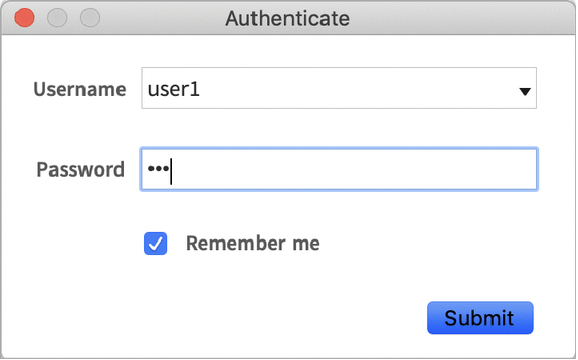
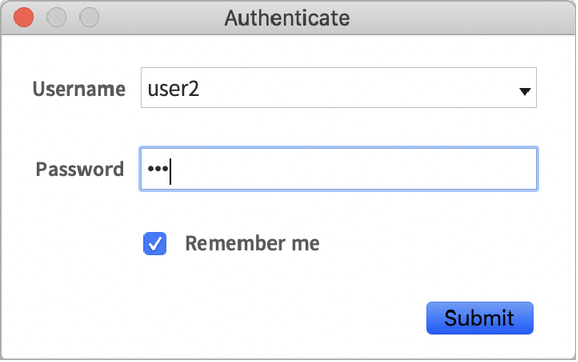
AuthenticationDialog["UsernamePassword", SystemCredentialKey -> "Mydomain"]AuthenticationDialog["UsernamePassword", SystemCredentialKey -> "Mydomain"]将用上次使用的认证信息自动填充新的对话框. 从下拉菜单中选择一个条目后,将自动填写密码栏:
AuthenticationDialog["UsernamePassword", SystemCredentialKey -> "Mydomain"][image]SystemCredentialKeys["Mydomain/*"]{"Mydomain/user1", "Mydomain/user2"}选项 (7)
AppearanceRules (3)
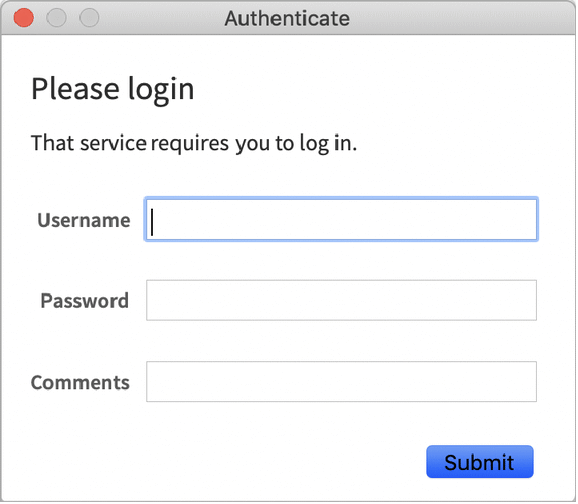
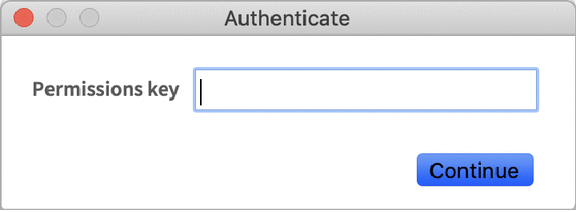
AuthenticationDialog[ "UsernamePassword", AppearanceRules -> {"Description" -> "That service requires you to log in."}]AuthenticationDialog[{"Username", "Password", "Comments"}, AppearanceRules -> {"Title" -> "Please login", "Description" -> "That service requires you to log in."}]AuthenticationDialog["PermissionsKey", AppearanceRules -> {"SubmitLabel" -> "Continue"}]SystemCredentialKey (2)
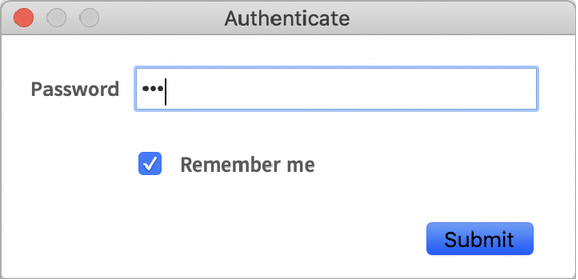
用 SystemCredentialKey 在会话之间安全地存储对话框字段:
AuthenticationDialog["Password", SystemCredentialKey -> "UniqueDomainName"][image]AuthenticationDialog["Password", SystemCredentialKey -> "UniqueDomainName"]WindowMargins (1)
WindowTitle (1)
使用 WindowTitle 和其他笔记本选项调整对话框笔记本窗口的外貌:
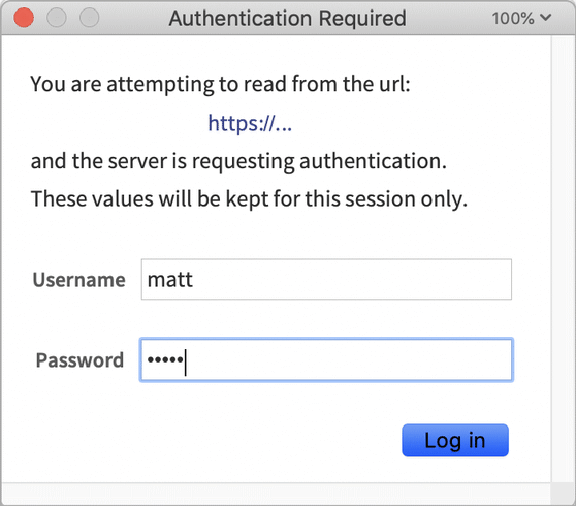
AuthenticationDialog["UsernamePassword", WindowTitle -> "Authentication Required",
WindowSize -> {350, FitAll},
WindowFrameElements -> {"CloseBox", "ResizeArea"},
WindowElements -> {"MagnificationPopUp", "HorizontalScrollBar", "VerticalScrollBar"},
AppearanceRules -> <|"Description" -> TextGrid[{{"You are attempting to read from the url:"}, {Item[Hyperlink["https://..."], Alignment -> Center]}, {"and the server is requesting authentication. These values will be kept for this session only."}}, BaseStyle -> "FormDescription"],
"SubmitLabel" -> "Log in"|>]属性和关系 (2)
使用 AuthenticationDialog 作为 Authentication 的设置,需要时弹出凭证:
URLRead["https://www.wolframcloud.com/obj/d1362db4-d2b4-492e-bc60-090170c44d22", "Content", Authentication -> AuthenticationDialog["PermissionsKey"]]使用 AuthenticationDialog 为其他函数,例如 Encrypt 和 Decrypt 请求密码:
Encrypt[AuthenticationDialog["Password", #Password&], "my data"]Decrypt[AuthenticationDialog["Password", #Password&], %]可能存在的问题 (5)
Button["Authenticate…", AuthenticationDialog[]]总是从顺序计算中调用 AuthenticationDialog:
Button["Authenticate…", AuthenticationDialog[], Method -> "Queued"]AuthenticationDialog 阻碍内核计算队列,阻止来自于渲染的异步动态:
myDescription[] := Style["That service requires you to log in.", "FormDescription"];
AuthenticationDialog["Password", AppearanceRules -> {"Description" -> Dynamic[myDescription[], SynchronousUpdating -> False]}]AuthenticationDialog["Password", AppearanceRules -> {"Description" -> Dynamic[myDescription[]]}]AuthenticationDialog 将使用与给定域的对话框的密钥匹配的所有保存的认证信息:
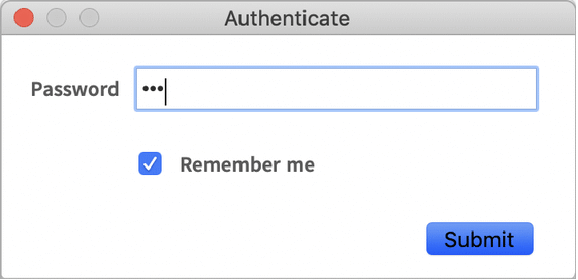
AuthenticationDialog["Password", SystemCredentialKey -> "NonUniqueDomain"]如果另外一个无关的认证对话框使用同样的 SystemCredentialKey,旧的值将被覆盖:
AuthenticationDialog[{"NameField", "Password"}, SystemCredentialKey -> "NonUniqueDomain"]使用 FormObject 的 AuthenticationDialog 将忽略 SystemCredentialKey:
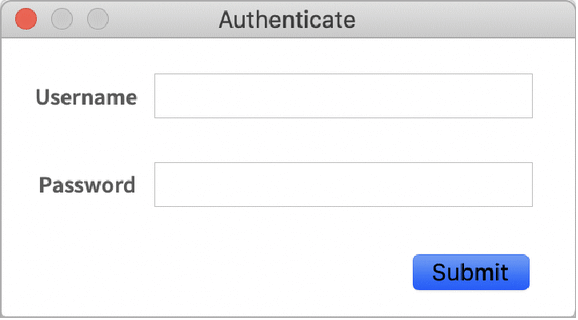
AuthenticationDialog[FormObject[{"Username" -> "String", "Password" -> <|"Masked" -> True|>}], SystemCredentialKey -> "IAmIgnored"]独立的 Wolfram 语言内核中的 AuthenticationDialog 将忽略 SystemCredentialKey:
> wolfram
Mathematica 13.2.0 Kernel for Microsoft Windows (64-bit)
Copyright 1988-2022 Wolfram Research, Inc.
In[1]:= AuthenticationDialog["Password", SystemCredentialKey->"Domain"] Password: *** Out[1]= <|Password -> 123|>
文本
Wolfram Research (2018),AuthenticationDialog,Wolfram 语言函数,https://reference.wolfram.com/language/ref/AuthenticationDialog.html (更新于 2020 年).
CMS
Wolfram 语言. 2018. "AuthenticationDialog." Wolfram 语言与系统参考资料中心. Wolfram Research. 最新版本 2020. https://reference.wolfram.com/language/ref/AuthenticationDialog.html.
APA
Wolfram 语言. (2018). AuthenticationDialog. Wolfram 语言与系统参考资料中心. 追溯自 https://reference.wolfram.com/language/ref/AuthenticationDialog.html 年
BibTeX
@misc{reference.wolfram_2026_authenticationdialog, author="Wolfram Research", title="{AuthenticationDialog}", year="2020", howpublished="\url{https://reference.wolfram.com/language/ref/AuthenticationDialog.html}", note=[Accessed: 16-September-2026]}
BibLaTeX
@online{reference.wolfram_2026_authenticationdialog, organization={Wolfram Research}, title={AuthenticationDialog}, year={2020}, url={https://reference.wolfram.com/language/ref/AuthenticationDialog.html}, note=[Accessed: 16-September-2026]}