ChatEvaluate[chat,prompt]
将 prompt 及其后续内容追加到 ChatObject chat.
ChatEvaluate[prompt]
表示可应用于 ChatObject 的算符形式的 ChatEvaluate.
ChatEvaluate
ChatEvaluate[chat,prompt]
将 prompt 及其后续内容追加到 ChatObject chat.
ChatEvaluate[prompt]
表示可应用于 ChatObject 的算符形式的 ChatEvaluate.
更多信息和选项
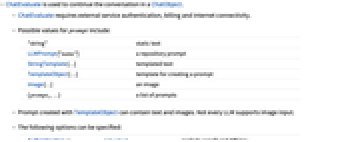
- ChatEvaluate 被用于 ChatObject 中继续进行对话.
- ChatEvaluate 需要外部服务认证、计费和互联网连接.
- prompt 的可能值包括:
-
"text" 静态文本 LLMPrompt["name"] 存储库提示 StringTemplate[…] 模板文本 TemplateObject[…] 创建文本的模板 Image[…] 图像 {prompt1,…} 提示列表 - 通过 TemplateObject[…][] 将模板对象自动转换为消息内容.
- 使用 TemplateObject 创建的提示可以包含文本和图像. 并非所有 LLM 都支持图像输入.
- 可指定以下选项:
-
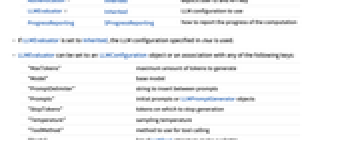
Authentication Inherited 认证方式 LLMEvaluator Inherited 使用的 LLM 配置 ProgressReporting $ProgressReporting 如何报告计算进度 - 如果 LLMEvaluator 被设为 Inherited,使用 chat 指定的 LLM 配置.
- LLMEvaluator 可被设为 LLMConfiguration 对象或含有以下键的关联:
-
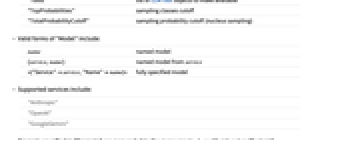
"MaxTokens" 生成词元的最大数量 "Model" 基础模型 "PromptDelimiter" 在提示符之间插入字符串 "Prompts" 初始提示或 LLMPromptGenerator 对象 "StopTokens" 用来指示停止生成的词元 "Temperature" 采样温度 "ToolMethod" 用于工具调用的方法 "Tools" 要提供的 LLMTool 对象列表 "TopProbabilities" 采样类型截止 "TotalProbabilityCutoff" 采样概率截止(核取样) - "Model" 的有效形式包括:
-
name 已命名模型 {service,name} 来自 service 的已命名模型 <|"Service"service,"Name"name|> 完全指定的模型 - "Prompts" 中指定的提示将添加到 chat 的消息中,角色设置为 "System".
- "PromptDelimiter" 属性分隔多个提示.
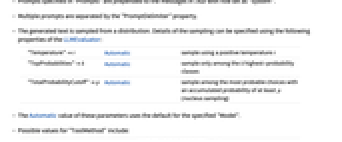
- 生成的文本采样自一个分布. 可用 LLMEvaluator 的以下属性指定采样的详细信息:
-
"Temperature"t Automatic 用正的温度 t 进行采样 "TopProbabilities"k Automatic 仅在 k 个最高概率类别中进行采样 "TotalProbabilityCutoff"p Automatic 在累积概率至少为 p 的最可能的选择中进行抽样(核心抽样) - 这些参数的 Automatic 值使用指定 "Model" 的默认值.
- "ToolMethod" 的可能设置包括:
-
"Service" 依托 service 的工具机制 "Textual" 使用基于提示的工具调用 - Authentication 的可能的值为:
-
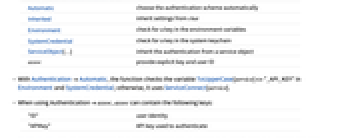
Automatic 自动选择认证方式 Inherited 从 chat 中继承设置 Environment 检查环境变量中的密钥 SystemCredential 检查系统钥匙串中的密钥 ServiceObject[…] 从服务对象继承认证 "string" 提供明确的 API 密钥 - 当 AuthenticationAutomatic 时,函数会检查 Environment 和 SystemCredential 中的变量 ToUpperCase[service]<>"_API_KEY";否则会使用 ServiceConnect[service].
- ChatEvaluate 使用机器学习. 在不同版本的 Wolfram 语言中,其方法、训练集和偏差可能会改变并给出不同的结果.
范例
打开所有单元 关闭所有单元基本范例 (3)
chat = ChatObject[]ChatEvaluate[chat, "What's the tallest mountain?"]multichat = ChatObject[LLMEvaluator -> <|"Model" -> {"WolframAIAccess", Automatic}|>]ChatEvaluate[multichat, {"what is this picture?", Entity["TaxonomicSpecies", "FelisCatus::ddvt3"][EntityProperty["TaxonomicSpecies", "Image"]]}]toolchat = ChatObject[LLMEvaluator -> <|"Tools" -> LLMTool["countcharacter", "string", StringLength]|>]ChatEvaluate[toolchat, "How many letters in the word \"characters\" (use the tool) ?"]范围 (3)
ChatEvaluate[ChatObject[], "Tell me a joke"]ChatEvaluate[ChatObject[Association["LLMEvaluator" -> LLMConfiguration[
Association["Model" -> Association["Service" -> "OpenAI", "Name" -> "gpt-4"],
"MaxTokens" -> Automatic, "Temperature" -> Automatic, "TotalProbabilityCutoff" -> Automatic,
"P ... 1.}, {21.00040054321289, 21.}}}]},
FaceForm[RGBColor[0.5372549019607843, 0.5372549019607843, 0.5372549019607843, 1.]]]},
ImageSize -> {{27., 27.}, {27., 27.}}, PlotRange -> {{-0.5, 26.5}, {-0.5, 26.5}},
AspectRatio -> Automatic]]], "And what about doctors?"]ChatEvaluate["Hi there!"][ChatObject[Association["LLMEvaluator" -> LLMConfiguration[Association["Model" -> Automatic,
"MaxTokens" -> Automatic, "Temperature" -> Automatic, "TotalProbabilityCutoff" -> Automatic,
"Prompts" -> Automatic, "PromptDelimiter" -> "\n\n" ... 1.}, {21.00040054321289, 21.}}}]},
FaceForm[RGBColor[0.5372549019607843, 0.5372549019607843, 0.5372549019607843, 1.]]]},
ImageSize -> {{27., 27.}, {27., 27.}}, PlotRange -> {{-0.5, 26.5}, {-0.5, 26.5}},
AspectRatio -> Automatic]]]]选项 (12)
Authentication (5)
ChatEvaluate[ChatObject[LLMEvaluator -> LLMConfiguration["WolframAIAccess"]], "which element has atomic number 2?"]ChatEvaluate[ChatObject[LLMEvaluator -> <|"Model" -> {"OpenAI", Automatic}|>], "which element has atomic number 2?", Authentication -> "<my-key>"]SystemCredential["ANTHROPIC_API_KEY"] = "<my-key>"ChatEvaluate[ChatObject[LLMEvaluator -> <|"Model" -> {"Anthropic", Automatic}|>], "which element has atomic number 2?", Authentication -> SystemCredential]ChatEvaluate[ChatObject[LLMEvaluator -> <|"Model" -> {"Anthropic", Automatic}|>], "which element has atomic number 2?", Authentication :> SystemCredential["MY_OTHER_ANTHROPIC_API_KEY"]]ChatEvaluate[ChatObject[LLMEvaluator -> <|"Model" -> {"GoogleGemini", Automatic}|>], "which element has atomic number 2?", Authentication -> Environment]so = ServiceConnect["Cohere"]ChatEvaluate[ChatObject[LLMEvaluator -> <|"Model" -> {"Cohere", Automatic}|>], "which element has atomic number 2?", Authentication -> so]LLMEvaluator (6)
ChatEvaluate[ChatObject[], "the first 20 digits of Pi", LLMEvaluator -> <|"Model" -> {"Anthropic", Automatic}|>]modelname = First@ServiceConnect["Anthropic"]["ChatModelList"]ChatEvaluate[ChatObject[], "the first 20 digits of Pi", LLMEvaluator -> <|"Model" -> {"Anthropic", modelname}|>]ChatEvaluate[ChatObject[], "the first 20 digits of Pi"]ChatEvaluate[ChatObject[], "the first 20 digits of Pi", LLMEvaluator -> <|"MaxTokens" -> 3|>]ChatEvaluate[ChatObject[], "Tell me three colors", LLMEvaluator -> <|"Temperature" -> 0|>]ChatEvaluate[ChatObject[], "Tell me three colors", LLMEvaluator -> <|"Temperature" -> 2|>]ChatEvaluate[ChatObject[], "What's the plural of mouse?", LLMEvaluator -> <|"TotalProbabilityCutoff" -> .5|>]ChatEvaluate[ChatObject[], "What's the plural of mouse?", LLMEvaluator -> <|"Model" -> {"OpenAI", "gpt-4"}|>]ChatEvaluate[ChatObject[], "What's the plural of mouse?", LLMEvaluator -> <|"Prompts" -> LLMPrompt["ELI5"]|>]应用 (1)
Tool Calling (1)
altimeter = LLMTool[{"altimeter", "gives the altitude at a location"}, {"where" -> "Location"}, GeoElevationData[#where]&]chat = ChatObject[LLMEvaluator -> <|"Tools" -> altimeter|>]ChatEvaluate[chat, "what's the altitude of mount Kilimanjaro?"]可能存在的问题 (1)
chat = ChatEvaluate[ChatObject[], "Who are you?", LLMEvaluator -> <|"Model" -> {"Anthropic", Automatic}|>, Authentication -> "<my-key>"]使用默认设置 AuthenticationInherited,身份验证将无法在不同的服务上运行:
ChatEvaluate[chat, "Who are you?", LLMEvaluator -> <|"Model" -> {"OpenAI", Automatic}|>]使用 AuthenticationAutomatic 或为新服务重新连接提供显式身份验证:
ChatEvaluate[chat, "Who are you?", LLMEvaluator -> <|"Model" -> {"OpenAI", Automatic}|>, Authentication -> Automatic]文本
Wolfram Research (2023),ChatEvaluate,Wolfram 语言函数,https://reference.wolfram.com/language/ref/ChatEvaluate.html.
CMS
Wolfram 语言. 2023. "ChatEvaluate." Wolfram 语言与系统参考资料中心. Wolfram Research. https://reference.wolfram.com/language/ref/ChatEvaluate.html.
APA
Wolfram 语言. (2023). ChatEvaluate. Wolfram 语言与系统参考资料中心. 追溯自 https://reference.wolfram.com/language/ref/ChatEvaluate.html 年
BibTeX
@misc{reference.wolfram_2026_chatevaluate, author="Wolfram Research", title="{ChatEvaluate}", year="2023", howpublished="\url{https://reference.wolfram.com/language/ref/ChatEvaluate.html}", note=[Accessed: 18-August-2026]}
BibLaTeX
@online{reference.wolfram_2026_chatevaluate, organization={Wolfram Research}, title={ChatEvaluate}, year={2023}, url={https://reference.wolfram.com/language/ref/ChatEvaluate.html}, note=[Accessed: 18-August-2026]}